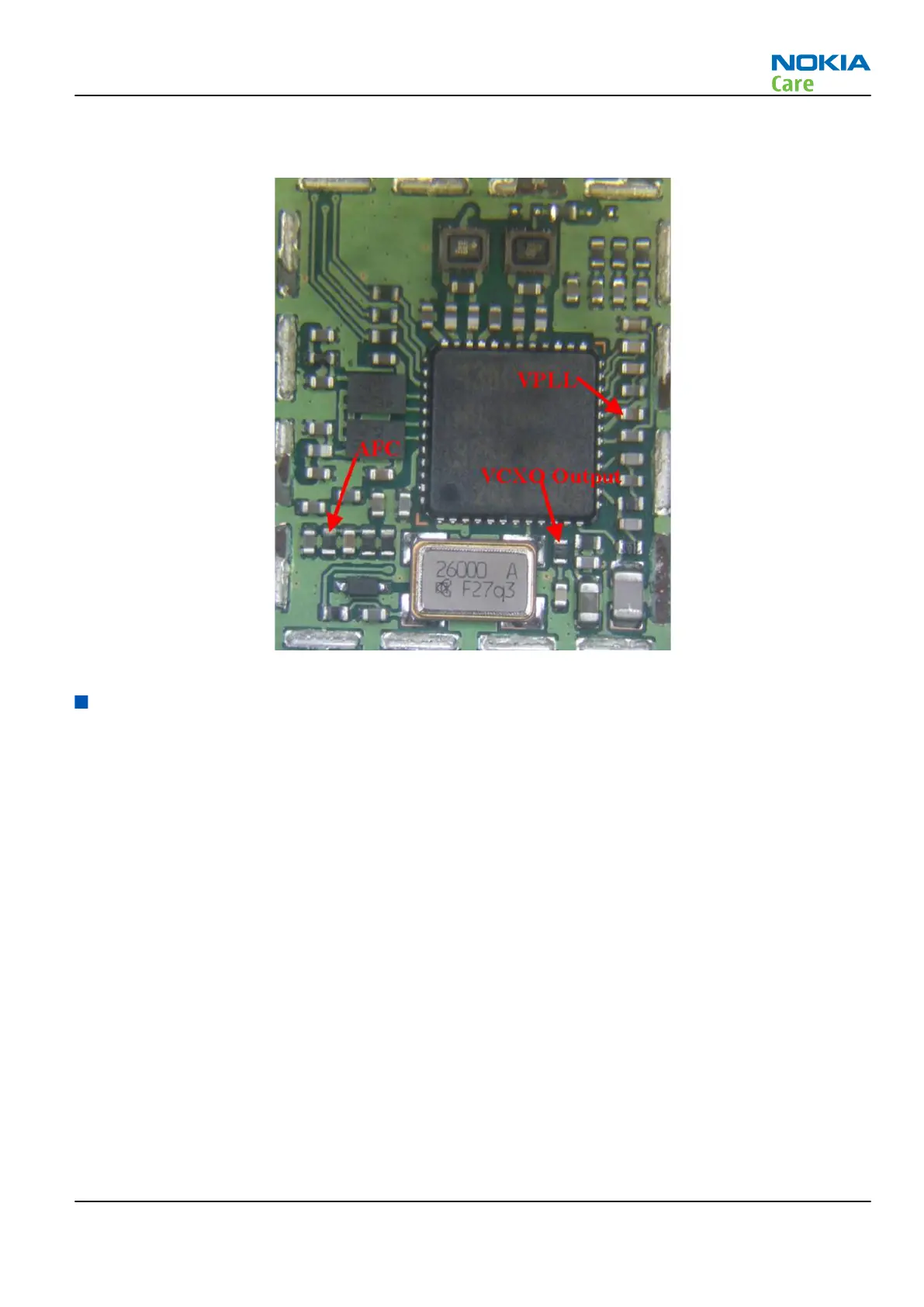
Measurement points at the VCXO
Figure 85 Measurement points for VCXO
FM radio and bluetooth troubleshooting
Measurement settings
Steps
1. Connect the phone to a PC with the module repair jig.
2. Start Phoenix and establish a connection to the phone with the data cable e.g. FBUS.
3. Phoenix settings shall be as follows:
RM-512; RM-513; RM-514; RM-515; RM-543
RF Troubleshooting Instructions
Issue 2 COMPANY CONFIDENTIAL Page 4 –49
Copyright © 2009 Nokia. All rights reserved.


 To Next Page