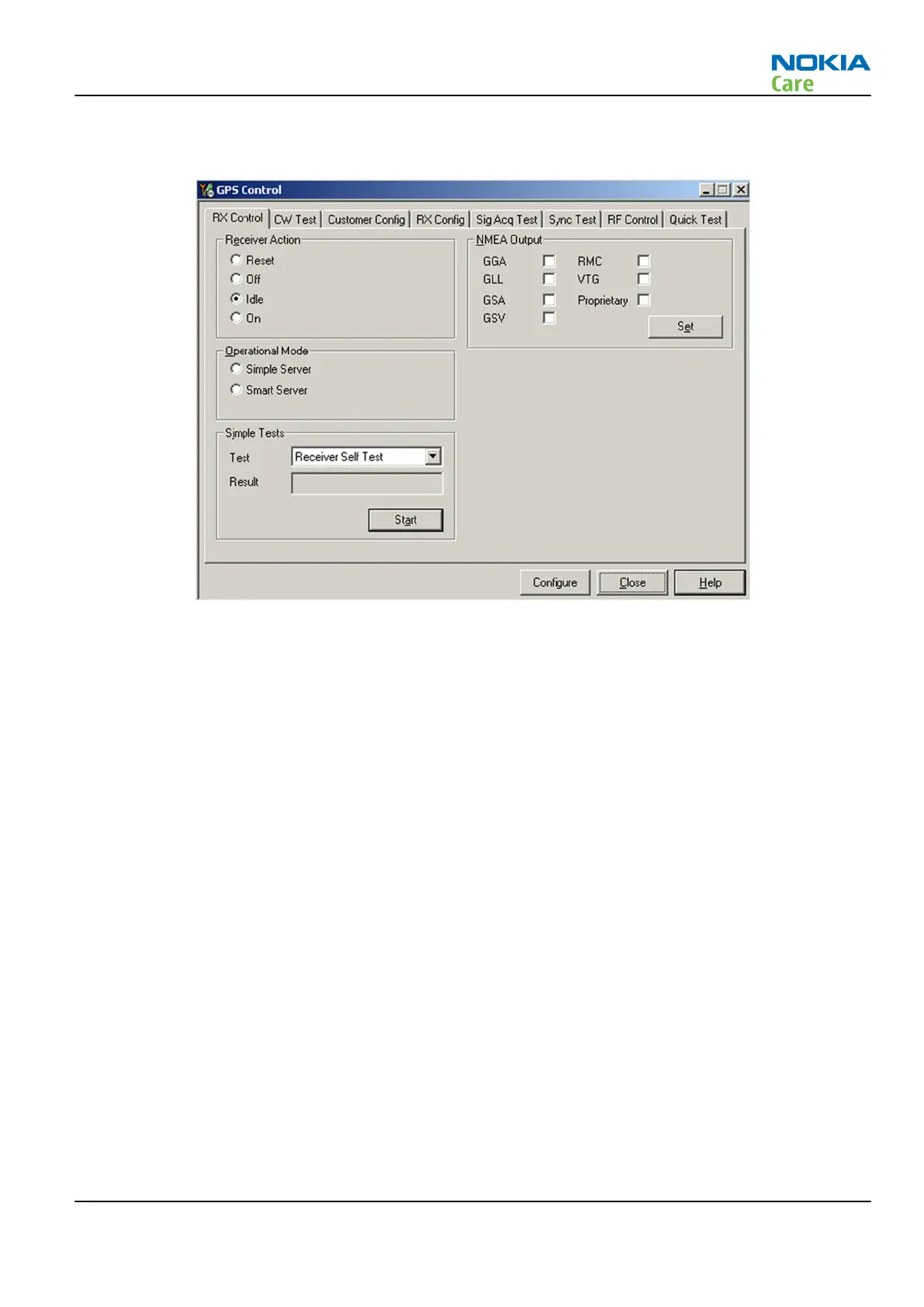
4. From the Testing menu, select GPS Control. This opens up
GPS Control
dialogue box, as shown in the
figure below, and enables the GPS.
Figure 21 GPS Control dialogue box
Select Idle to confirm the GPS is enabled and is in idle mode; at this point all clocks should be present,
GPS_En_Reset & SleepX should be high, and Vdd_Dig, Vcc_TCXO & Vcc_PLL/VCO will be present.
Receiver On turns on all RF sections of the ASIC and so all LDOs will be on.
GPS failure troubleshooting
Context
GPS troubleshooting is broken down into two parts: general GPS failure troubleshooting and GPS basic checks
troubleshooting. The GPS failure troubleshooting flow can be followed and, where applicable, will feed into
the GPS basic checks troubleshooting flow.
RM-596
BB Troubleshooting and Manual Tuning Guide
Issue 2 COMPANY CONFIDENTIAL Page 3 – 81
Copyright © 2010 Nokia. All rights reserved.



 To Next Page