RM-596 can be tuned automatically. Auto tuning is designed to align the phone's RF part easily and faster. It
performs calibrations, tunings and measurements of RX and TX. The results are displayed and logged in a
result file, if initiated.
Note: Always perform RF tuning with the help of the module jig MJ-241, never with RF couplers.
Using an RF coupler in the tuning phase will cause a complete mistuning of the RF part.
Important: After RF component changes, always perform cellular RF auto tuning.
Cable and adapter losses
RF cables and adapters have some losses. They have to be taken into account when the phone is tuned. As
all the RF losses are frequency dependent, the user has to act very carefully and understand the measurement
setup. For RF attenuations of the CA-158RS RF cable, please refer to section 'Service Tools and Service
Concepts'.
Hardware set up
For hardware requirements for auto tuning, please refer to
RF testing and BB/RF tuning concept with module
jig
in section 'Service Tools and Service Concepts'.
Nokia Care Suite preparations
Install Testing And Tuning Tool add-on application to Nokia Care Suite. Automatic RF testing and tuning is
not possible without this application. There is no more support in Phoenix to auto tune RM-596 product.
Install the phone specific data package, for example
Nokia_firmware_RM-596_EUROPE_10.014_v41.0.exe
. This
defines phone specific settings.
RF auto tuning procedure
Note: If RF splitter is in use, skip steps 10, 11 and 12.
1 Make sure the phone (in the module jig) is connected to the PC.
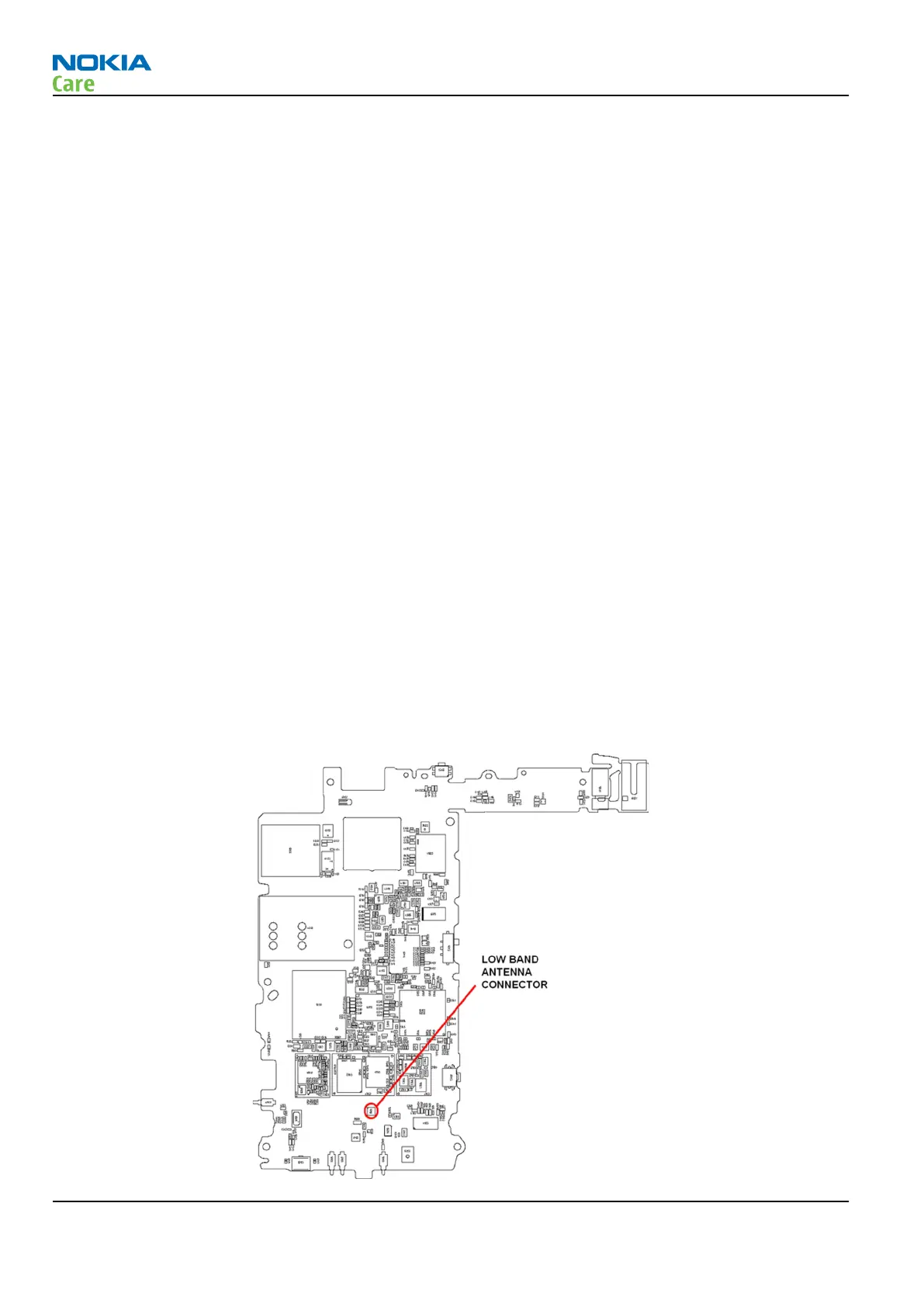
2 Connect the RF cable between the phone (low band antenna connector) and the communication tester.
If an RF splitter is in use, connect both low and high band antenna cables.
RM-596
Cellular RF troubleshooting
Page 4 – 18 COMPANY CONFIDENTIAL Issue 2
Copyright © 2010 Nokia. All rights reserved.



 To Next Page