3 Start
Nokia Care Suite
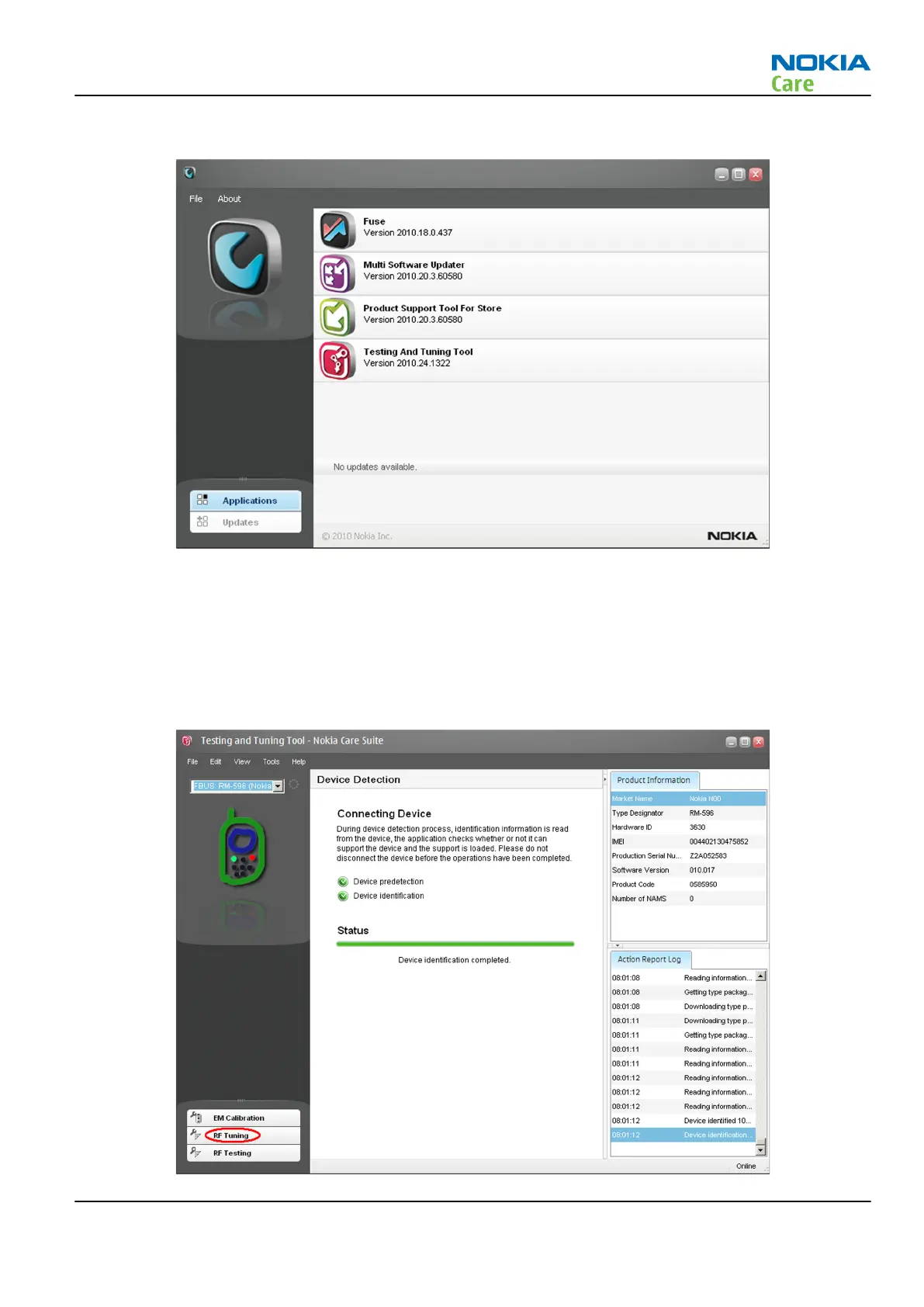
application. The following window opens:
Note: The window appearance may differ depending on the
Nokia Care Suite
version.
Note:
Fuse, Multi Software Updater, Product Support Tool For Store
and
Testing And Tuning Tool
are Care Suite add-on applications. The list is different if there are different add-on applications
installed.
4 To open the application, double-click Testing And Tuning Tool icon.
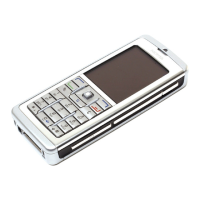
5 If the application is able to find a connected phone, the following view will open:
RM-596
Cellular RF troubleshooting
Issue 2 COMPANY CONFIDENTIAL Page 4 – 19
Copyright © 2010 Nokia. All rights reserved.



 To Next Page