Note: The window appearance may differ depending on the
Nokia Care Suite
and
Testing And Tuning
Tool
versions
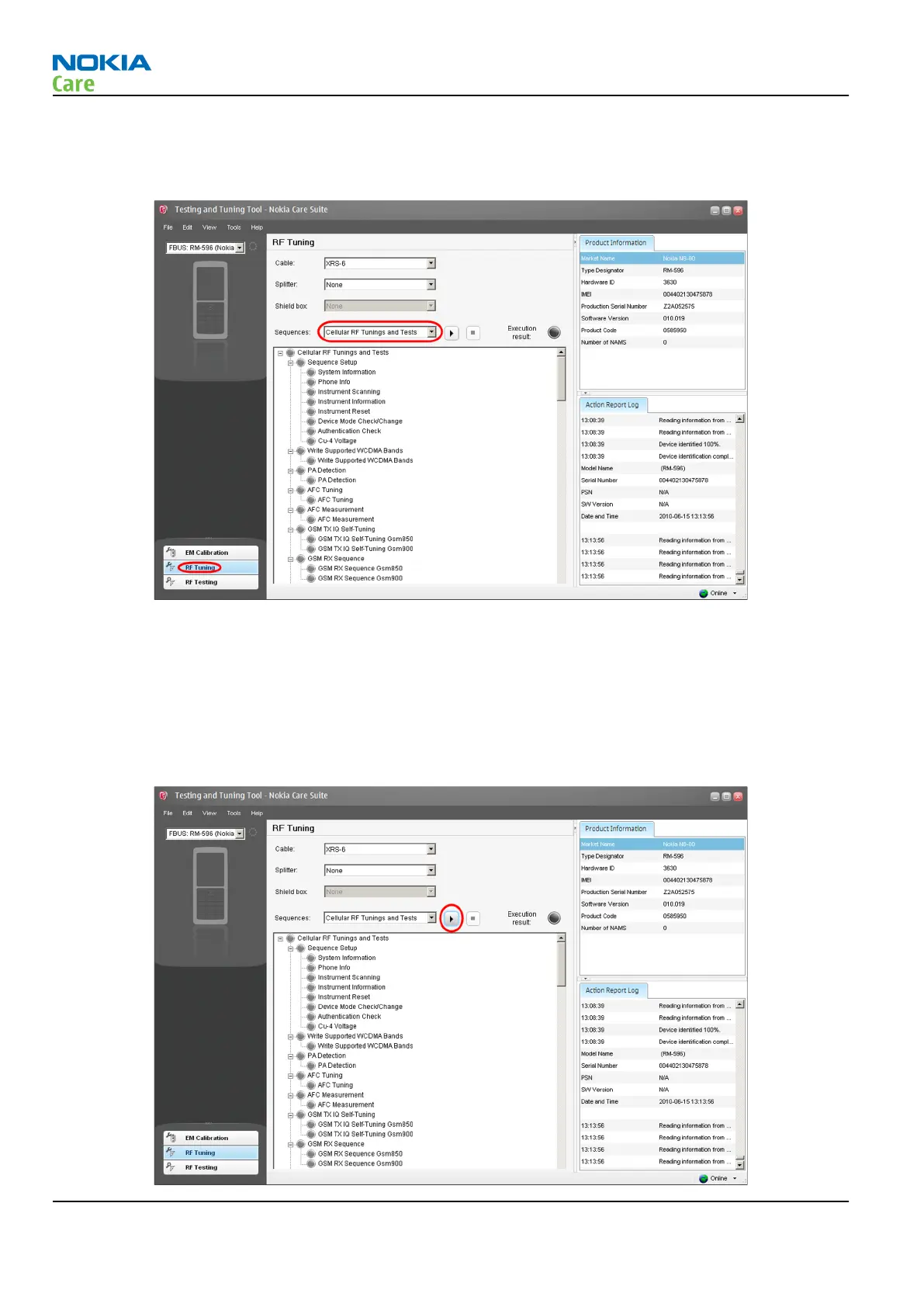
6 Click on the RF Tuning button. The following view opens:
Note: The window appearance may differ depending on the
Nokia Care Suite
and
Testing And Tuning
Tool
versions
7 Select Cellular RF Tunings and Tests from the drop-down menu.
8 Select the RF cable used (and possible RF splitter / RF shield box) from the drop-down menu. CA-158RS
attenuation values are always taken automatically into account when RM-596 product is connected to
Nokia Care Suite
tool.
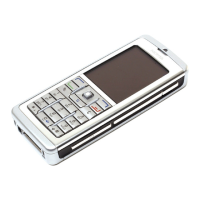
9 Click the Run button.
RM-596
Cellular RF troubleshooting
Page 4 – 20 COMPANY CONFIDENTIAL Issue 2
Copyright © 2010 Nokia. All rights reserved.



 To Next Page