Open browser and see if you can open any internet page normally.
Check that your firewall settings allow PC / Phoenix to reach Tucson server.
Restart PC and Phoenix.
•
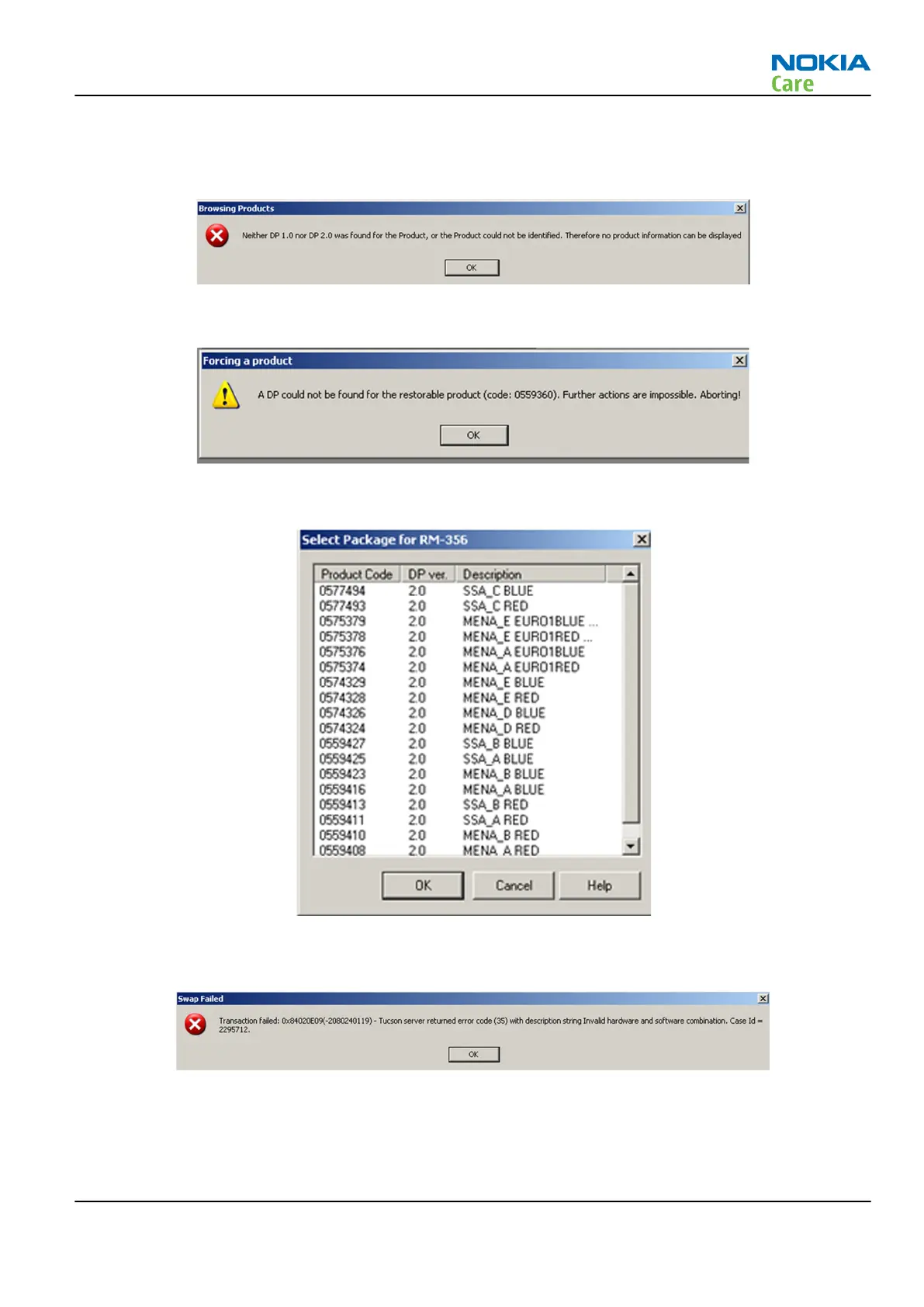
Please check that data package supporting the product code is installed.
Please check that data package supporting the product code is installed.
IF YOU CAN NOT SEE THE PRODUCT CODE YOU WANT TO CHANGE THE PRODUCT INTO.
Please check that data package supporting the product code is installed.
•
During product code change involving product SW downgrade Tucson system checks for all HW and SW
combinations which have been made in Factory.
If Tucson procedure fails because of the invalid HW/SW combination, the combination is not possible. This
can not be changed in any way. The HW your phone has not been manufactured with SW.
RM-721; RM-722
BB Troubleshooting and Manual Tuning Guide
Issue 1 COMPANY CONFIDENTIAL Page 3 – 59
Copyright © 2011 Nokia. All rights reserved.


 To Next Page