Troubleshooting
•
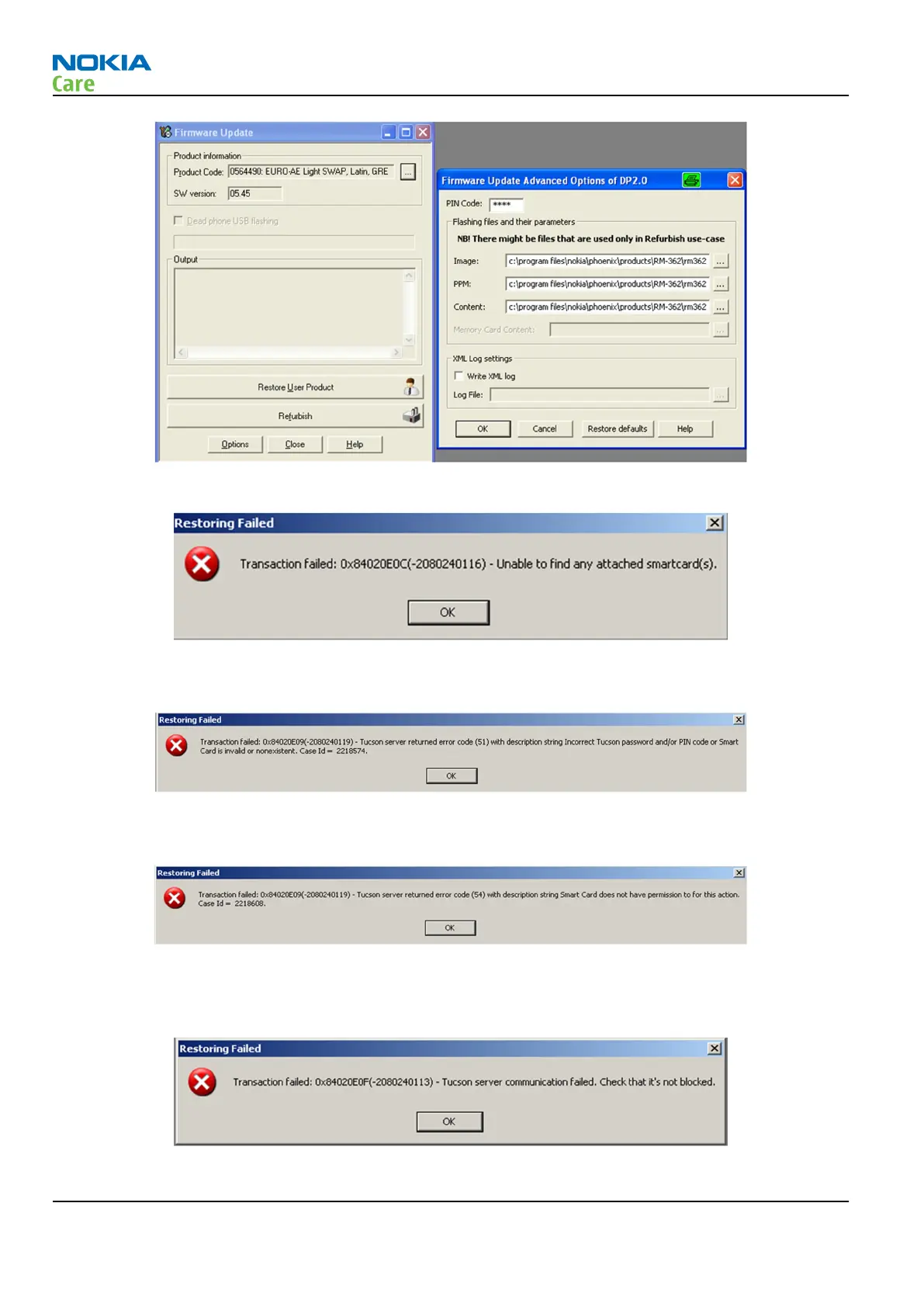
Please check that the Smart Card you use is properly connected to the flash prommer.
Please try another card / prommer combination.
•
Please retry and check that your password and PIN are correct.
Please check that the Smart card you are using has been registered to NOL Security Device Master.
•
Please check that the Smart card you are using has been approved for Tucson use.
When card has been approved you should have received confirmation by email from local Nokia care.
Please check with local Nokia care support if needed.
•
Please check that your internet connection works.
RM-721; RM-722
BB Troubleshooting and Manual Tuning Guide
Page 3 – 58 COMPANY CONFIDENTIAL Issue 1
Copyright © 2011 Nokia. All rights reserved.


 To Next Page