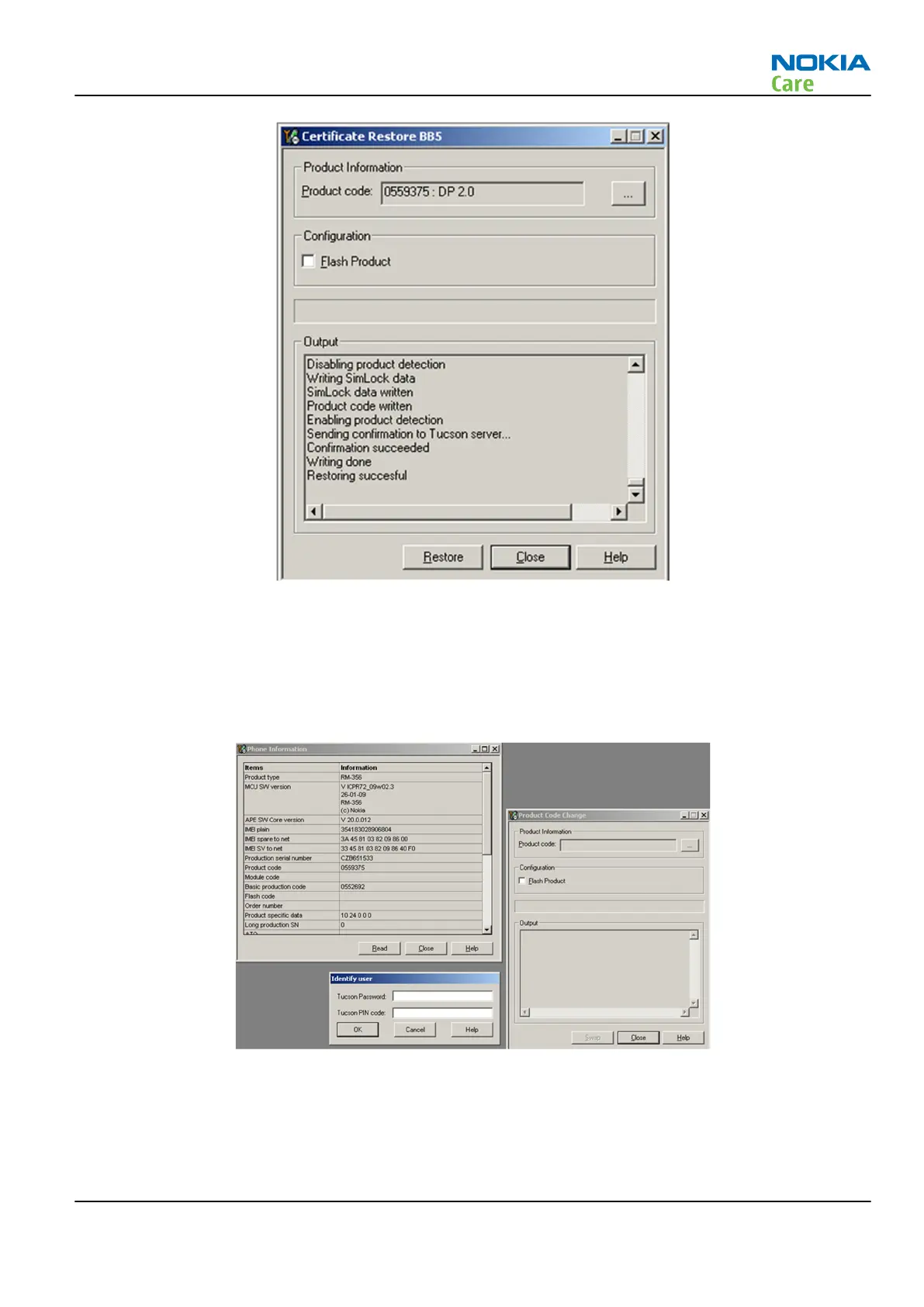
Product code change BB5
•
Connect phone and scan product, read phone information to check communication with phone.
•
Open “
Tools
” –> “
Product Code Change
” ->
Menu
•
Provide Tucson Password and PIN code which have been delivered to you by email. Please note that
characters are case sensitive
•
Select product code of new variant from list.
If product code you want is not shown, please install correct data package including the variant.
•
Select “
OK
” and “
SWAP
”.
RM-721; RM-722
BB Troubleshooting and Manual Tuning Guide
Issue 1 COMPANY CONFIDENTIAL Page 3 – 47
Copyright © 2011 Nokia. All rights reserved.


 To Next Page