•
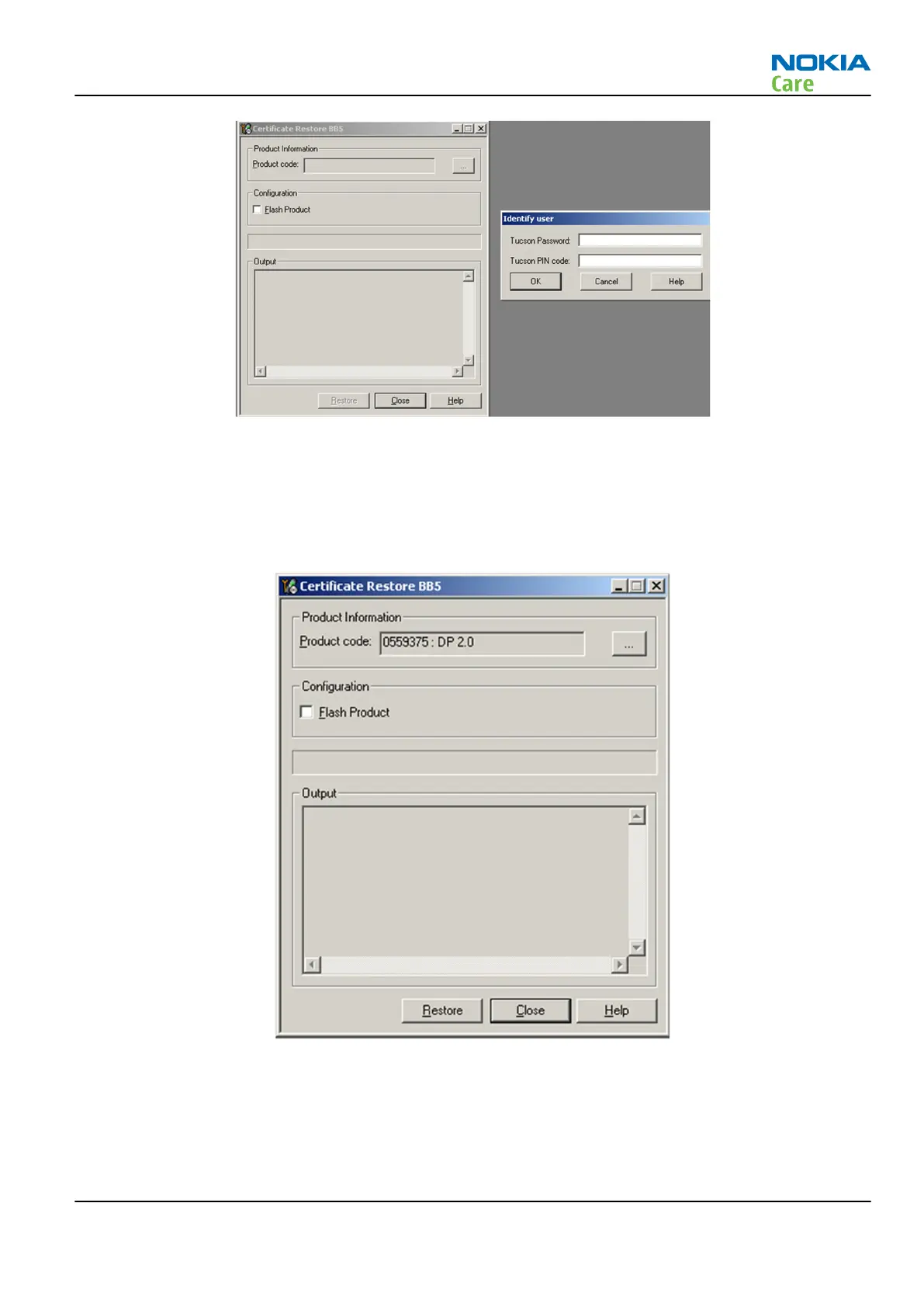
Select OK, Phoenix will read product information from phone.
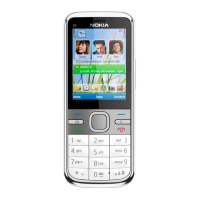
Product code shown on the UI does not matter, because during restoring it will be replaced by the product
code which is the latest one stored in Nokia system.
It is recommended to perform “Restore” function without selecting “Flash Product” – option to avoid possible
SW downgrade which causes the phone to die.
Information from phone and Smart Card are read and connection to Tucson server is established.
RM-721; RM-722
BB Troubleshooting and Manual Tuning Guide
Issue 1 COMPANY CONFIDENTIAL Page 3 – 45
Copyright © 2011 Nokia. All rights reserved.


 To Next Page