14
Using the WristOx2, Model 3150
Attach Ring Strap to Device
1. Place device face down.
2. Locate strap bar at top of device (by sensor port).
3. Position ring strap so hook and loop side of strap faces up.
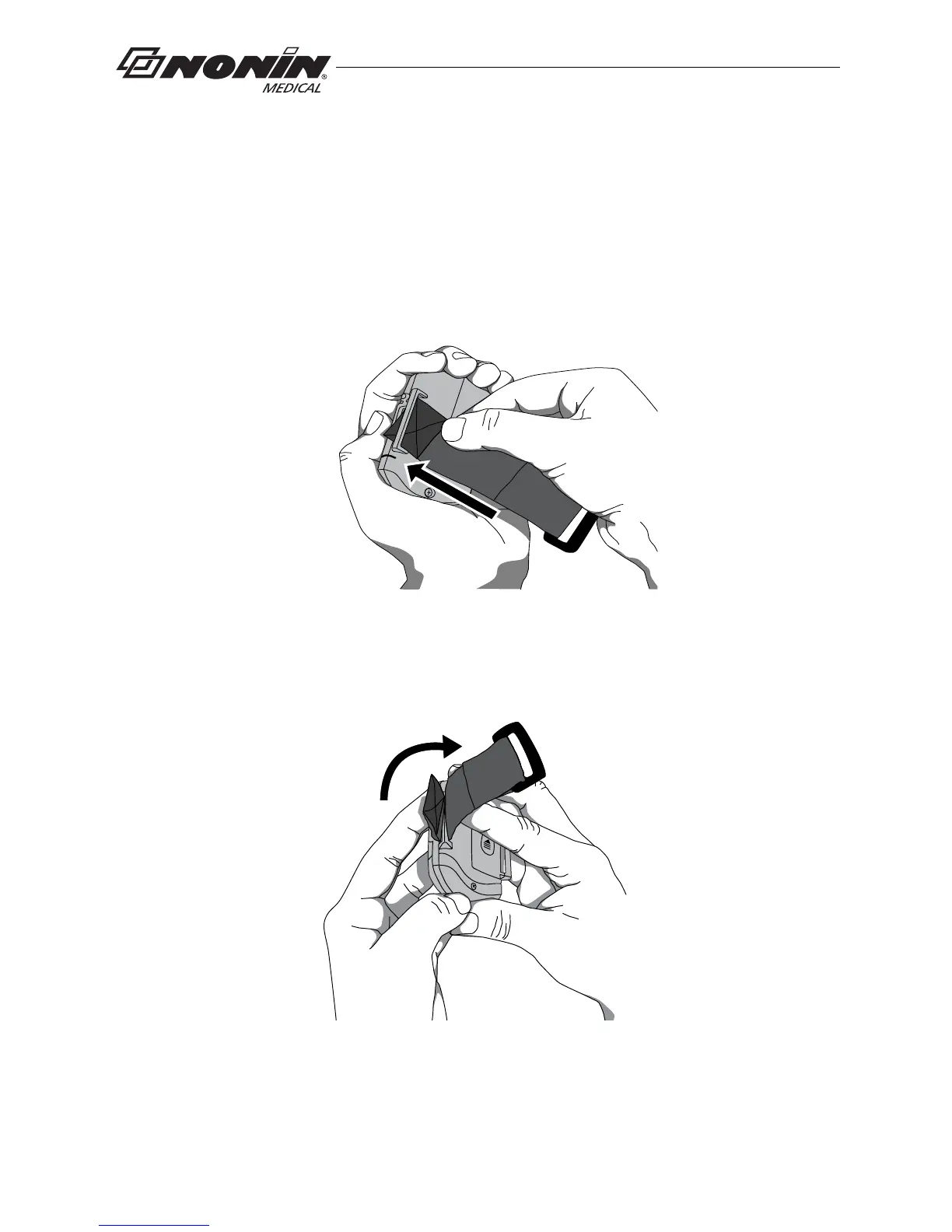
4. Thread square end fastener through the strap bar by the sensor port. Start from
the back of the device and thread it towards the front of the device (figure 6).
.
Strap bar at
top of device
(by sensor port)
Figure 6: Thread Ring Strap
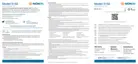
5. Fold strap so fastener adheres to the strap (figure 7).
Figure 7: Attach Ring Strap
6. Continue to “Attach Adjustable Strap to Device.”



 To Next Page