26
Troubleshooting
Troubleshooting
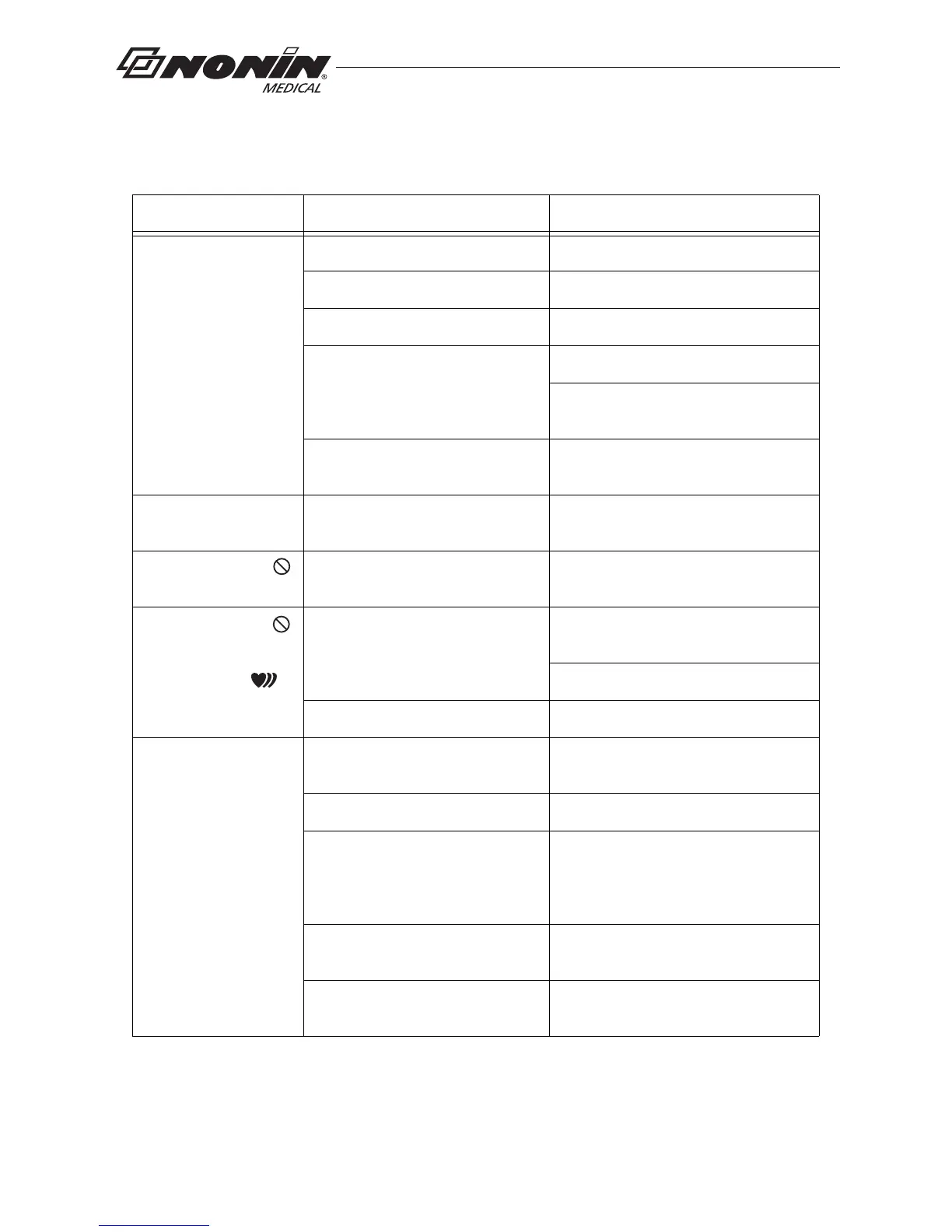
Problem Possible Cause Possible Solution
Device will not
activate.
Batteries inserted wrong. Check batteries.
Batteries are depleted. Replace batteries.
Sensor is disconnected. Reconnect sensor.
Device is in Sensor Activation
mode and has timed out.
Press the activation switch.
Disconnect and then reconnect the
sensor.
Device is in Programmed mode. Use nVISION software to select Spot
Check or Sensor Activation mode.
%SpO
2
and pulse rate
do not display.
Device set in Partial Display
mode.
Use nVISION software to select Full
Display mode. Reconnect sensor.
Poor pulse signal
indicator displays.
Excessive patient motion. Reduce patient motion.
Poor pulse signal
indicator displays
and
pulse strength
indicator shows two
bars or less.
Inadequate pulse signal. Reposition or replace sensor, or place
sensor on a different finger.
Remove and reconnect sensor.
Hands are cold. Warm sensor application site.
No pulse display on
pulse strength bar
graph indicator.
Sensor applied incorrectly. Refer to sensor Instructions for Use
for proper sensor application.
Device needs repair. Contact Nonin Technical Service.
Possible interference from blood
flow restrictors (arterial catheters,
blood pressure cuffs, infusion
lines, etc.).
Reduce or eliminate restriction.
Reduced circulation due to excess
pressure from sensor.
Check sensor alignment, reposition
sensor, verify correct sensor size.
Excessive ambient light. Shield sensor from light source.
Check sensor alignment.



 To Next Page