15
Using the WristOx2, Model 3150
Adjustable Strap Description
This strap is part of the two-piece wrist band and may also be used to apply the device
using a single strap.
The adjustable strap is available in various length
s (see “Parts and Accessories”). It has
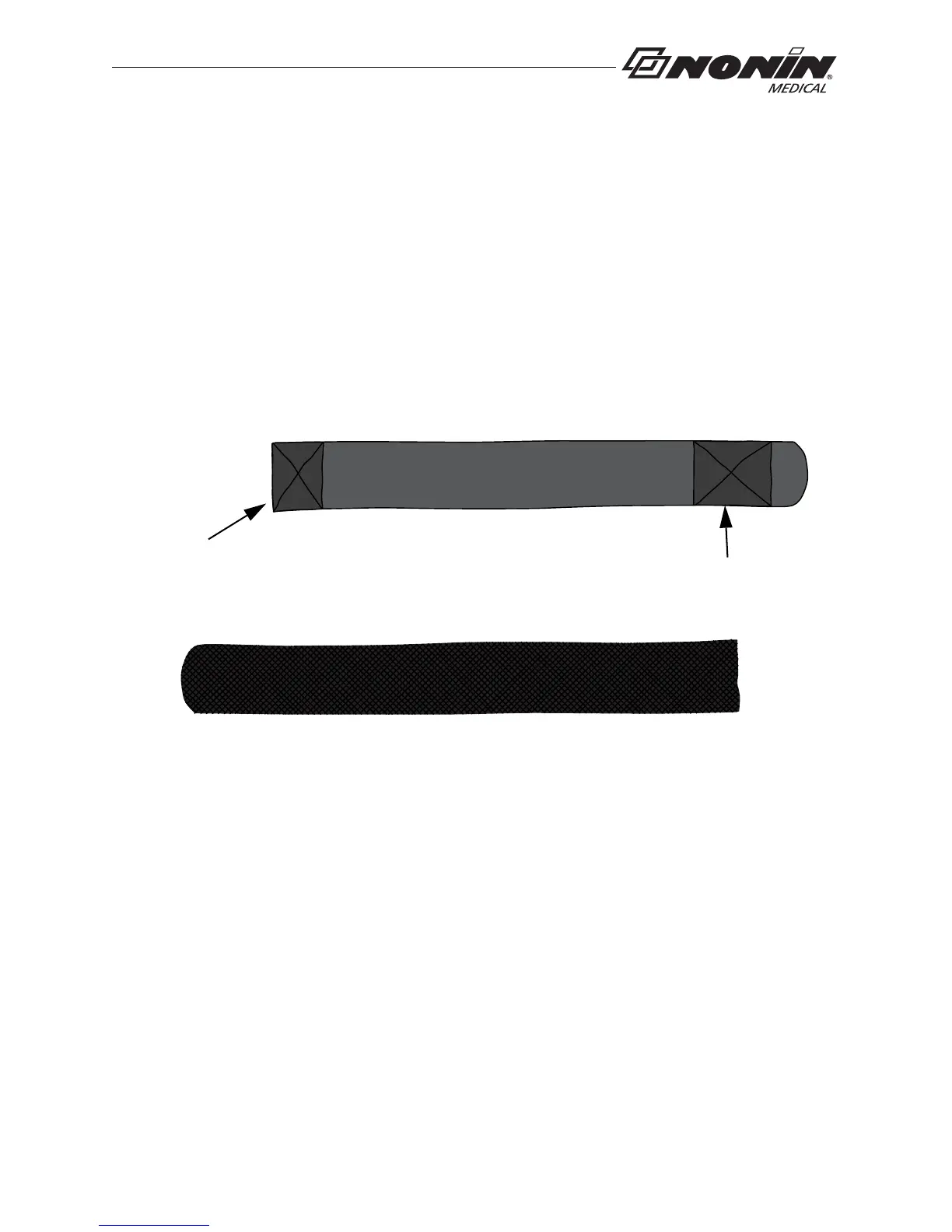
hook and loop fasteners at both ends (figure 8).
The square end attaches to the strap bar at the bottom of the device, by the battery door
(see
“Attach Adjustable Strap to Device” section).
Hook and Loop Side
Woven Side
Attach square end
to strap bar by
battery door
Rounded End Fastener
Square End
Fastener
Figure 8: Adjustable Strap
Attach Adjustable Strap to Device
1. Place device face down.
2. Locate strap bar at bottom of device (by battery door).
3. Position adjustable strap so hook and loop side of strap faces up.



 To Next Page