23
Using the WristOx2, Model 3150
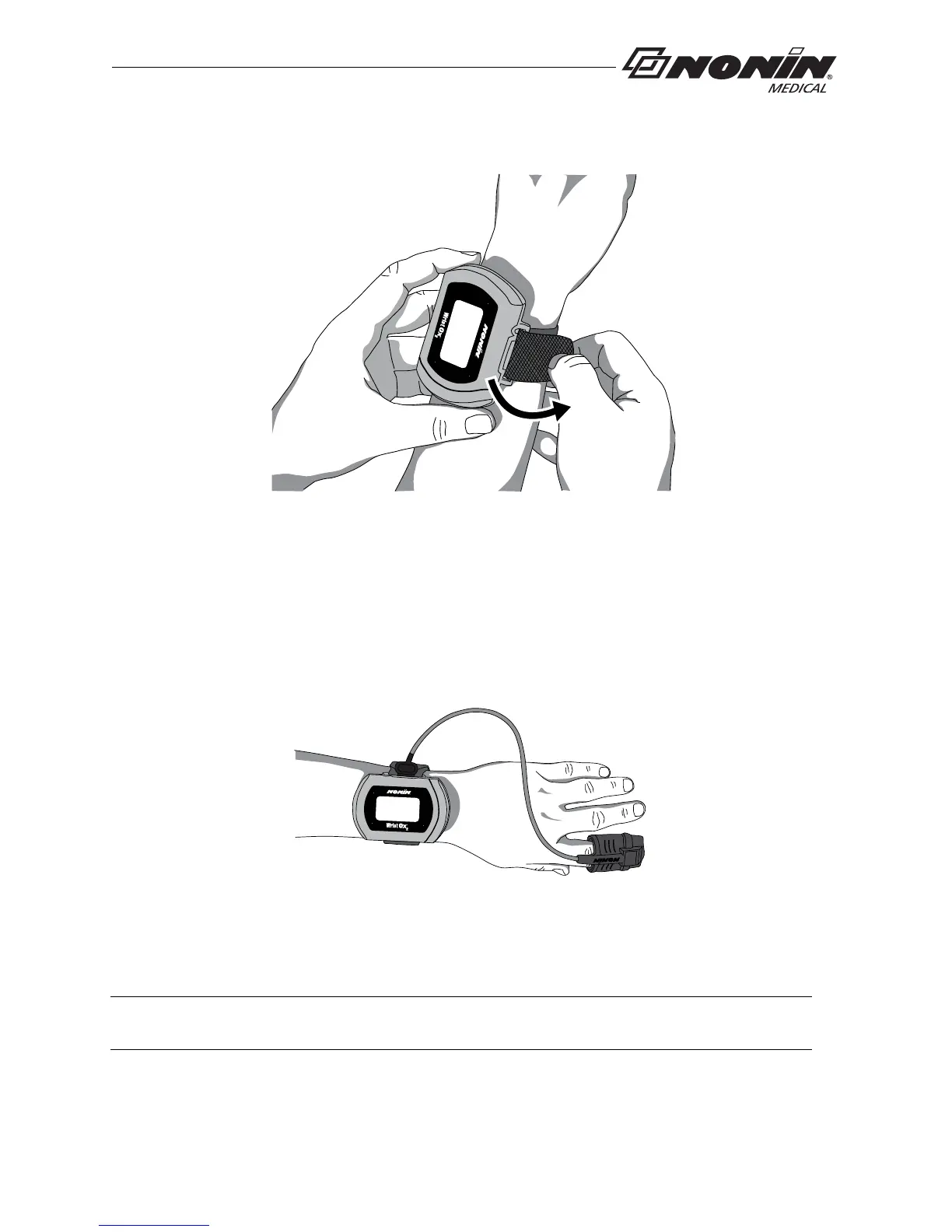
5. Fold the strap over the strap bar so the fastener attaches to the strap (figure 20).
Figure 20: Fasten Single Strap
6. Attach the sensor by inserting the sensor connector into the sensor port at the top of
the d
evice. The Nonin logo on the sensor connector should face the front of the
device. (See “Attaching the Sensor” for more information.)
7. Push the connector until it clicks into place.
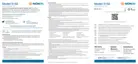
8. Apply the sensor to the patient (figure 21). Refer to the sensor Instructions for Use for
prope
r sensor application sites and sensor application cautions and warnings.
Figure 21: Apply Sensor to Patient
9. When in Spot Check mode, inserting a finger in the sensor automatically turns the
device
on. When the finger is removed, the device goes into Standby mode in
approximately 10 seconds.
10. If the device does not turn on, verify battery orientation, operation mode, and sensor
con
nection. Refer to “Troubleshooting” for additional information.
NOTE: Depe
nding on the sensor and ambient light conditions, it may take up to 3 minutes
for the device to enter Standby mode.



 To Next Page