31
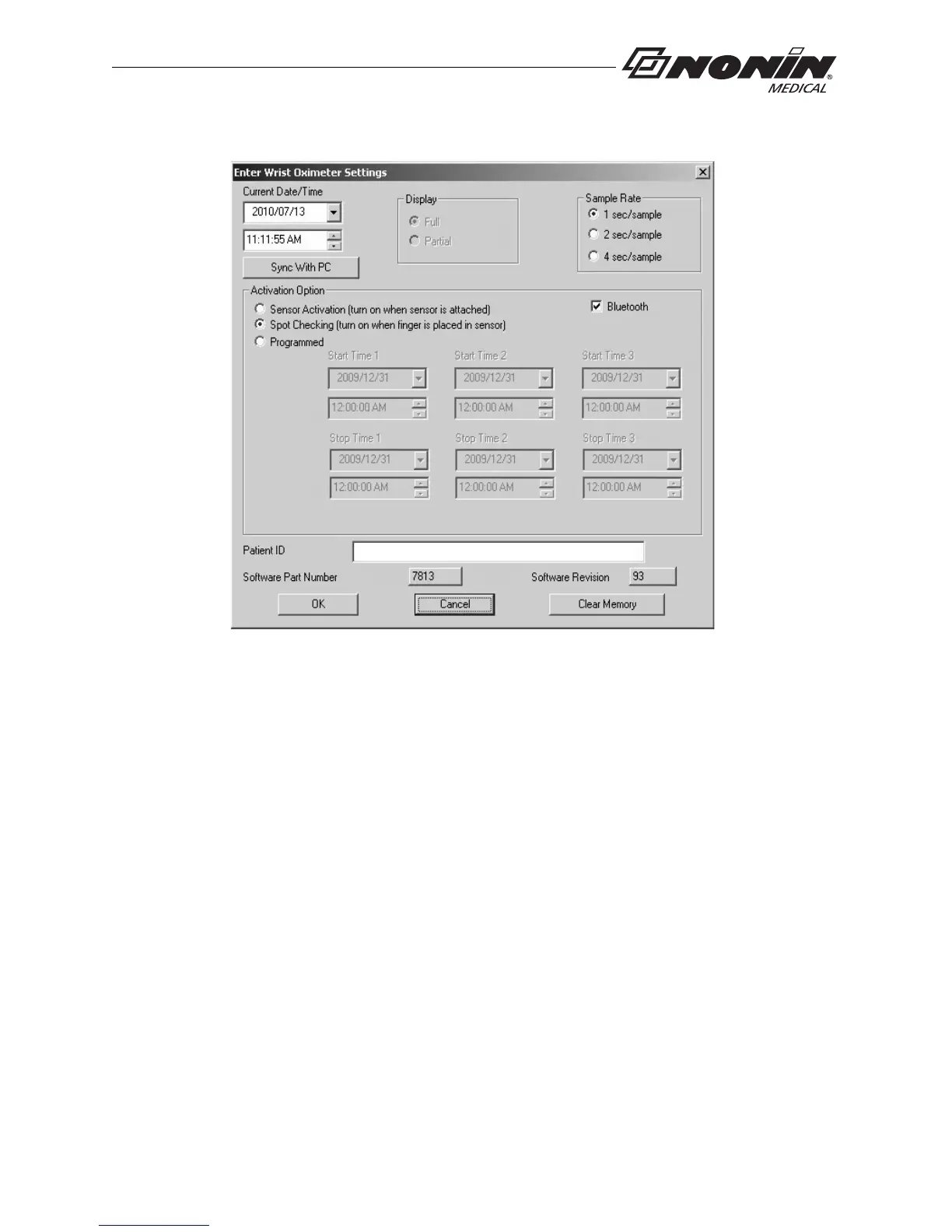
nVISION Software
.
Figure 22: nVISION Settings Window
Cable Connection
To connect the device to a PC, use the PC USB interface cable found in the starter kit.
Once connected to a PC, the device settings may be accessed and data can be
downloaded using nVISION software.
The USB driver software for the cable needs to be installed before the device can connect
to the
PC. The software is located in the USB Driver folder on the Operator’s Manual CD.
1. Install USB driver if needed. See appropriate “USB Drive
r Installation” section for
more information.
2. Connect the cable to the USB port on the PC.
3. Connect the cable to the device’s sensor port.



 To Next Page