• “Parity”: Parity bit for the data transmission
Factory setting: None1
Options: None1, None2, Odd, Even
Note: for the communication with the optional remote terminal the timeout is set to 5 seconds as stand
ard.
5.6 Diagnostic functions
5.6.1 Interrogation of the error history
The error messages generated by the last 20 malfunctions that occurred are saved in the error history
list of the Nordmann AT4 and can be interrogated.
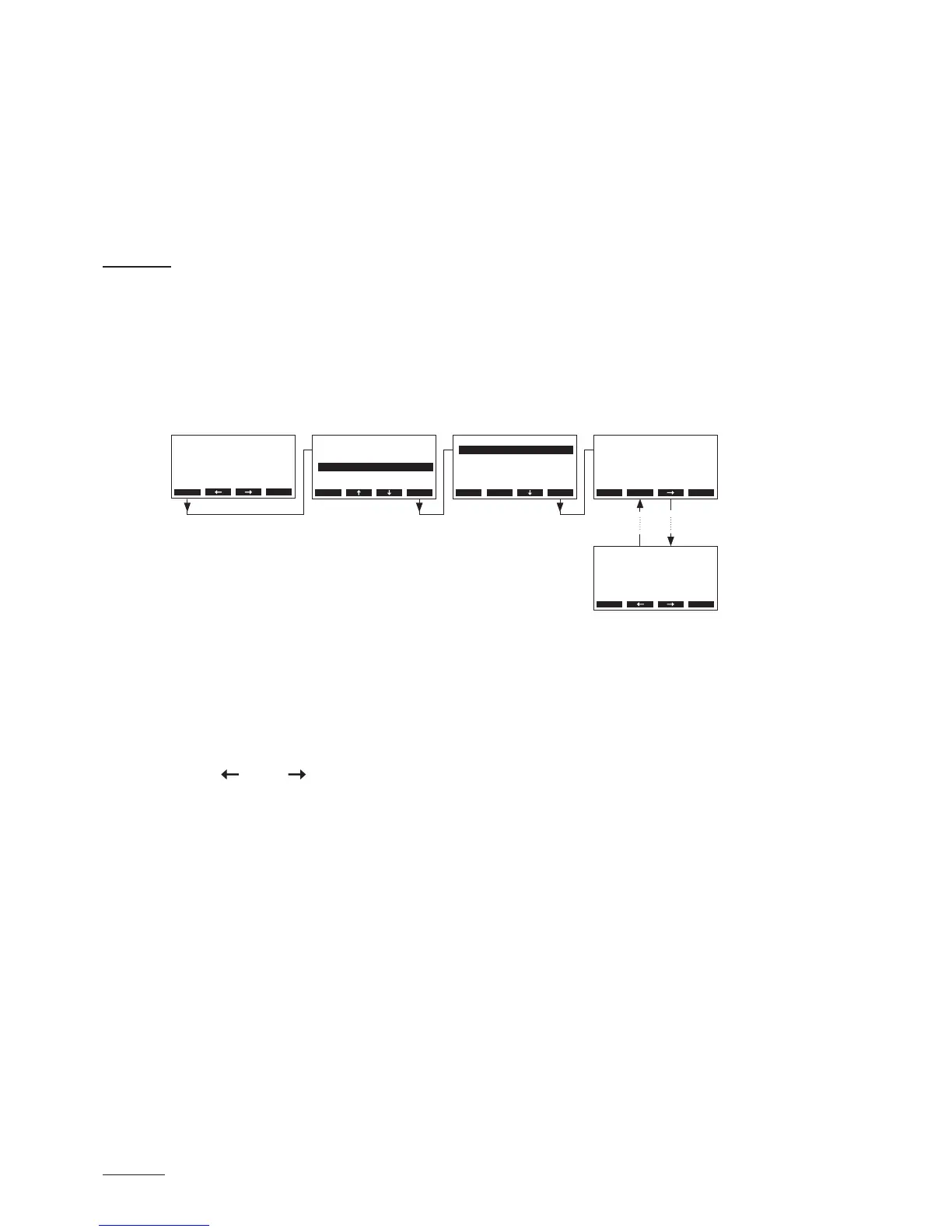
Select the error history list:
Path: Main menu > Diagnostic > ErrorHistory
The last error that occurred is shown with:
– running number of the error
– date and time of occurrence
– error code (Warning: W..., Error: E...)
– error message
– additional info text regarding the error
Press <
> and < > keys, in order to select further error messages in the list.
Press the <Esc> key several times to quit the error history list and to return to the standard operating
display.
Main Menu
Engineering :Set
Diagnostic :Set
User :Set
Esc Set
Diagnostic
Unit Status :Set
Remote Test :Set
Modul-A Test:Set
ErrorHistory:Set
Modul-B Test:Set
Esc Set
ErrorHistory
E23A No Current
Phase failure
GFCI activated
01/05 11-03-15 12:34
Water supply
Esc Set
ErrorHistory
E32A HumSensor broken
No sensor signal
humidity sensor def.
05/05 11-03-15 12:34
Esc Set
Menu
AT4 130kg/h 400V3
Standby
2011-08-31 12.00.00



 To Next Page