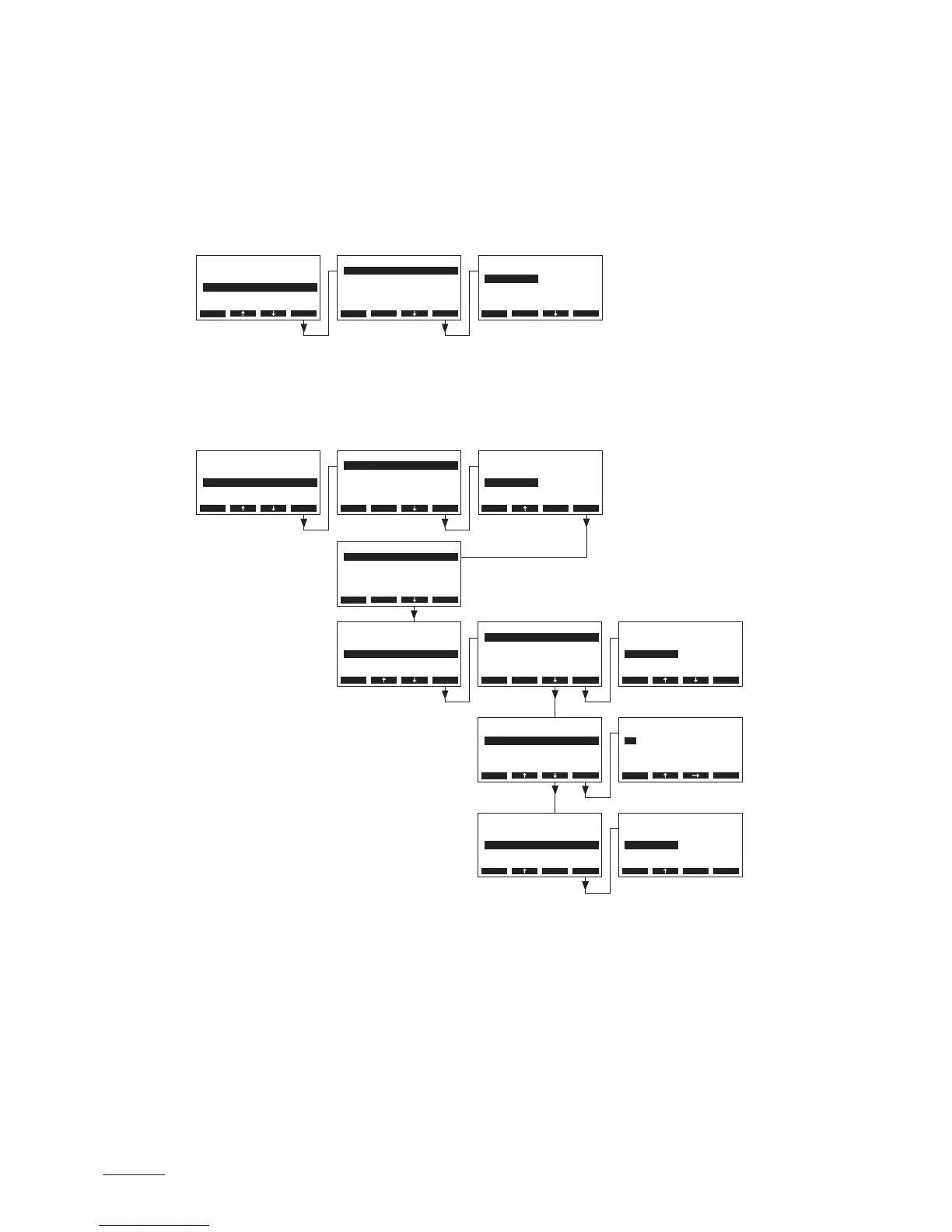
5.4.7 ConguringtheOn/Offtimer
With the parameters in the “On/Off Timer” submenu you determine whether or not (factory setting) the
Nordmann AT4 is to be switched on and off timer controlled.
– Deactivate On/Off timer:
Select “On/Off Timer” in the settings menu, then press the <Set> key. Let the timer deactivated
(Off) or deactivate the timer if necessary.
– Activate and congure On/Off timer:
Select “On/Off Timer” in the settings menu, then press the <Set> key. Select “Timer”, then press
the <Set> key. In the upcoming modication dialogue activate the timer function and conrm the
setting with the <Set> key.
If the timer is activated, up to eight switching points (events 1 8) with different On/Off events can
be dened. Each switching point is dened by a weekday or weekday range, the switching point
and the operating mode.
Conguration notes:
– the settings of an event remain active up to the next event.
– the software does not check the plausibility of the timer settings. Therefore, make sure your
settings make sense.
– the On/Off timer overrides all other timers.
On/O Timer
Timer :O
Esc Set
Settings
Power Limit :Set
On/O Timer :Set
Water Manag.:Set
SC-System :Set
Date :11-08-31
Esc Set
Timer
O
On
O
Esc Set
Settings
Power Limit :Set
On/O Timer :Set
Water Manag.:Set
SC-System :Set
Date :11-08-31
Esc Set
On/O Timer
Timer :O
Esc Set
On/O Timer
Event 1 :06:00
Event 2 :18:00
Event 3 :--:--
Timer :On
Event 4 :--:--
Esc Set
On/O Timer
Event 1 :06:00
Event 2 :18:00
Event 3 :--:--
Timer :On
Event 4 :--:--
Esc Set
Event 2
Time :18:00
Mode :O
Weekday :Mo-Fr
Esc Set
Event 2
Time :18:00
Mode :O
Weekday :Mo-Fr
Esc Set
Event 2
Time :18:00
Mode :O
Weekday :Mo-Fr
Esc Set
Timer
O
On
On
Esc Set
Mode
O
On
On
Esc Set
Weekday
O
Mo-Fr
Mo-Sa
Mo-Fr
Mo-Su
Esc Set
Time
18:00
18:00
Esc Set



 To Next Page