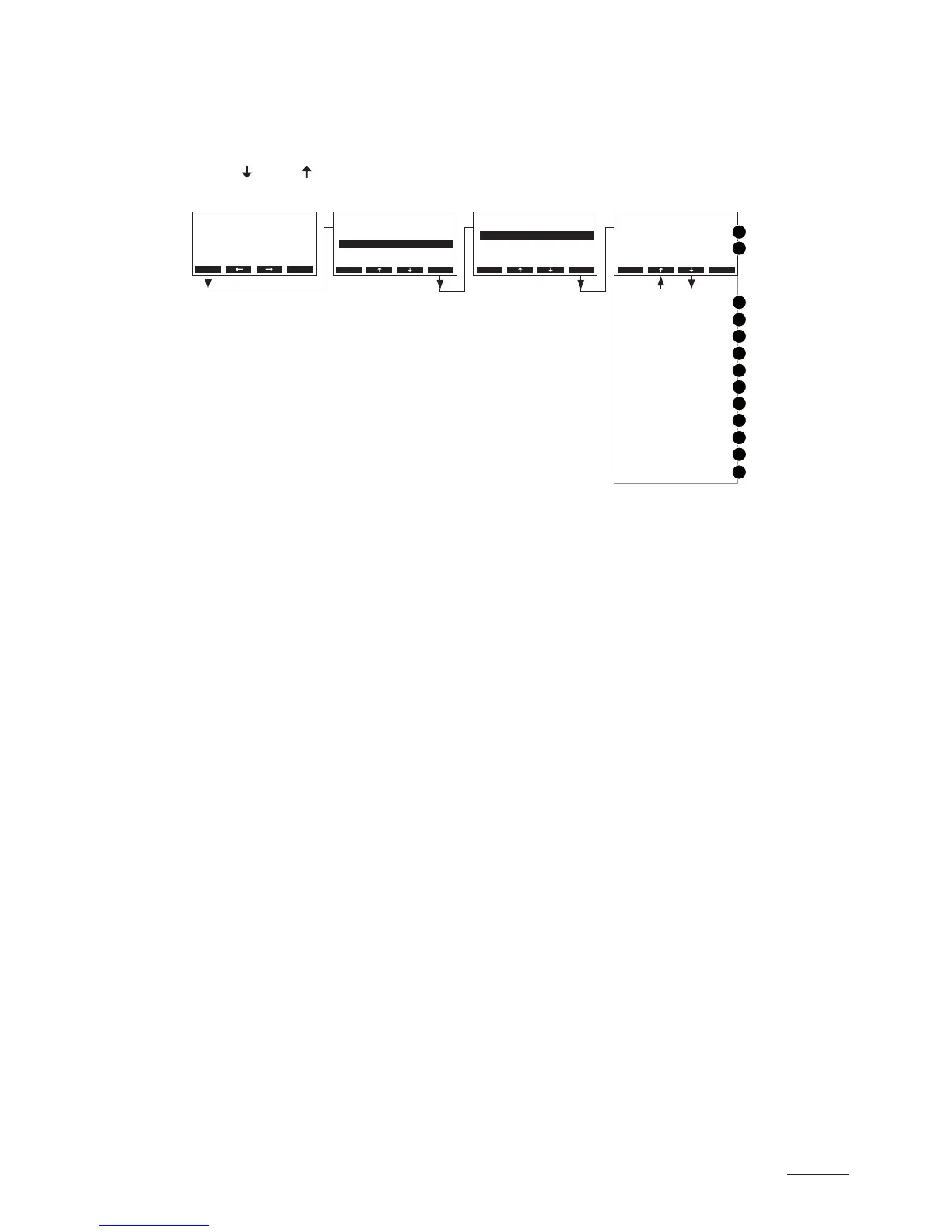
5.6.2 Interrogation of unit information
Select the list with the unit information:
Path: Main menu > Diagnostic > Unit Status
Press <
> and < > keys, in order to select the unit information available in the list:
1 Total operating hours since the initial commissioning
2 Actual status of the maximum level sensor of steam cylinder A (and B)
3 Counter showing the number of times the maximum level in the steam cylinder A (and B) has been
reached
4 Actual status of the inlet valve module A (and B)
5 Actual status of the drain pump module A (and B)
6 Actual status of the main contactor module A (and B)
7 Actual status of the SC pump module A (and B)
8 Calculated average drain time in seconds module A (and B)
9 Current average request module A (and B)
10 Actual status of the remote indication relay “Steam”
11 Actual status of the remote indication relay “Service”
12 Actual status of the remote indication relay “Error”
13 Actual status of the remote indication relay “Unit on”
Press the <Esc> key several times to quit the unit information list and to return to the standard operat
ing display.
Main Menu
Engineering :Set
Diagnostic :Set
User :Set
Esc Set
Diagnostic
Unit Status :Set
Remote Test :Set
Modul-A Test:Set
ErrorHistory:Set
Modul-B Test:Set
Esc Set
Menu
AT4 130kg/h 400V3
Standby
2011-08-31 12.00.00
Unit Status
20h
Max. Level Sensor
A O B O
System Operating Hour
Esc Set
1
2
3
4
5
6
7
9
8
12
11
10
13
A 0 B 0
Inlet Valve
A On B On
Max. Level Counter
A O B O
Main Contactor
A On B On
Outlet Pump
A On B On
Average Drain Time
Remote Service
A 0.0s B 0.0s
O
SC-Pump
A 43% B 43%
O
Remote Steam
Remote Unit On
O
On
Average Request
Remote Error



 To Next Page