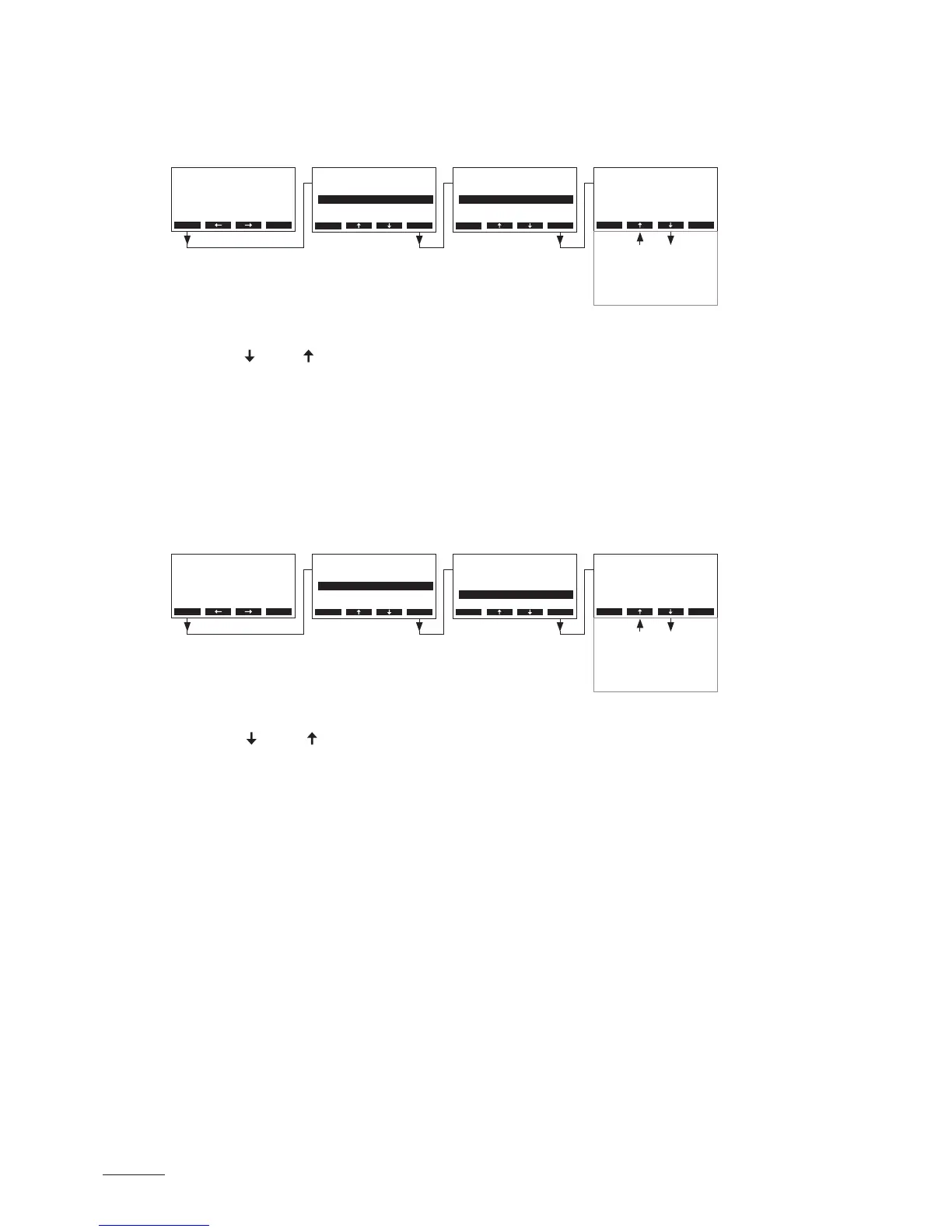
5.6.3 Performing remote relay tests
Select the remote test:
Path: Main menu > Diagnostic > Remote Test
The list with the remote relay tests appears, the rst relay test (steam) is shown.
Press the < > and < > keys in order to select the further relay tests available and press the <Set> key
to activate/deactivate the corresponding relay for testing.
5.6.4 Performing Module tests
Note: this function is not available via the optional remote terminal.
Select the Module tests:
Path: Main menu > Diagnostic > Modul-A Test (Modul-B Test)
The list with the module tests appears, the rst test (Inlet Valve) is shown.
Press the < > and < > keys in order to select the further tests of the selected module and press the
<Set> key to activate/deactivate the corresponding component for testing.
Main Menu
Engineering :Set
Diagnostic :Set
User :Set
Esc Set
Main Menu
Engineering :Set
Diagnostic :Set
User :Set
Esc Set
Diagnostic
Unit Status :Set
Remote Test :Set
Modul-A Test:Set
ErrorHistory:Set
Modul-B Test:Set
Esc Set
Diagnostic
Unit Status :Set
Remote Test :Set
Modul-A Test:Set
ErrorHistory:Set
Modul-B Test:Set
Esc Set
Menu
AT4 130kg/h 400V3
Standby
2011-08-31 12.00.00
Menu
AT4 130kg/h 400V3
Standby
2011-08-31 12.00.00
Esc Set
Remote Test
Remote Steam
O
Esc Set
Modul-A Test
Inlet Valve
O
Remote Service
Outlet Pump
O
O
Remote Error
Main Contactor
O
O
Remote Unit On
O
SC-Pump
O



 To Next Page