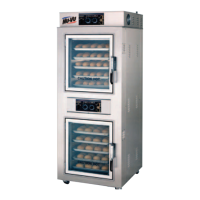
OP–2FM OWNER'S MANUAL RECEIPT, INSTALLATION AND START-UP
NU–VU® FOOD SERVICE SYSTEMS PO BOX 35 MENOMINEE, MICHIGAN 49858-0035
(800) 338-9886 SALES FAX (906) 863-5889 • SERVICE FAX (906) 863-6322 page 9
E. Remove the Water Pan [64]. Set the Proofer Humidity Control [34] to #5 or #6. The Humidity
Control Indicator Light [35] should illuminate and the round Humidity Element [13] will begin to
heat up.
F. Fill the Water Pan with approximately 1½" to 2" of water and place it on the Humidity Element.
The water should begin to heat up and in a few minutes a light fogging will begin to form on the
Proofer Door [42] glass.
G. Set the Proofer Timer [36] to 5 or 10 minutes.
H. Allow the Timer to count down and its Buzzer Alarm to sound. If the Timer does not run or the
Buzzer fails to sound please refer to the Proofer section of the TROUBLE–SHOOTING
GUIDE under V - The Proofer Timer does not run or VI -The Buzzer Alarm does not sound.
I. Return all Proofer controls and switches to their OFF positions.
AUTOMIST Proofer - -
A. Set the Proofer Power Switch [31] to the ON position (refer to Figure #5 on page 13 and/or
Figure #15 on page 37). The interior of the Proofer will illuminate and the Blower Wheel [86]
will rotate in a counter-clockwise direction.
B. Set the Proofer Temperature Control [32] to 100
°
F. The Temperature Control Indicator Light
[33] should illuminate as the Proofer begins to warm up.
C. Place a reliable oven thermometer on a Proofer Shelf [65] in the center of the Proofer.
D. Check the thermometer reading against the Temperature Control setting when the Temperature
Control Indicator Light goes out. If the readings differ by more than 10
°
the Temperature
Control may need a simple adjustment. Please call the NU-VU
®
Service Department BEFORE
attempting calibration of the control.
NOTE: Please allow the Temperature Control to cycle two or three times to allow the
Proofer temperature to stabilize BEFORE comparing the readings.
E. Set the AUTOMIST Humidity Control [81] to #2 or #3. The Humidity Control Indicator Light
[82] should illuminate as a light water mist is sprayed from the Injection Nozzle [85] into the
Blower Wheel. In a few seconds the spray should stop and the Indicator Light should go out.
After a short pause (approximately 40-45 seconds) the Humidity Control should cycle again.
NOTE: The AUTOMIST feature controls the humidity in the Proofer by using a solid-state
Repeat Cycle Timer [83]. This Timer has a fixed "
OFF
" time and an adjustable "
ON
"
time. Changing the setting of the Humidity Control varies the "
ON
" time and thus
regulates the duration of the water spray in the Proofer.
F. Set the Proofer Timer [36] to 5 or 10 minutes.
G. Allow the Timer to count down and its Buzzer Alarm to sound. If the Timer does not run or the
Buzzer fails to sound please refer to the Proofer section of the TROUBLE–SHOOTING
GUIDE under V - The Proofer Timer does not run or VI - The Buzzer Alarm does not
sound.
H. Return all Proofer controls and switches to their OFF positions.
YOUR OP-2FM IS NOW READY TO OPERATE!!!


 To Next Page