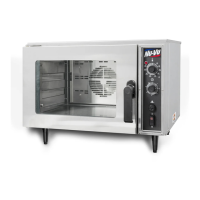
OP–2FM OWNER'S MANUAL TROUBLE–SHOOTING GUIDE
NU–VU® FOOD SERVICE SYSTEMS PO BOX 35 MENOMINEE, MICHIGAN 49858-0035
(800) 338-9886 SALES FAX (906) 863-5889 • SERVICE FAX (906) 863-6322 page 19
TROUBLE–SHOOTING GUIDE
OVEN:
I. The Oven Power Switch [21] is in the ON position and there are no lights,
heat, humidity or motor rotation:
A. The Power Switch may be tripped. Set it all the way to OFF, then reset it to the ON position.
B. Check the Fuses [19] below the Proofer Control Panel for a blown Fuse.
C. Check the main wall breaker or fuse box for a tripped power supply breaker or blown fuse.
D. Check the electrical connections to the Oven Power Switch.
E. Check the electrical connections from the main breaker or fuse box to the Power Terminal
Block (refer to Figure #2 on page 4). All connections must be clean and tight.
F. Check the voltage from the main breaker or fuse box to the Power Terminal Block and
compare it to the requirements listed on the equipment label.
G. If all electrical connections and readings are correct as to voltage and phase the Oven Power
Switch must be replaced (refer to POWER SWITCH, How To Replace in the SERVICE AND
REPLACEMENT GUIDE).
II. The Oven operates but you have slow warm-up and recovery times:
A. Check for proper voltage, phase and amperage against the requirements listed on the
equipment label. Use a volt/amp meter on the wires to the Power Terminal Block [1] (refer to
Figure #2 on page 4).
B. Check the Oven Heating Element [6] on each side of the Oven next to the Blower Wheel [51]
by removing the Oven Element Cover [52]. Turn the Oven ON, close the Oven Door [41] or
depress the Micro Switch [15], and set the Temperature Control [22] to 250
°
to see if the
Heating Elements become red-hot. Replace any Heating Elements that fail to become red-hot
(refer to OVEN HEATING ELEMENT, How To Replace in the SERVICE AND
REPLACEMENT GUIDE).
C. Check the Temperature Control [22] against a reliable oven thermometer. Place the
thermometer on a pan in the center of the Oven and set the Temperature Control to 350
°
F.
Compare the thermometer reading against the Temperature Control setting when the
Temperature Control Indicator Light [23] goes out. If there is more than 10
°
difference the
Temperature Control may need a simple adjustment (refer to TEMPERATURE CONTROL,
How to Adjust in the SERVICE AND REPLACEMENT GUIDE).
III. The Oven Motor [7] cuts out or will not start when the Oven Door is closed:
A. Open the Oven Door and depress the Micro Switch [15] by hand. If the Oven Motor starts the
Micro Switch may only need adjustment (refer to MICRO SWITCH, How To Replace in the
SERVICE AND REPLACEMENT GUIDE).
B. If depressing the Micro Switch by hand fails to start the Oven Motor check the wiring
connections between the Power Switch [21], the Micro Switch and the Oven Motor.
C. If both the Oven Motor and the Temperature Control do not function when the Micro Switch is
depressed the Switch itself is bad and must be replaced (refer to MICRO SWITCH, How to
Replace in the SERVICE AND REPLACEMENT GUIDE).
D. If the Temperature Control functions properly but the Oven Motor still does not run the Oven
Motor is bad and must be replaced (refer to OVEN MOTOR, How to Replace in the
SERVICE AND REPLACEMENT GUIDE).
WARNING: THE OVEN MOTOR IS THERMALLY PROTECTED, AND WILL SHUT
ITSELF DOWN IF OVER-HEATED. IT MAY RESTART WITHOUT WARNING!
ALWAYS TURN THE OVEN OFF BEFORE WORKING ON THE MOTOR!


 To Next Page