#
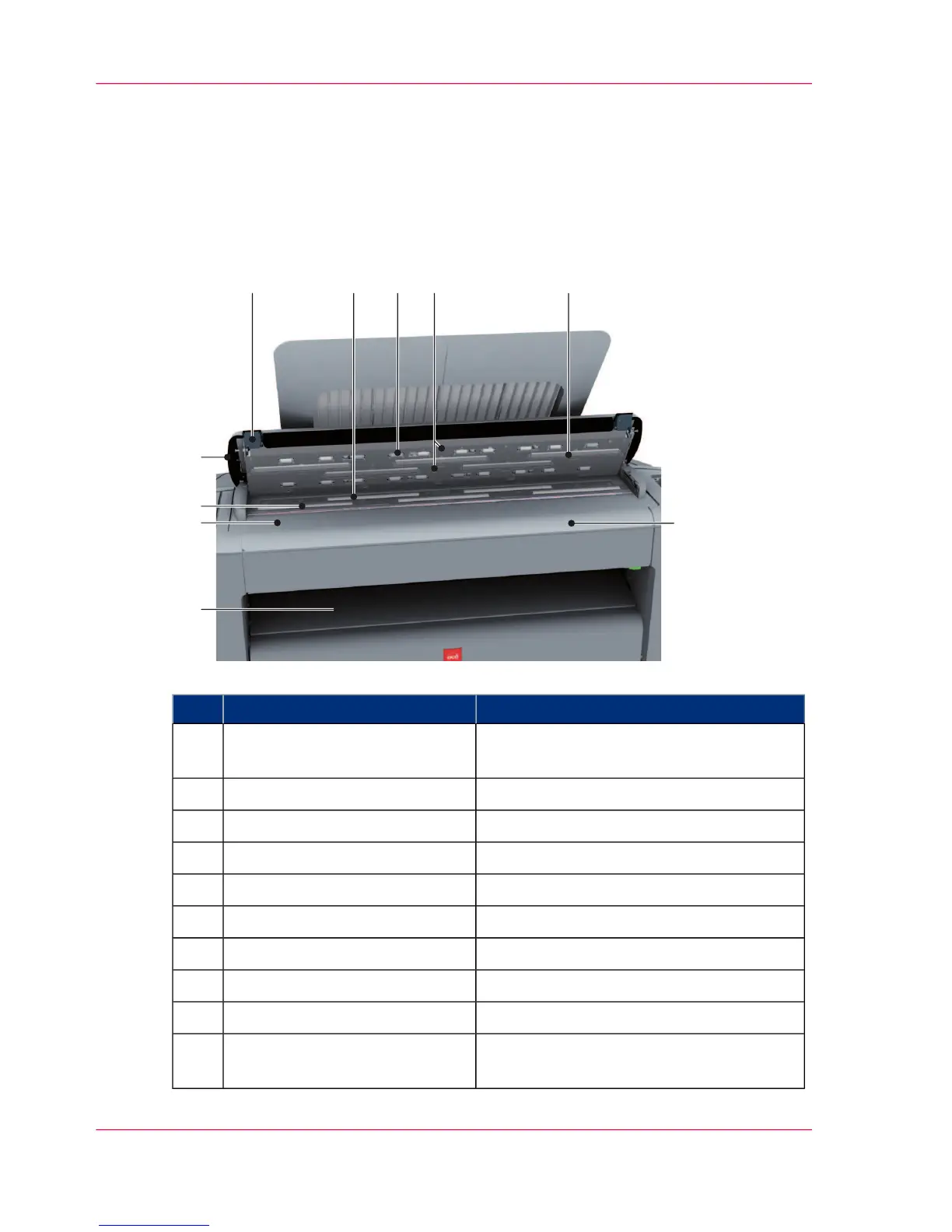
Description / FunctionComponent
Exits originals for reception into the front
original tray.
originals exit1
Use this ruler to measure the original.original size ruler2
original feed rollers3
scanner top cover4
scanner open levers5
original support rollers6
scanner top cover rollers7
original sensors8
Cover of the image sensors.transparent contact plates9
Use this table is you feed the original into
the scanner.
original feeding table10
Chapter 6 - Maintain the printing system266
Clean the scanner












 To Next Page