128
9
9
Overview 9
This chapter explains how to configure the BR-Script 3 (PostScript
®
3™ language emulation) printer driver
on a Network using Mac OS X 10.3.9 or greater.
IMPORTANT
For the latest drivers and information on the Mac OS X you are using, visit the Océ web site at:
http://www.oceusa.com.
How to choose the BR-Script 3 printer driver (TCP/IP) 9
For Mac OS X 10.3.9 to 10.4.x users 9
a Turn the power of the machine ON.
b From the Go menu, choose Applications.
c Open the Utilities folder.
d Double click the Printer Setup Utility icon.
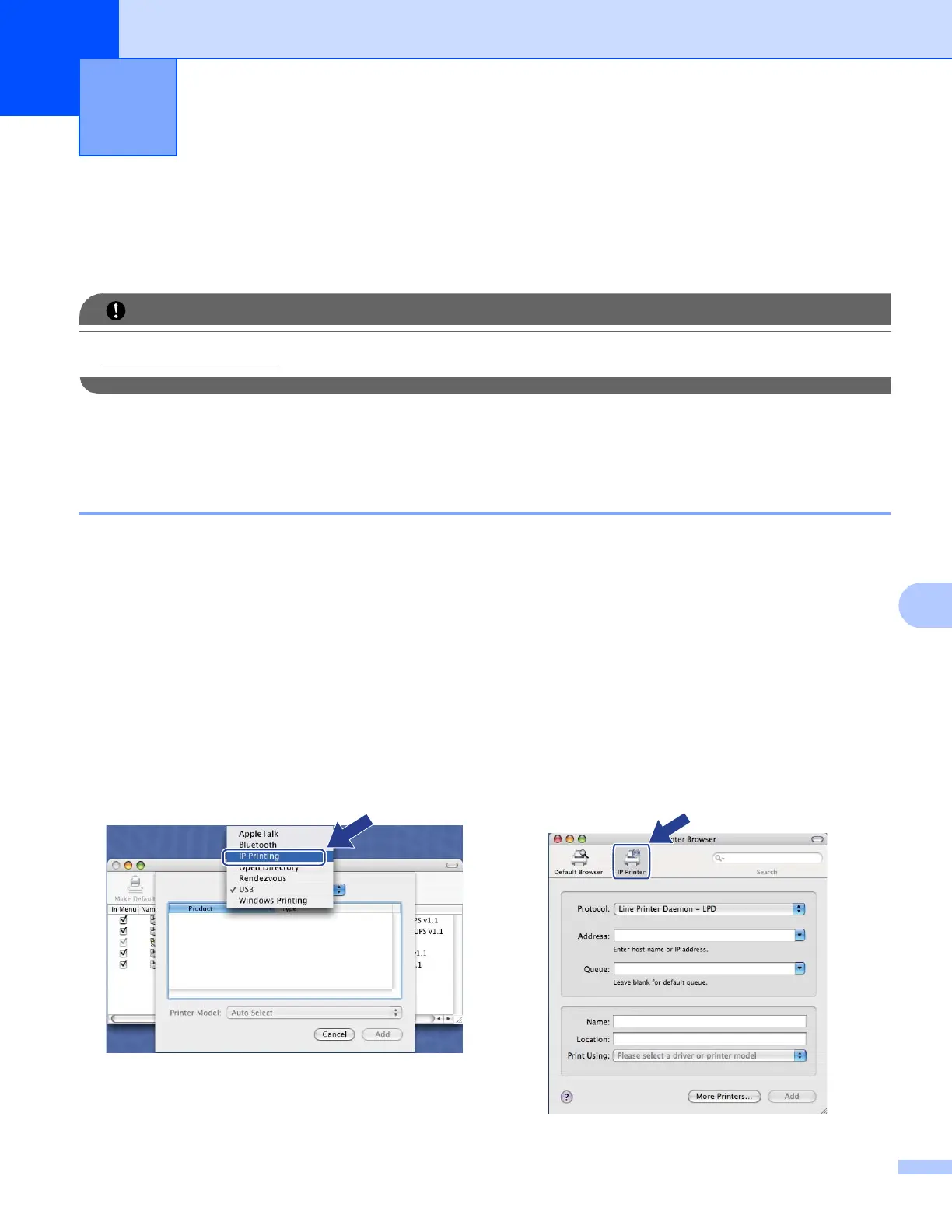
e Click Add.
f (Mac OS X 10.3.9) Choose IP Printing.
(Mac OS X 10.4.x) Choose IP Printer.
Network printing from Macintosh using
the BR-Script 3 driver
9
(Mac OS X 10.3.9) (Mac OS X 10.4.x)














 To Next Page