Configuring your machine for a wireless network
23
3
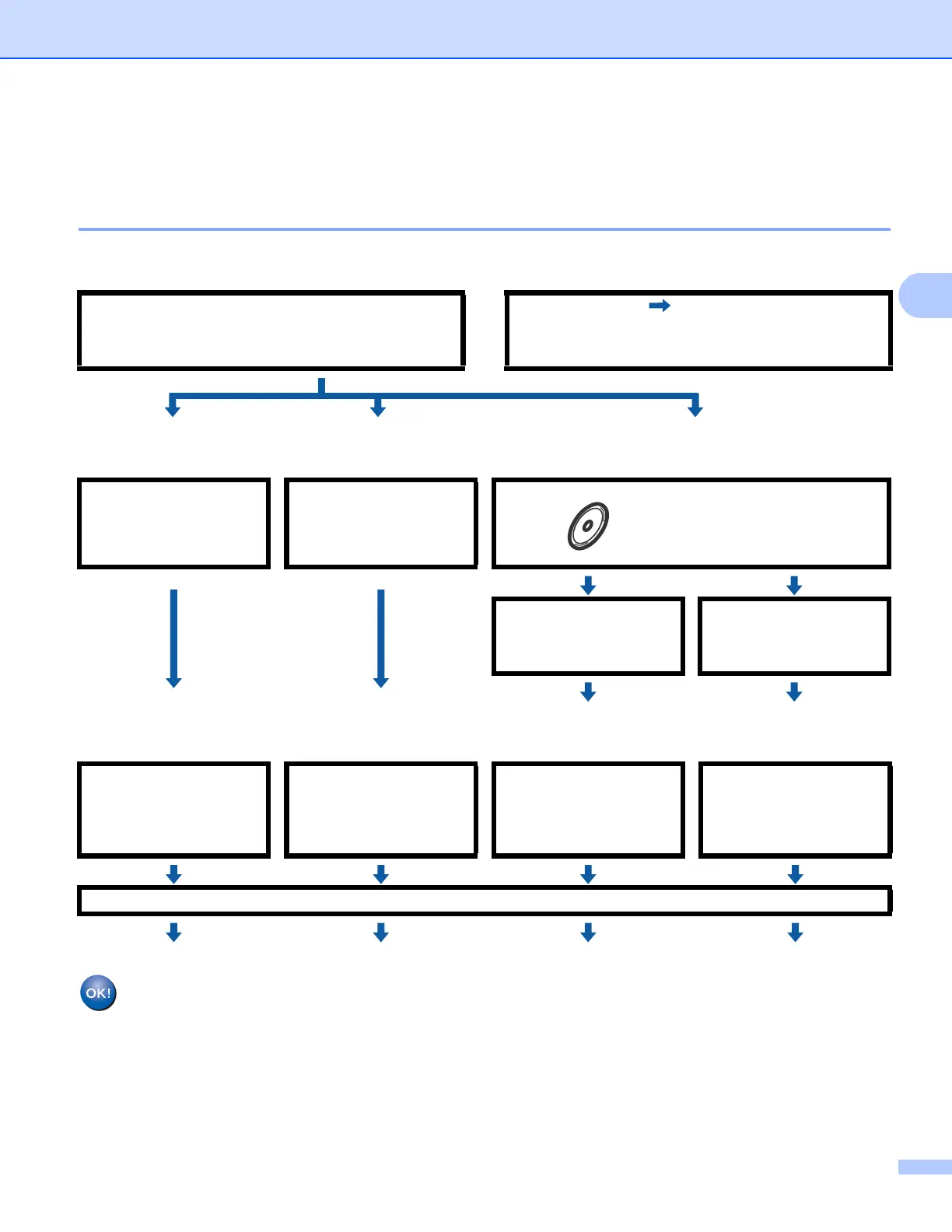
Step by step chart for wireless network configuration 3
For Infrastructure mode 3
a Confirm your network environment. See page 25.
b Confirm your wireless network setup method. See page 26.
c Configure your machine for a wireless network. See page 28.
Wireless configuration and installing drivers and software have been completed.
Infrastructure mode
Connected to a computer with an access point
or
Ad-hoc mode See page 24
Connected to a wireless capable computer
without an access point
Using the Setup
Wizard from the control
panel
(Recommended)
Using the Automatic
Wireless Setup
(SES, AOSS™, etc.)
Using the Océ installer
application
Temporarily using a
network cable
Using the Automatic
Wireless Setup
(SES, AOSS™, etc.)
See page 28 See page 33
(Windows
®
)
See page 36
(Macintosh)
See page 63
(Windows
®
)
See page 46
(Macintosh)
See page 73
Installing drivers and software (See the Quick Setup Guide)














 To Next Page