Configuring your machine for a wireless network
25
3
Confirm your network environment 3
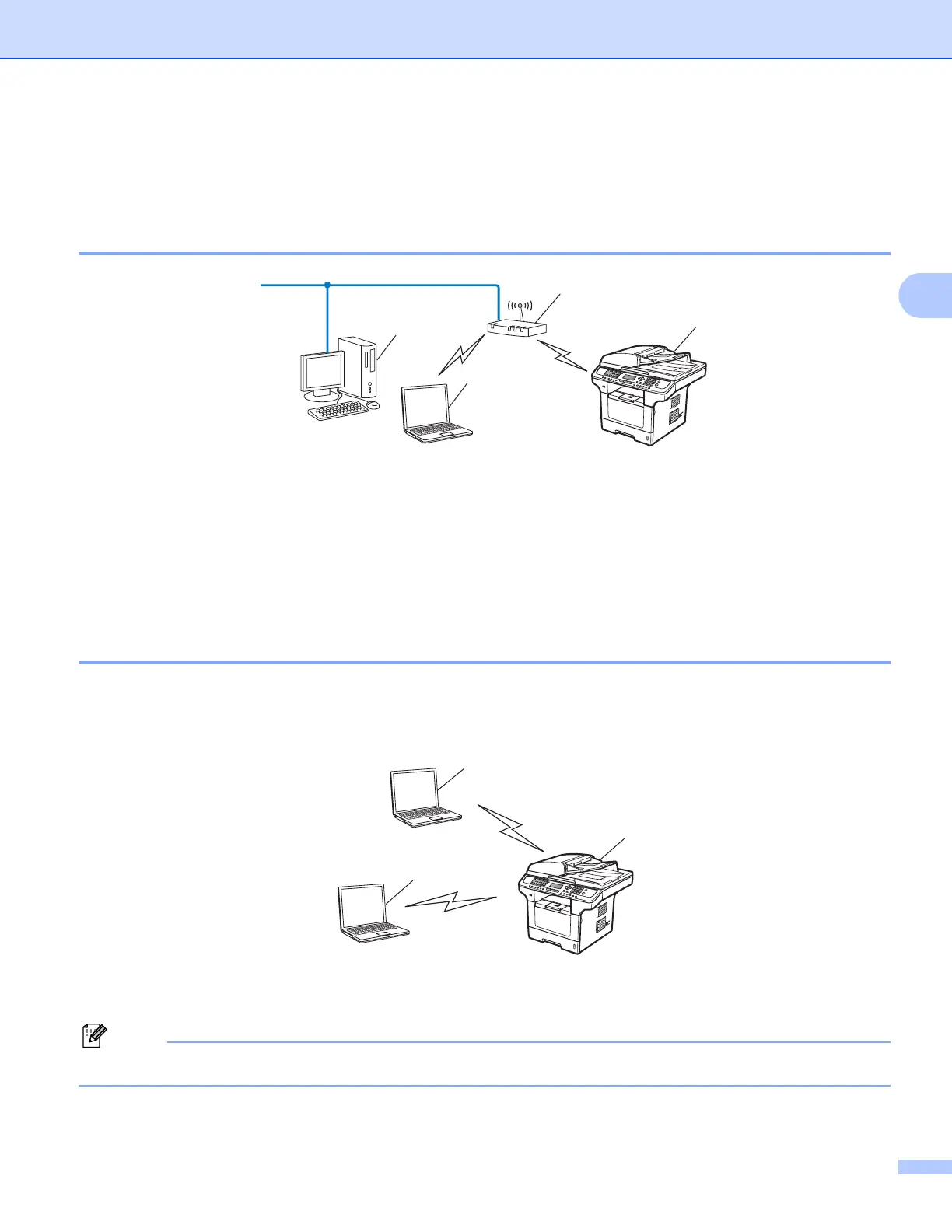
Connected to a computer with an access point in the network
(Infrastructure mode) 3
1 Access point
2 Wireless network printer (your machine)
3 Wireless capable computer connected to the access point
4 Wired computer which is not wireless capable connected to the access point with an Ethernet
cable
Connected to a wireless capable computer without an access point in the
network (Ad-hoc mode) 3
This type of network does not have a central access point. Each wireless client communicates directly with
each other. When the machine (your machine) is part of this wireless network, it receives all print jobs directly
from the computer sending the print data.
1 Wireless network printer (your machine)
2 Wireless capable computer
Note
We do not guarantee the wireless network connection with Windows Server
®
products in Ad-hoc mode.
2
1
4
3
1
2
2














 To Next Page