Introduction
6
1
Wireless network connection examples 1
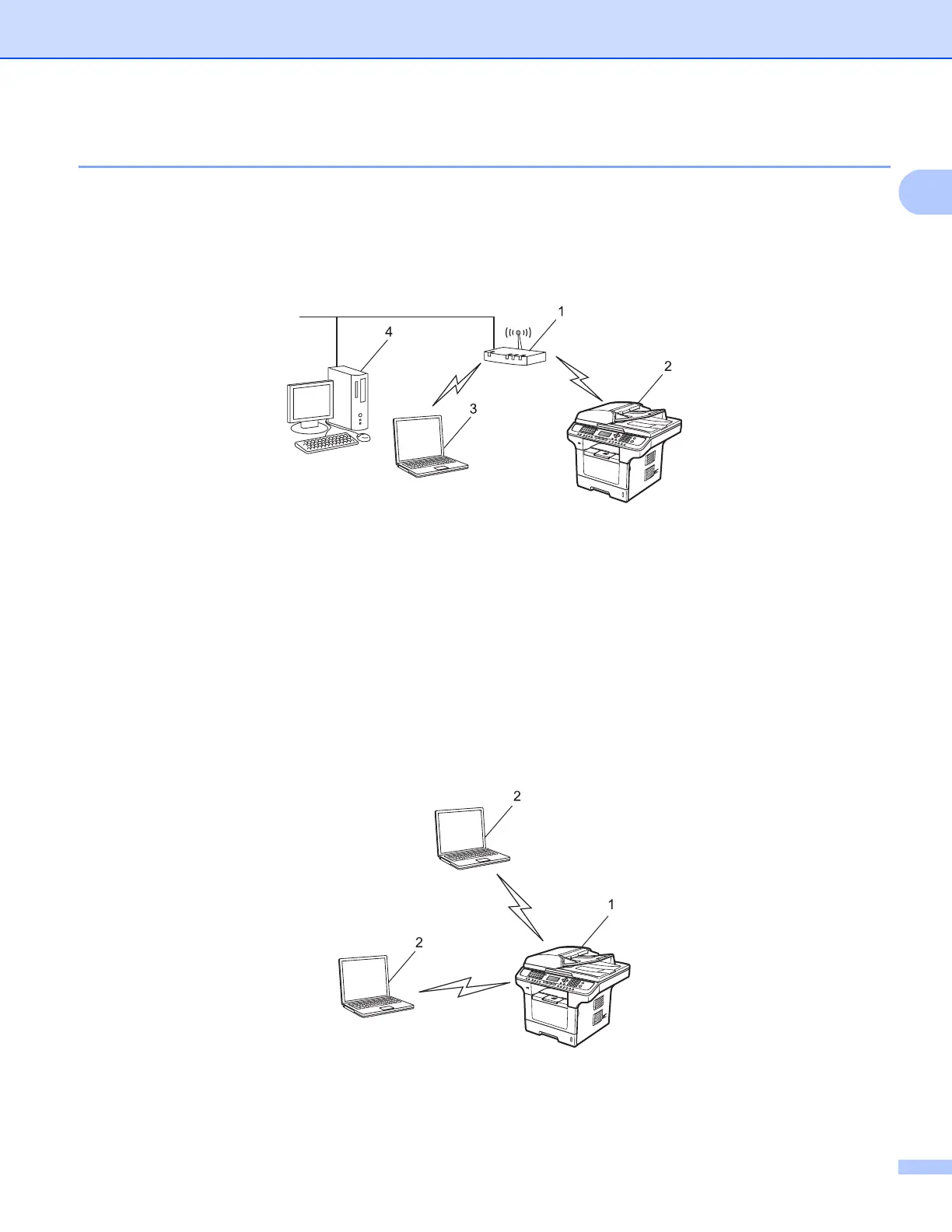
Connected to a computer with an access point on the network (Infrastructure mode) 1
This type of network has a central access point at the heart of the network. The access point can also act as
a bridge or a gateway to a wired network. When the Océ machine (your machine) is part of this wireless
network, it receives all print jobs via an access point.
1 Access point
2 Wireless network printer (your machine)
3 Wireless capable computer communicating with the access point
4 Wired computer which is not wireless capable connected to the access point with the Ethernet
cable
Connected to a wireless capable computer without an access point on the network
(Ad-hoc mode) 1
This type of network does not have a central access point. Each wireless client communicates directly with
each other. When the Océ machine (your machine) is part of this wireless network, it receives all print jobs
directly from the computer sending the print data.
1 Wireless network printer (your machine)
2 Wireless capable computer














 To Next Page