Web Based Management
151
10
b Click Advanced Setting.
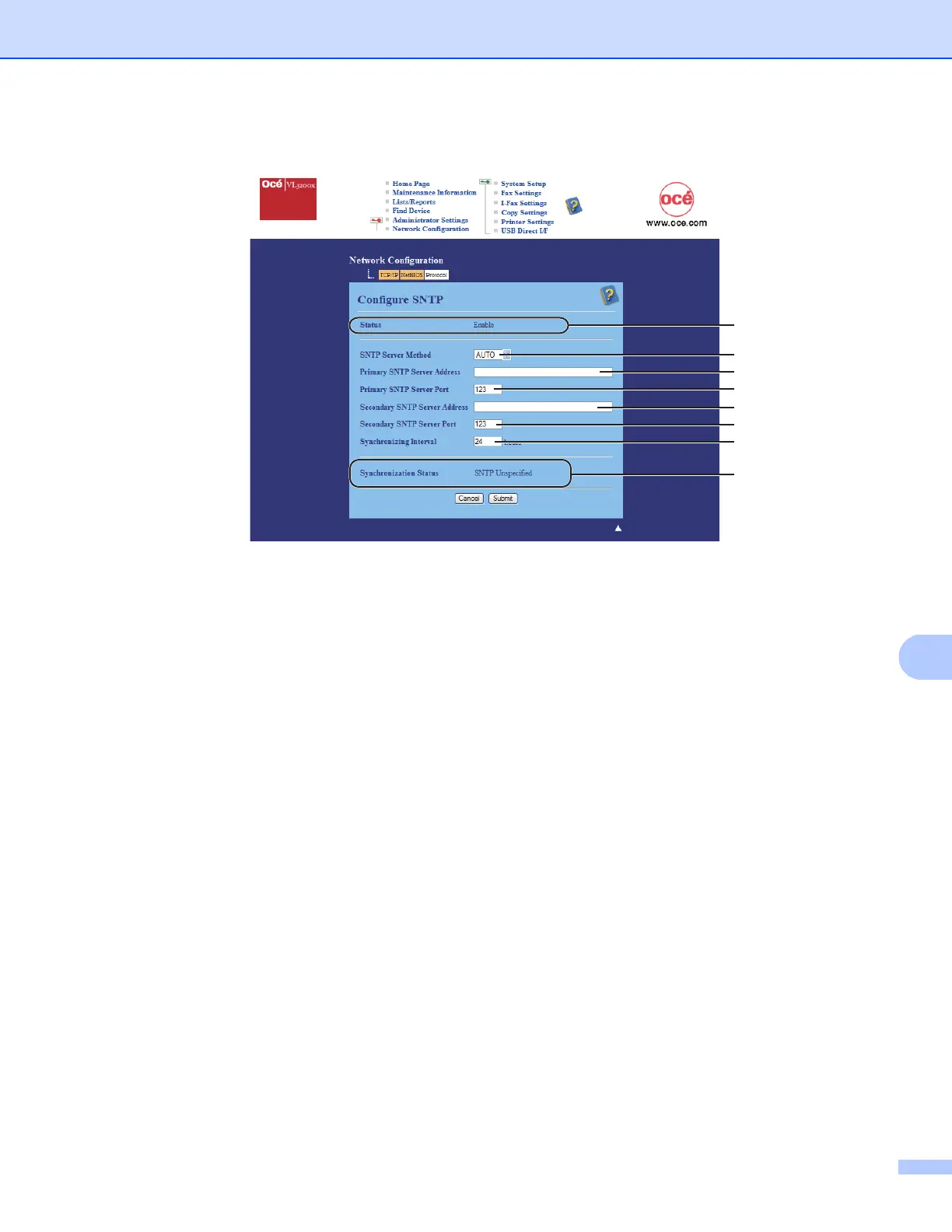
Status (1)
Displays whether the SNTP server settings are enabled or disabled.
SNTP Server Method (2)
Choose AUTO or STATIC.
• AUTO
If you have a DHCP server in your network, the SNTP server will automatically obtain the address
from that server.
• STATIC
Enter the address you want to use.
Primary SNTP Server Address (3), Secondary SNTP Server Address (5)
Enter the server address (up to 64 characters).
Primary SNTP Server Port (4), Secondary SNTP Server Port (6)
Enter the Port number (1 to 65535).
Synchronizing Interval (7)
Enter the interval of hours which you want to synchronize to the server (1 to 168 hours).
Synchronization Status (8)
You can confirm the latest synchronization status.
c Click Submit to apply the settings.
1
2
3
4
5
6
7
8














 To Next Page