Internet fax and Scan to E-mail (E-mail server)
157
12
Relay broadcast from a machine 12
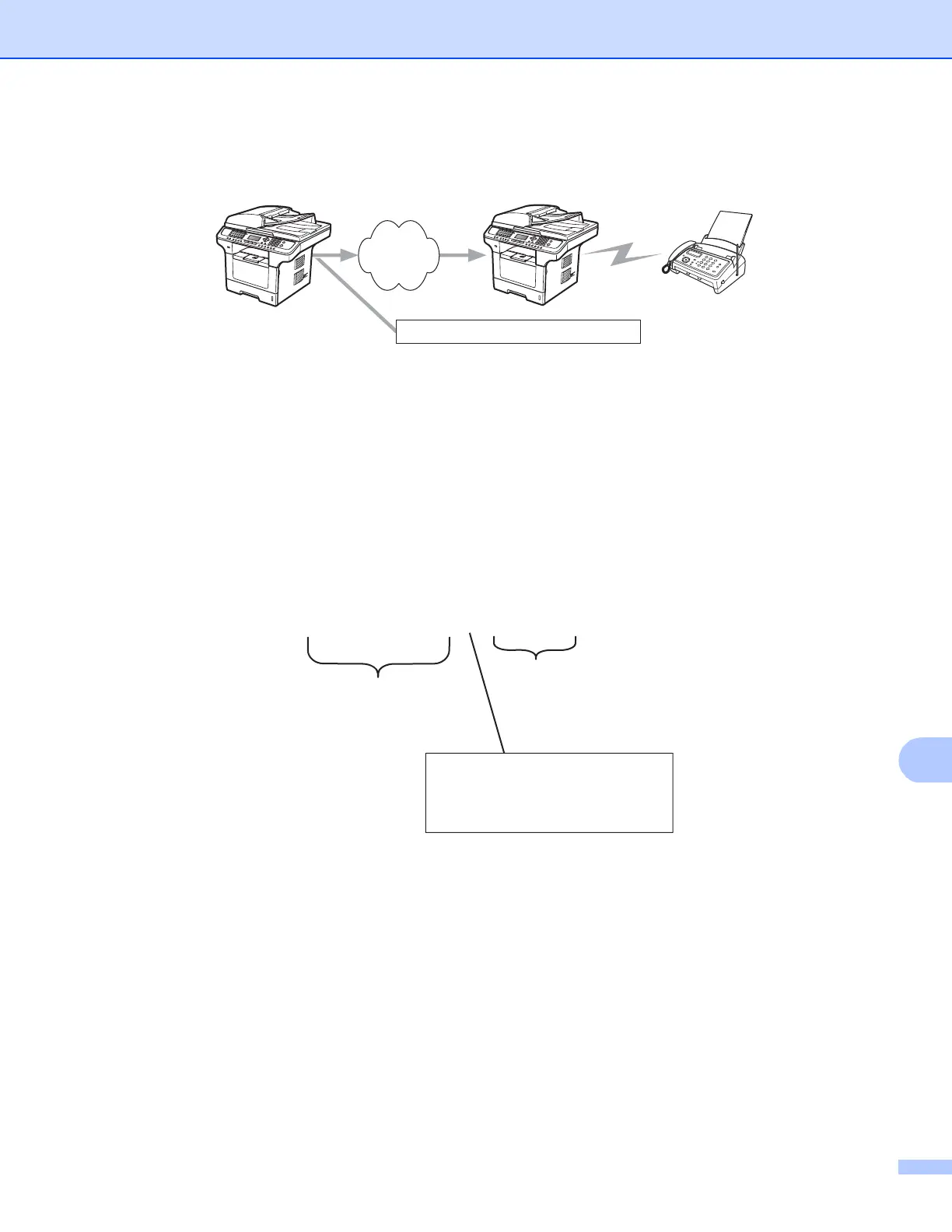
In this example, your machine has an E-mail address of FAX@oce.com, you wish to send a document from
this machine to another machine in England with an E-mail address of UKFAX@oce.co.uk, this machine will
then forward the document to a standard fax machine using a conventional telephone line. If your E-mail
address is FAX@oce.com, you must configure a trusted domain name of oce.com on the machine in England
that will broadcast the document to the conventional fax machine. If you do not enter the domain name
information, then the machine in the middle (the machine that will broadcast the document) will not trust any
internet jobs that it receives from the machine in the @oce.com domain.
After the trusted domain is set you can send the document from your machine [e.g. FAX@oce.com] by
entering the E-mail address of the machine [e.g. UKFAX@oce.co.uk] that will forward the document followed
by the phone number of the fax that will receive the document. The following is an example of how to enter
the E-mail address and phone number.
Internet
123456789
FAX@oce.com UKFAX@oce.co.uk
UKFAX@oce.co.uk(fax#123456789)
E-mail address
Fax Phone Number
The word "fax#" must be
included with the phone
umber inside the parenthesis.
number inside the parenthesis.
UKFAX@oce.co.uk(fax#123456789)














 To Next Page