5.10.11 Data Transfer Function
Output weighing results directly to a PC application. Setup is easy and no
additional software is required.
Note: Data Transfer Function is not supported in Win7, Win8 and Win10.
OHAUS provides SPDC software for Win7, Win8 and Win10 users.
OFF = do not print.
ON = print the specified settings.
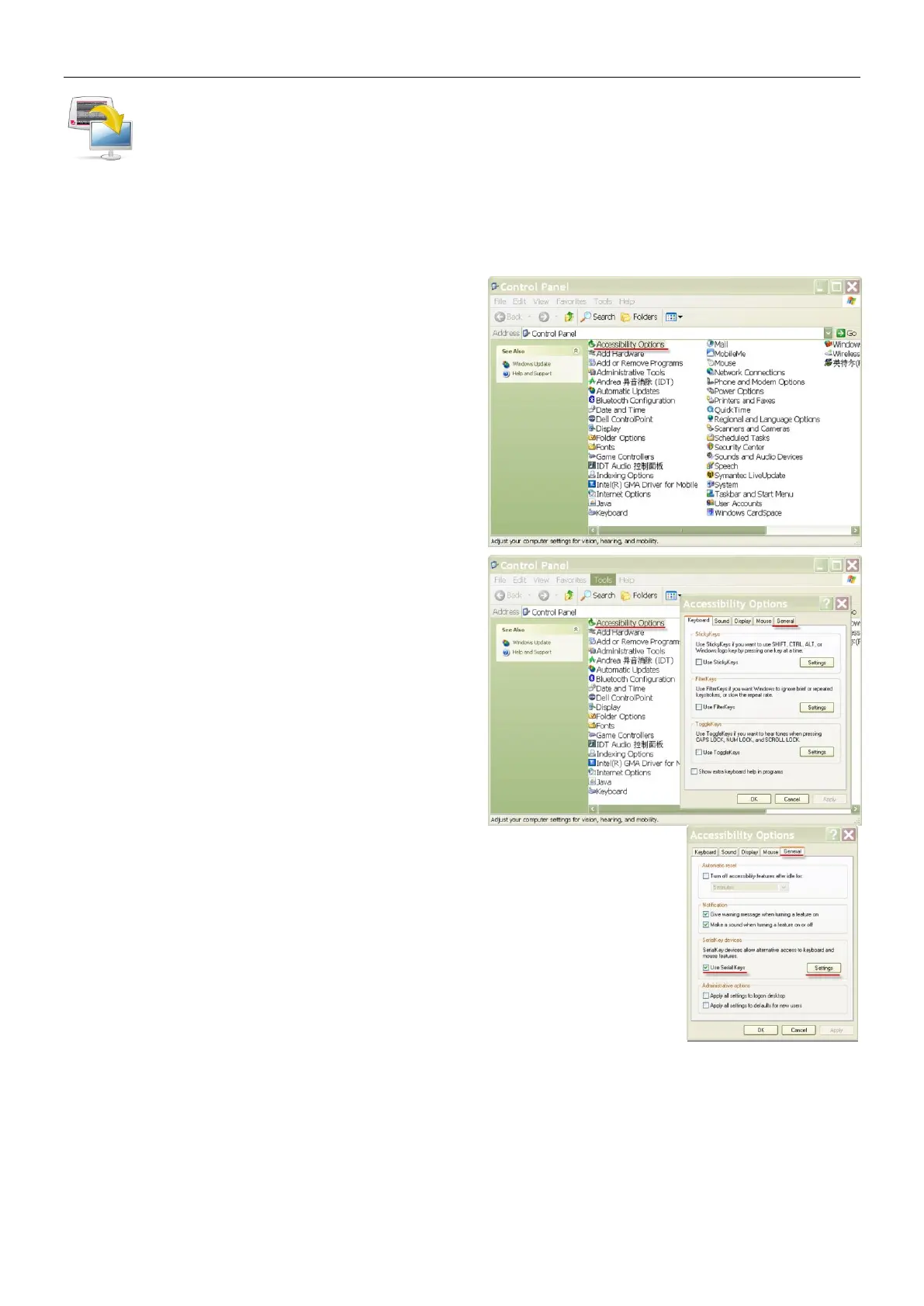
Click the Start Menu in Windows XP system
and click “Settings” –>open Control Panel.
Double click Accessibility Options in
Control Panel.













 To Next Page