EN-24 EXPLORER BALANCES
4. APPLICATION
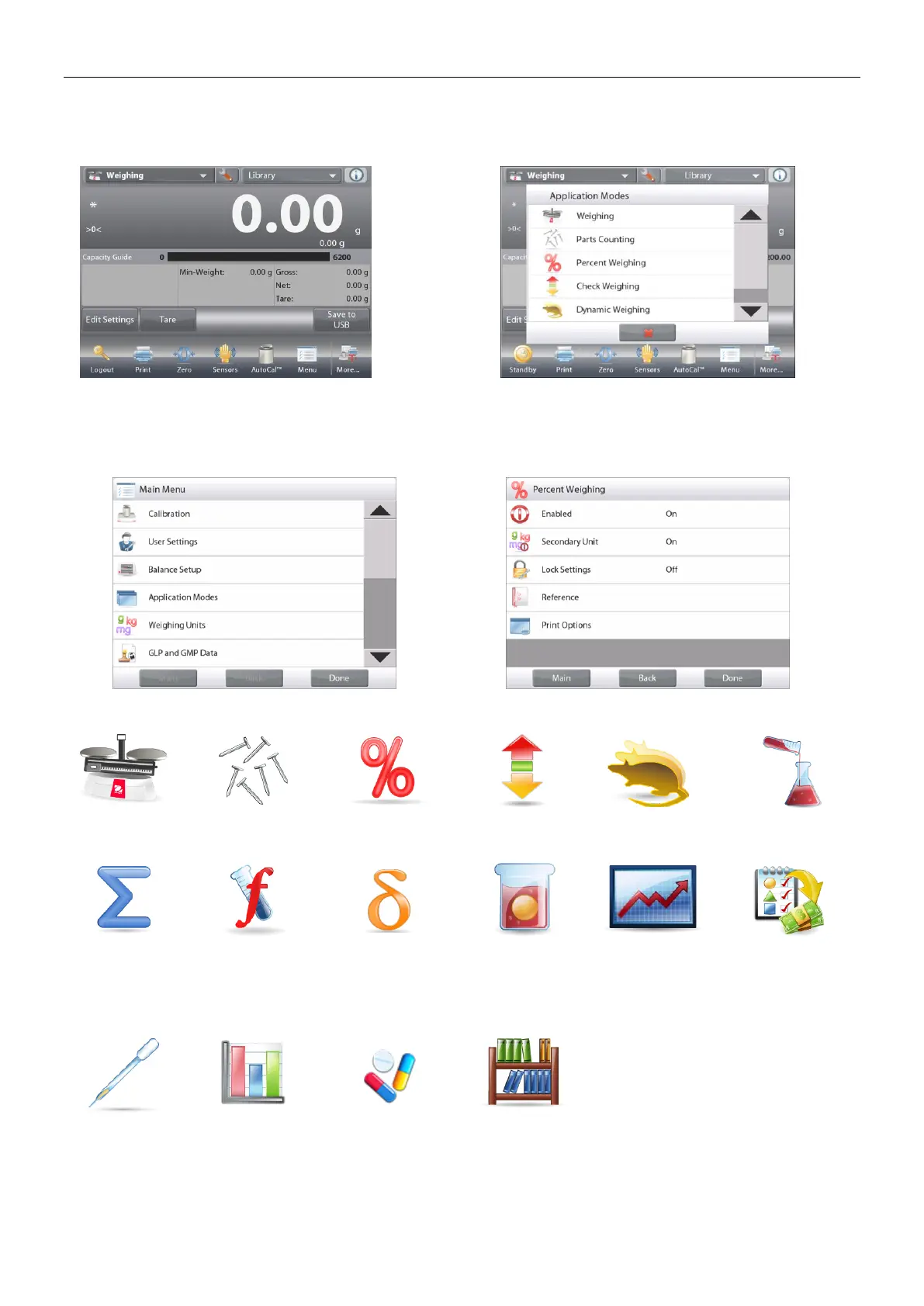
The balance can be configured to operate in various Application modes.
Touch Applications to choose – or the top button in the Application area:
Note: If an application mode does not appear in the list of available Applications it must be enabled in the User
Menu: touch Menu, then select Application Modes. The full list of modes appears. Touch the one you want to
enable. Then touch Enabled in the setup menu for that application mode – Percent Weighing in the example
below. Each enabled mode appears in the Applications menu.
The Explorer Balance incorporates the following Applications.
Dynamic
(Animal)
Weighing
Ingredient
Costing
(not available in
(Semi-Micro
models)
Pipette
Adjustment
(not available in
EX12001,
EX24001,
EX35001)
Library
(complements
most
Applications)













 To Next Page