Control Elements 21
4.2 Power Pack
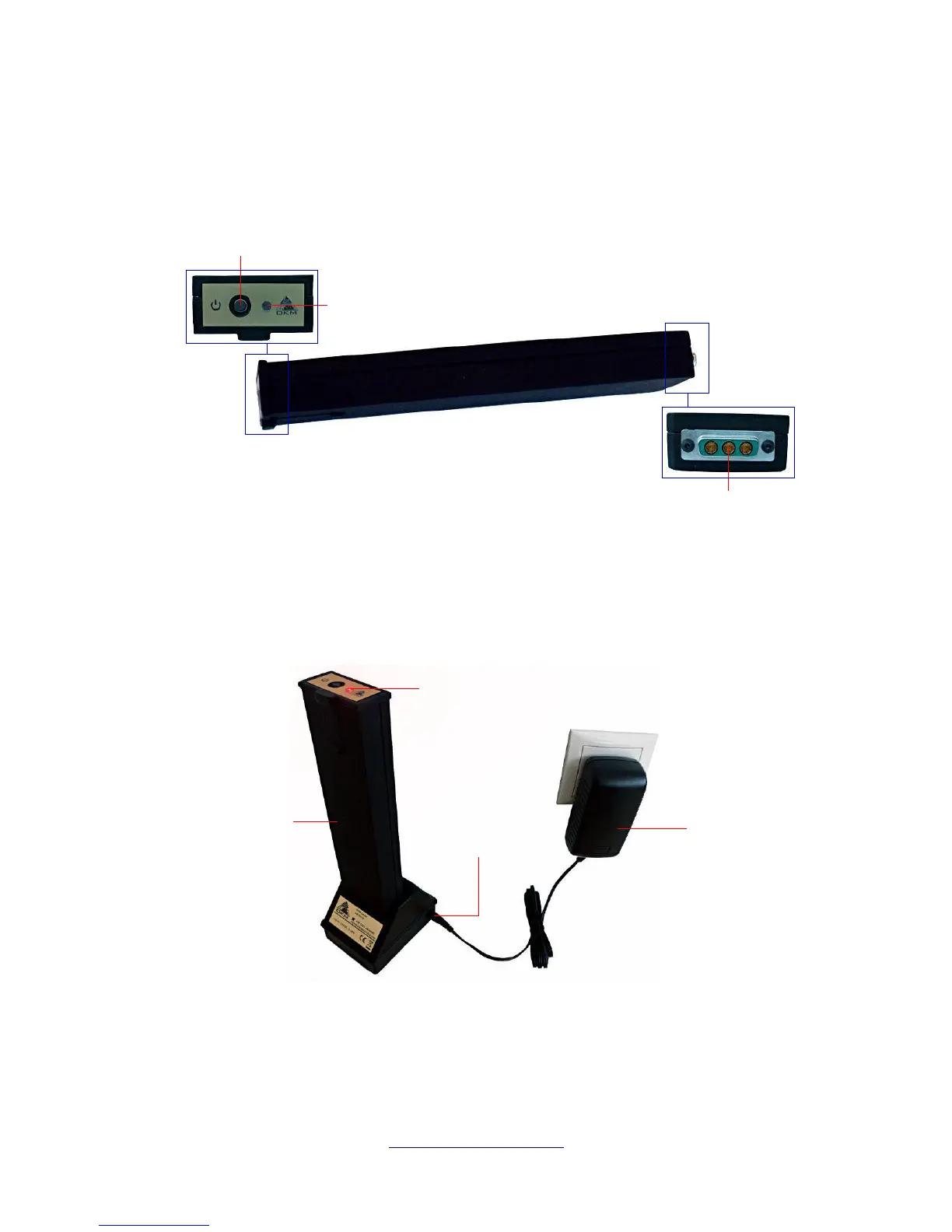
The Power Pack is used as a battery for your eXp 6000. It fits into both the control unit and the
telescopic rod assembly.
The power on/off button is located on the front panel of the Power Pack and is used to switch it on and
off. The LED next to the power on/off button indicates the current charge state of the Power Pack.
To charge the Power Pack simply connect it to the docking station and charger as shown in figure 4.3.
Additional information about the Power Pack, its technical specifications as well as information about
maintenance and recharging you will find in its separate documentation.
OKM GmbH
www.okmmetaldetectors.com



 To Next Page