58 Operating modes
6.7 Settings
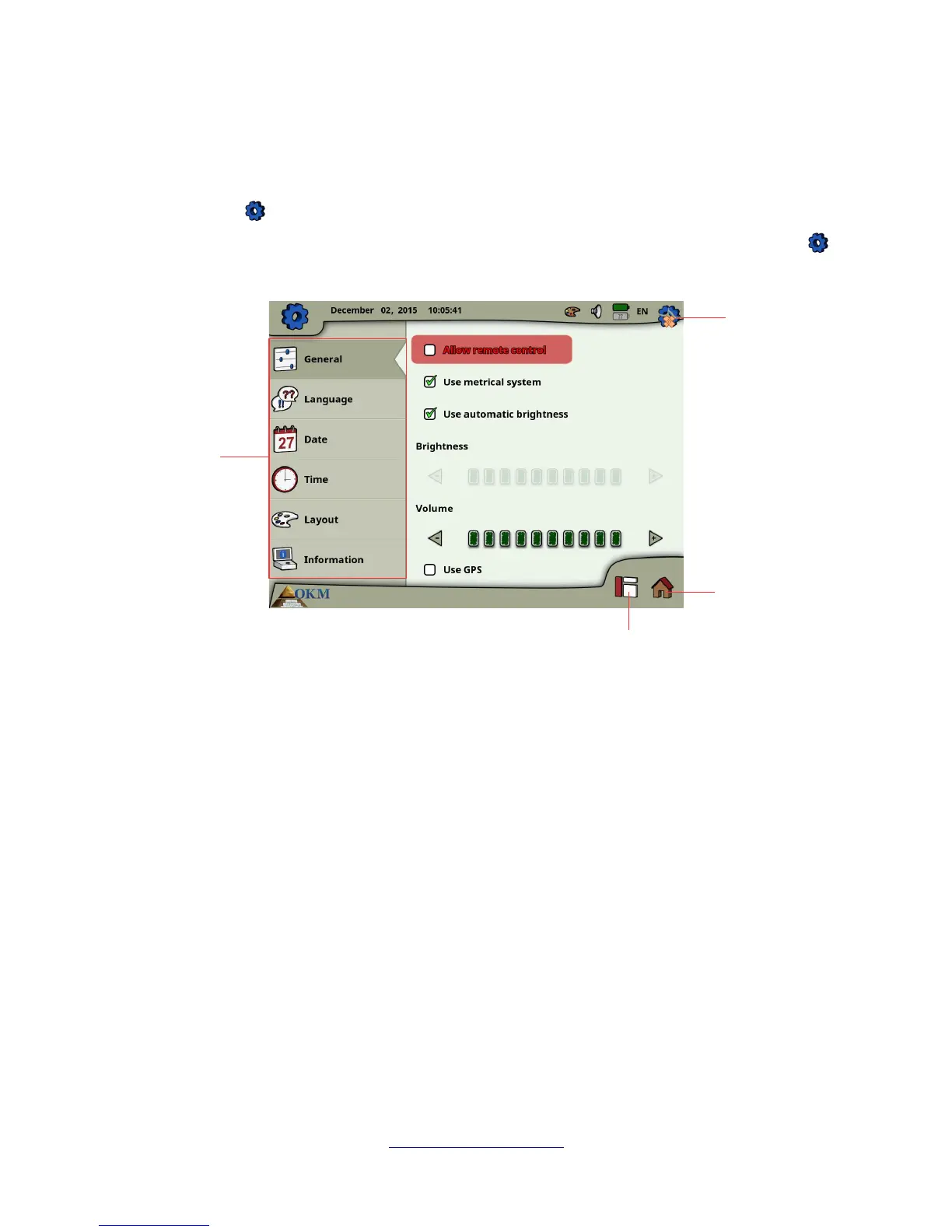
The eXp 6000 offers many settings which can be configured. Within the main menu you have to select
the settings icon which is a small gear in the top right corner of the screen. You may access this
option from several screens during the operation of the eXp 6000. After selecting the settings icon
you will see the settings screen as shown in figure 6.23.
First you have to select one of the following categories that are available in the left sidebar:
• General
This is the place where you can set general options like Brightness, Volume, GPS and Measure
system (metrical or imperial).
• Language
Here you select your preferred language in that you like to operate the eXp 6000.
• Date
You will set up all information concerning the date here.
• Time
You will set up all information concerning the time here.
• Layout
Here you can select the current layout (day, night, default).
OKM GmbH
www.okmmetaldetectors.com



 To Next Page