Control Elements 23
All measuring probes are equipped with a probe mount connector that mounts the probe to the
telescopic rod assembly. To mount the probe, simply push it onto the probe mount of the telescopic rod
assembly.
Each of the measuring probes is additionally equipped with an internal gyroscope to get control of the
probe's orientation during a scan. Further details about the orientation information are explained in
section 7.3.1 “Orientation of the probe” on page 77.
4.4 Telescopic rod assembly
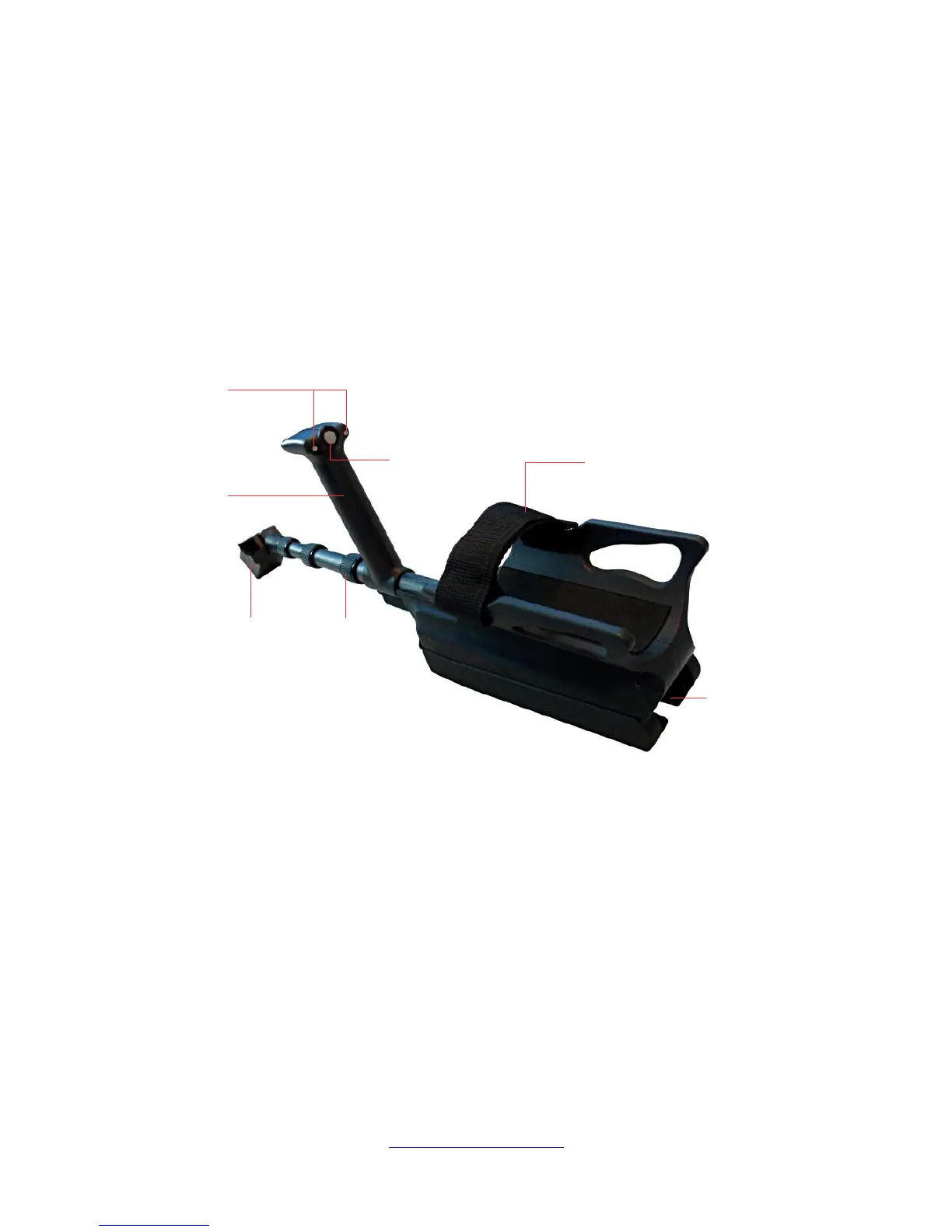
The telescopic rod assembly is used to mount all available probes and establish a wireless connection to
the control unit of the eXp 6000.
The Status LEDs are indicating the current state of connection, whereas following states are possible:
• White: For a short moment after powering on, the LEDs shine white.
• Green: The LEDs shine permanently green if a valid probe has been mounted but no wireless
connection to the control unit has been established.
• Green / Red: The LEDs shine green and red in rotation if no valid probe has been mounted and
no wireless connection to the control unit has been established.
• Blue / Red: The LEDs shine blue and red in rotation if no valid probe has been mounted but a
wireless connection to the control unit has been established.
• Blue: The LEDs shine permanently blue if a valid probe has been mounted and a wireless
connection to the control unit has been established. This is the final state in which you are able
to conduct your measurements.
OKM GmbH
www.okmmetaldetectors.com



 To Next Page