64 Operating modes
6.8 File Explorer
The file explorer is the place where all your previously saved scan files are organized. Here you have the
possibility to reopen, delete and transfer your scan images.
6.8.1 Screen overview
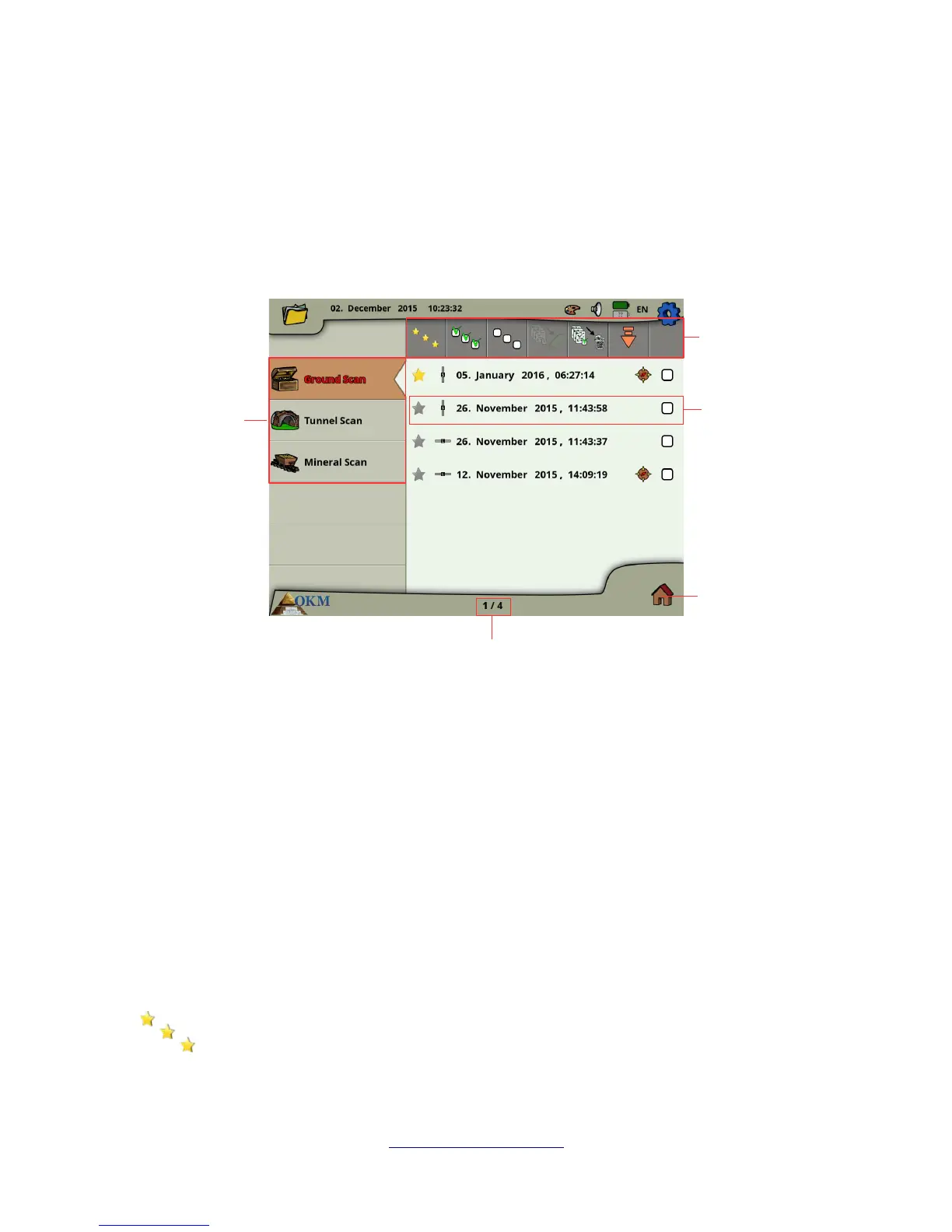
The screen of the file explorer and its control elements is shown in figure 6.30.
In the sidebar you can switch between the operating modes in which the files are categorized.
The toolbar provides several action buttons that are described in subsection 6.8.1.1 "Toolbar".
The file list item displays information concerning each scan file and is described in subsection 6.8.1.2
"File List Item".
The file counter indicates the current file number as well as the maximum file number.
Select the Main Menu icon in the lower right corner of the screen to go back to the main menu ("home
screen").
6.8.1.1 Toolbar
The toolbar contains following action buttons:
Show favorites only
This button is used to force the listing of favorite files only. After selecting this button only
files that have been marked as favorite will be listed.
OKM GmbH
www.okmmetaldetectors.com



 To Next Page