Assembly & Preparation 31
5.4 Connecting wireless headphones
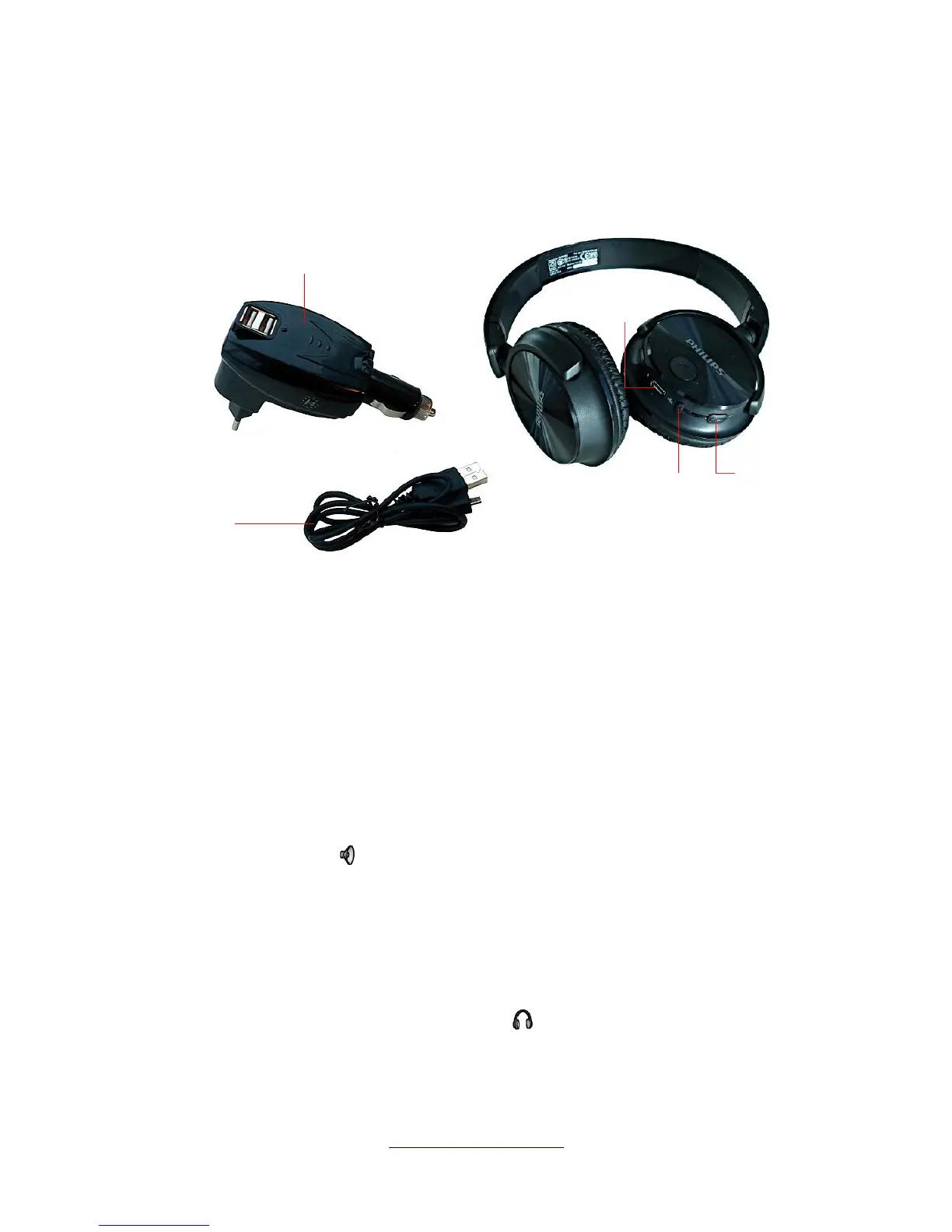
The eXp 6000 can be operated with any Bluetooth headphones available on the market. Your eXp 6000
comes with Bluetooth headphones as shown in figure 5.6.
To operate the eXp 6000 with your wireless Bluetooth headphones you must pair your headphones with
the control unit. You can do this while booting the eXp 6000 or by searching for Bluetooth headphones
manually afterwards:
1. Make sure that your Bluetooth headphones are powered on and in pairing mode. Entering the
pairing mode depends on your Bluetooth headphones (e.g. hold the power on/off button or the
Bluetooth pairing button pressed until the LED indicates pairing mode).
2. Now power on the eXp 6000 and wait for the Bluetooth connection to be established. If the
connection fails simply continuing with step 3 to manually establish a connection.
3. Select the speaker icon in the main toolbar and then press the button “Search for Bluetooth
headphones”.
4. Now the dialog from figure 5.7 appears with a countdown of 90 seconds in which the eXp 6000
control unit is searching for available Bluetooth headphones. Make sure that your Bluetooth
headphones are still in pairing mode.
5. After a short time the Bluetooth headphones are paired and you can hear the sound signals via
headphones. Now the Bluetooth headphones icon should be visible in the main toolbar.
OKM GmbH
www.okmmetaldetectors.com



 To Next Page