68 Operating modes
There you will find a button with the same GPS navigation icon . Push that button to initiate the GPS
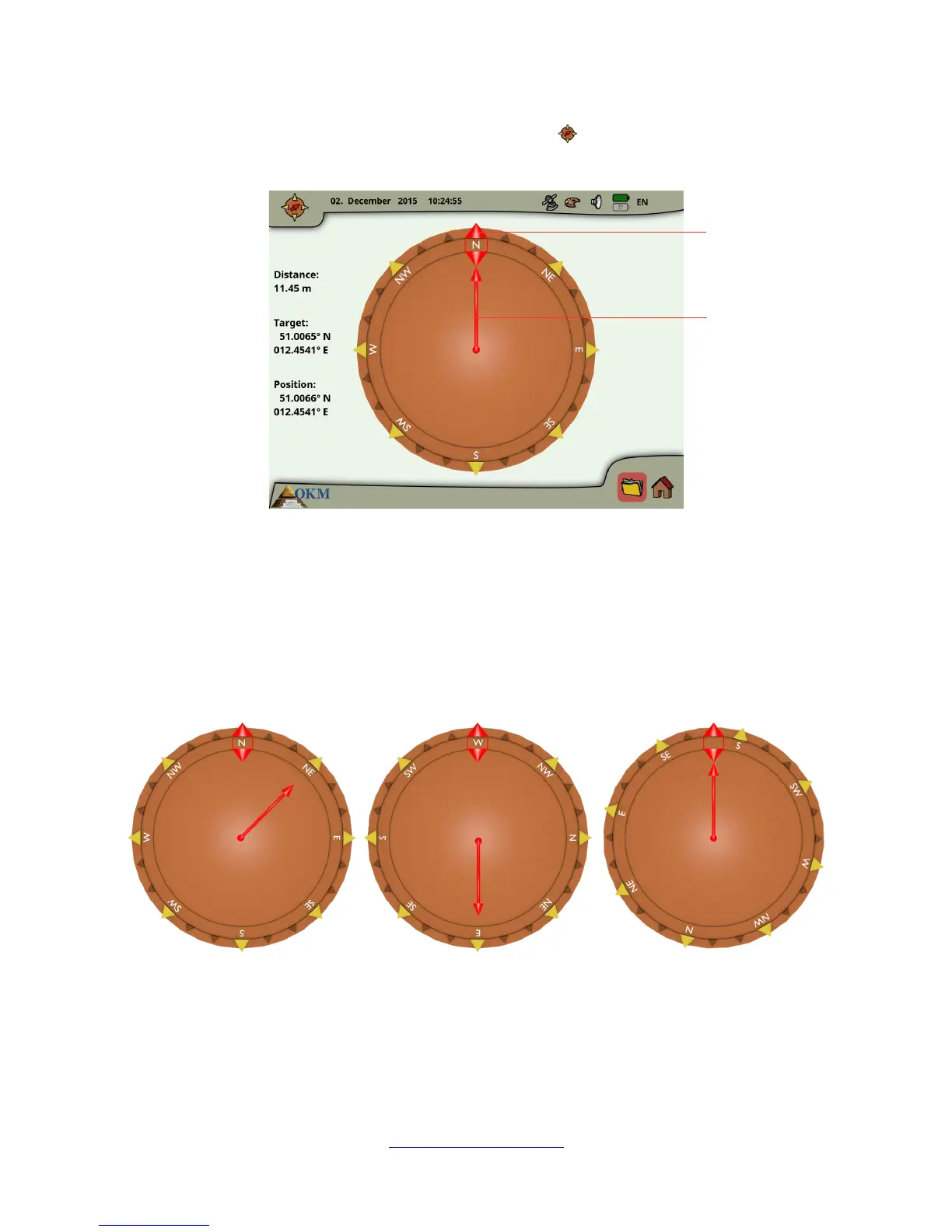
navigation screen as shown in figure 6.33.
The position indicates the GPS coordinates of your current position, while the target is the place where
you have conducted your scan.
The distance tells you how far you have to go to reach your target GPS position.
The direction arrow points into the direction where your scan area is located. If the arrow points
directly to the orientation marker you are walking into the right direction. In any other case you have
to correct your direction by turning yourself right or left, depending on the arrow's angle.
The examples from figure 6.34 will explain how to correct your walking direction to find your target:
A In this example you are walking into North but you should go into Northeast. So you have to turn
yourself 45° to the right.
OKM GmbH
www.okmmetaldetectors.com



 To Next Page