Operating modes 65
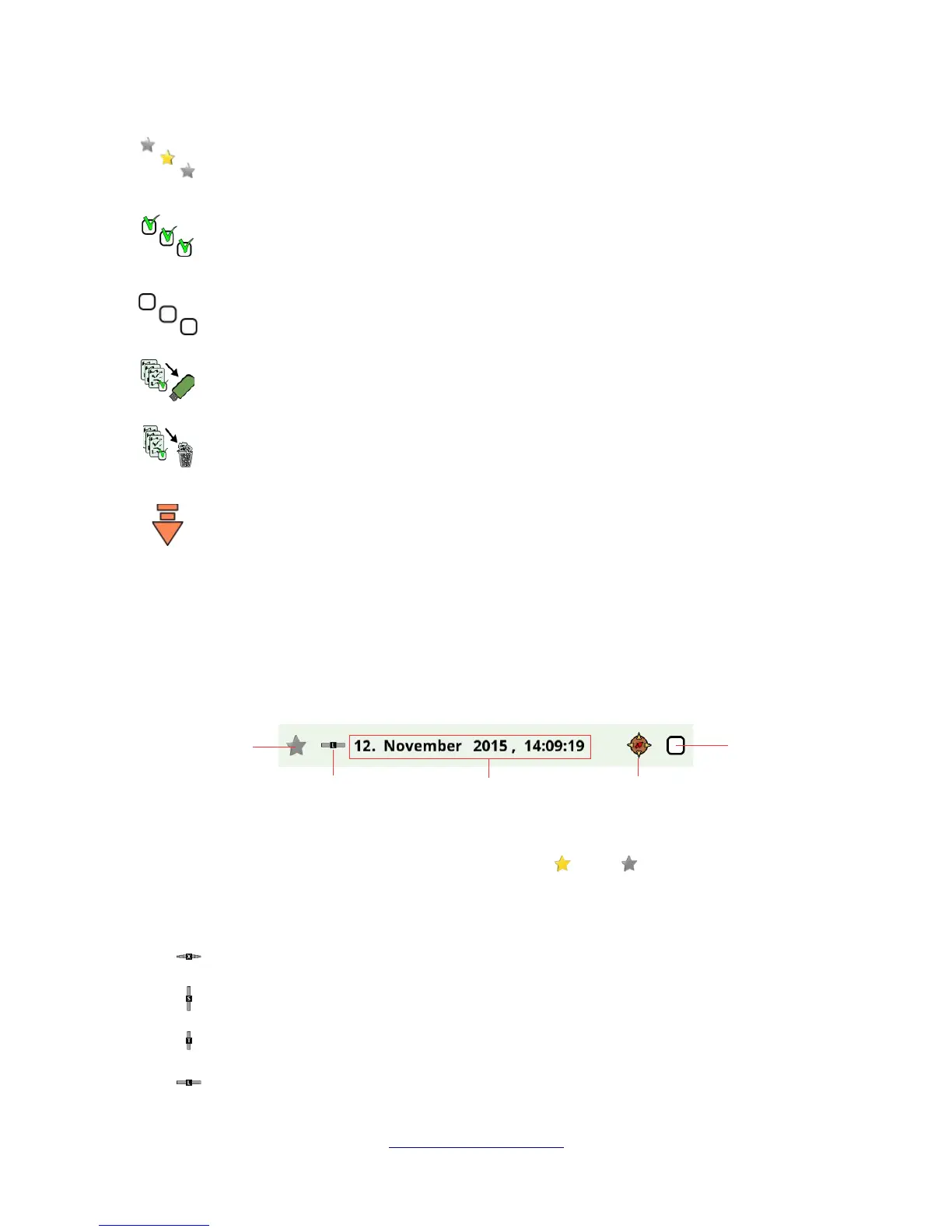
Show all files
This button is used to force the listing of all files, not only favorites. After selecting this
button all files will be listed.
Mark all files
This button is used to mark all files at once. This might be useful if you are going to delete
or copy all files.
Unmark all files
This button is used to unmark all files at once.
Copy marked files to USB stick
Use this button to copy all files that have been marked to an external USB stick.
Delete marked files
Use this button to delete all files that have been marked permanently from the eXp 6000
control unit.
Leave Toolbar
This button becomes important if you are operating the eXp 6000 control unit exclusively
with the multi-function control knob. Then you have to select this button to bring the focus
back to the file list.
6.8.1.2 File List Item
One file list item represents one scan file that has been conducted and saved. In figure 6.31 all elements
of a list item are shown.
The favorite indicator shows if the file is marked as a favorite or not .
The probe indicator tells you which probe or sensor has been used to conduct this scan image. The
following probe indications are possible:
• = Telescopic Probe
• = Super Sensor
• = Tunnel Sensor
• = LiveStream Sensor
OKM GmbH
www.okmmetaldetectors.com



 To Next Page