30 Assembly & Preparation
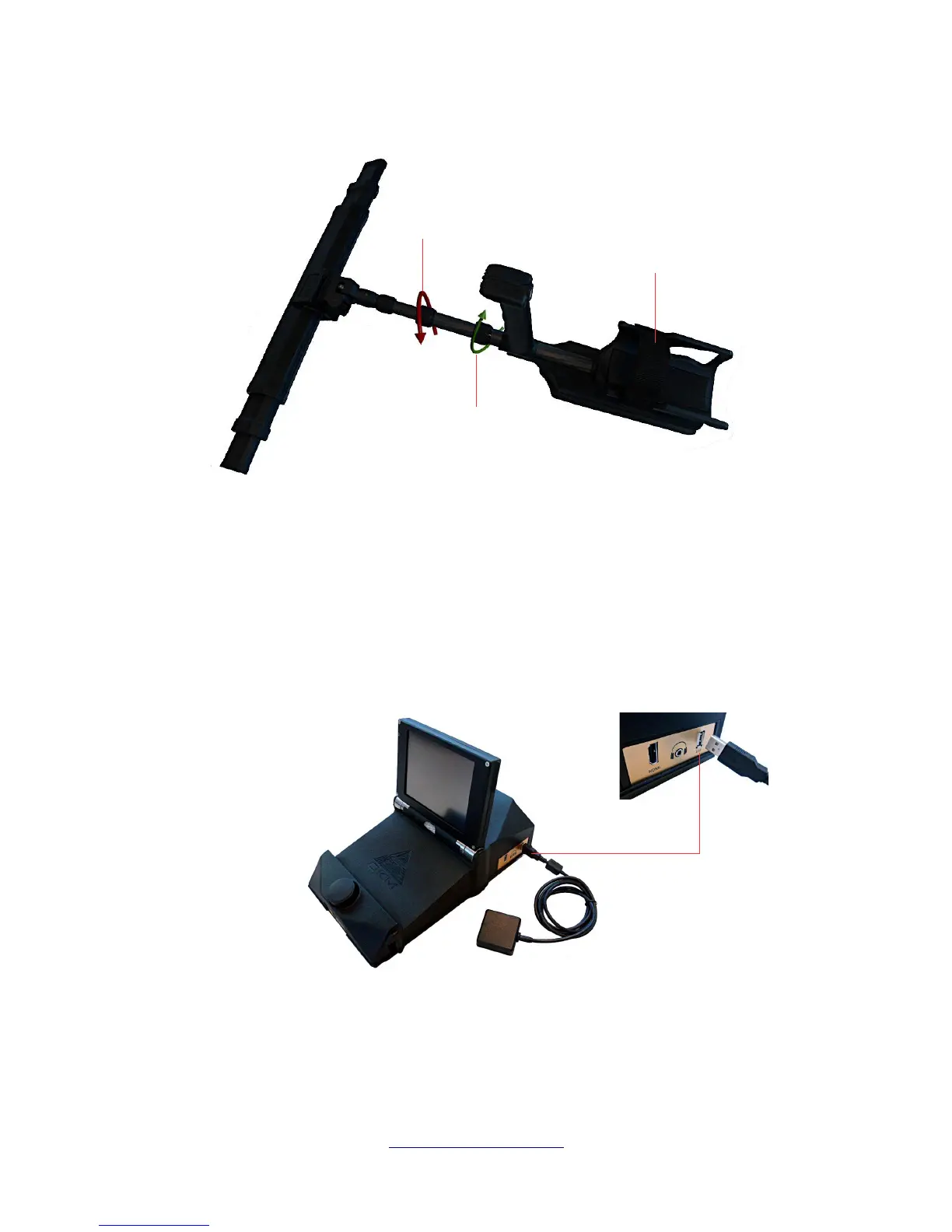
For your personal comfort you should extend the telescopic rod assembly to your preferred length.
Additionally you may use the tie strap to fix the arm rest to your arm. Thus working with the telescopic
rod assembly is more comfortable.
5.3 Connecting external GPS receiver
In case you are using the navigational functions to navigate yourself to a scan area, you don't need to
utilize the telescopic rod assembly but can use the external GPS receiver (eGPS) instead. Simply connect
it with the USB port of the eXp 6000 control unit as shown in figure 5.5.
That eases the process of navigating by carrying less equipment. Further details concerning GPS
navigation is available in section 6.8.5 “GPS navigation” on page 67.
OKM GmbH
www.okmmetaldetectors.com



 To Next Page