37
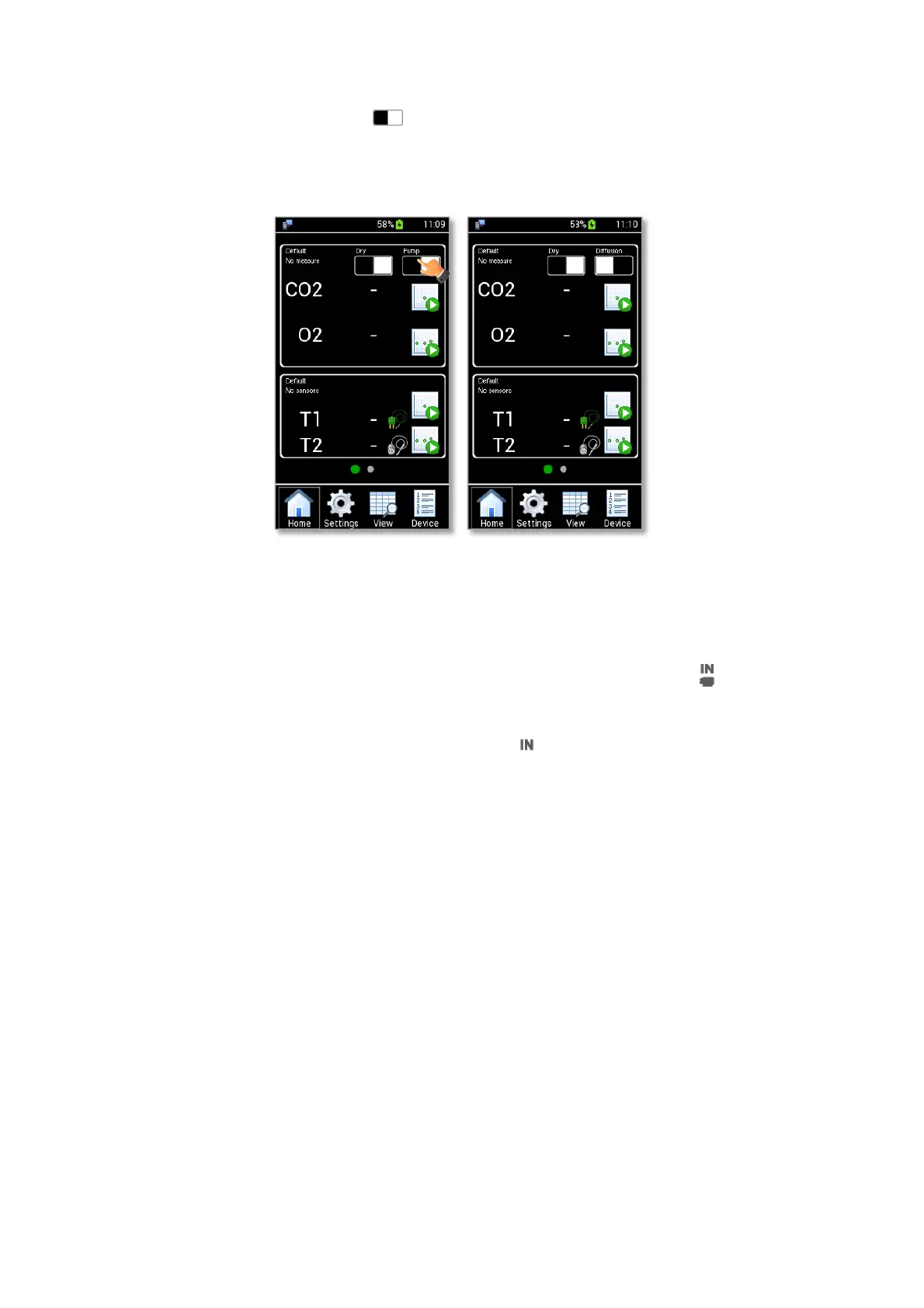
6. Press the Pump/Diffusion Mode button (see Figure 47 a) to select the Diffusion Mode (see Figure 47 b).
Once you have followed the step mentioned above, LEO is ready to be used in Diffusion Mode. See
paragraph 10.1.3 to start a Single Point Measurement or paragraph 10.1.4 to start a Gas Logging.
Figure 47. How to select the Diffusion Mode (a – b).
10.1.2 Aspiration Mode – Preliminary Operations
1. Connect the clear connector of the Tube-A to LEO gas input port labeled (1 in Figure 48,
Configuration a and in Figure 48, Configuration b).
2. Put the cap on LEO gas input port labeled with icon (2 in Figure 48, Configuration a in Figure 48,
Configuration b).
3. Connect the red connector of the Tube-A to the green connector of Tube-B (3 in Figure 48,
Configuration a).
If the sampling gas is humid, connect the red connector of Tube-A (3 in Figure 48, Configuration b) and
the green connector of Tube-B (4 in Figure 48, Configuration b) to the Moisture Trap. In this case,
operate in Wet Mode (see paragraph 10.1.5)
4. Connect the end of Tube-B to the incubator or to the point where measurement is required (4 in Figure
48, Configuration a and 5 in Figure 48, Configuration b)
5. Okolab recommends the use of a purge tube attached to LEO gas outlet port (5 in Figure 48,
Configuration a and 6 in Figure 48, Configuration b ). You can use the supplied additional tube as tube
for purging. Use the supplied female luer connector to connect the additional tube to LEO gas outlet
port. The purge tube has to be placed in a well ventilated environment.
Tip ►Use the fitting tubes and additional tubes in order to allow the compatibility of the supplied tubing
with the sampling gas port of your incubators.



 To Next Page