44
11.2 Temperature Single Point Measurement
After connecting the temperature module (T1 or T2-MODULE), follow the instructions below to start a
temperature Single Point Measurement.
1. Select the Device for which data has to be stored (see paragraph 9.3.1).
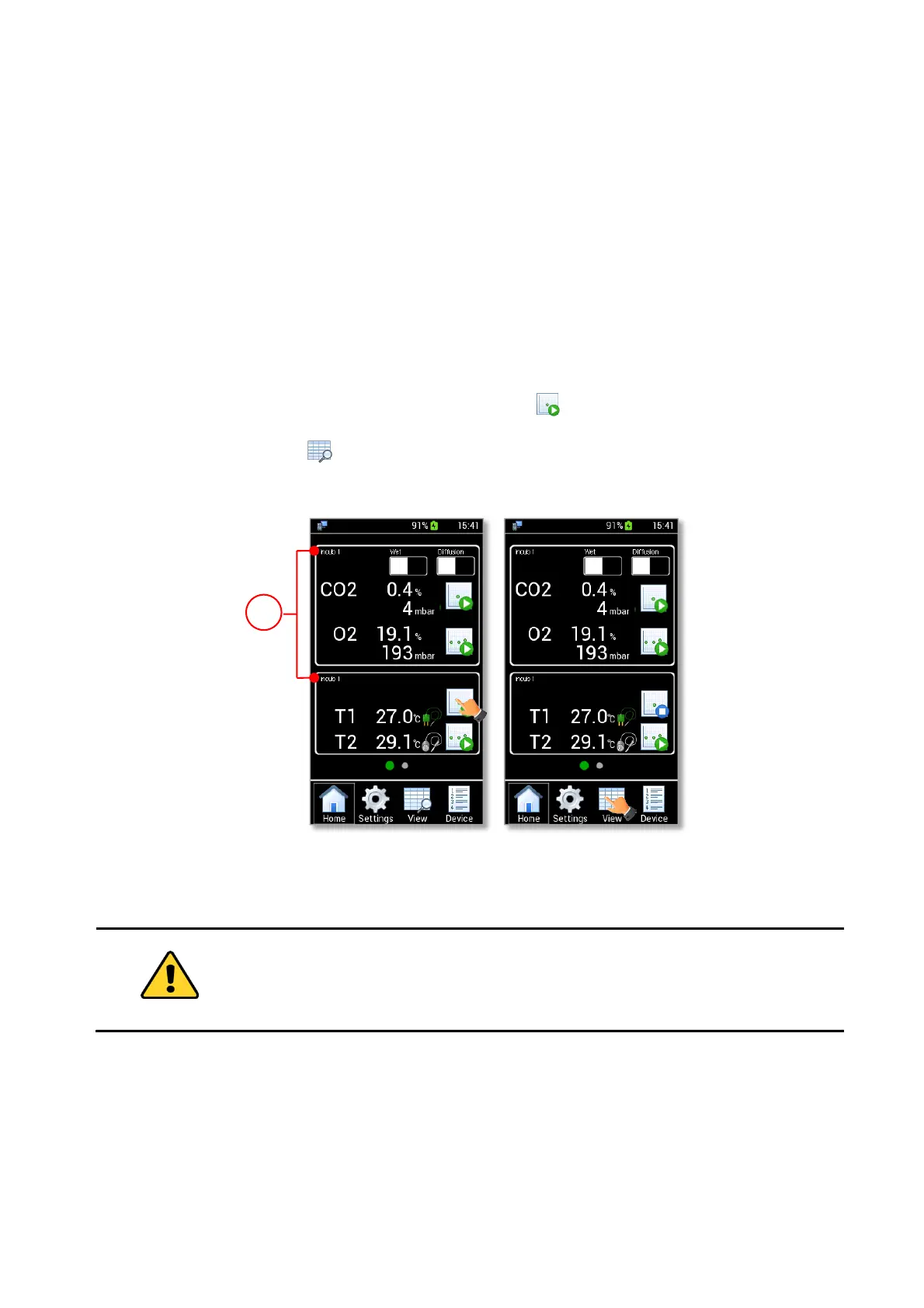
Note ► If no device is selected, the data is stored on the current device shown on the home page (1 in Figure
55 a).
Tip ► During a gas measurement, you can start a temperature measurement and select a different Device
for which temperature data shall be stored.
2. Wait until the temperature reading becomes stable.
3. Press the Temperature Single Point Measurement icon (see Figure 55 a).
4. Press the View icon to view stored data (see Figure 55 b). More details are reported in chapter
12.
Figure 55. Homepage during a temperature single point measurement.
11.3 Temperature Logging
To start a temperature logging follow the instructions below:
1. Select the Device for which the data have to be stored (see paragraph 9.3.1).



 To Next Page