2-18
Before Using the Fax Machine > Registering Destinations in the Address Book
Adding a Group
Compile two or more contacts into a group. Designations in the group can be added at the same time. When adding a
group, a maximum of 50 groups can be added in the Address Book.
Before adding a group in the Address Book, the contacts to be included in the group must be added first.
1
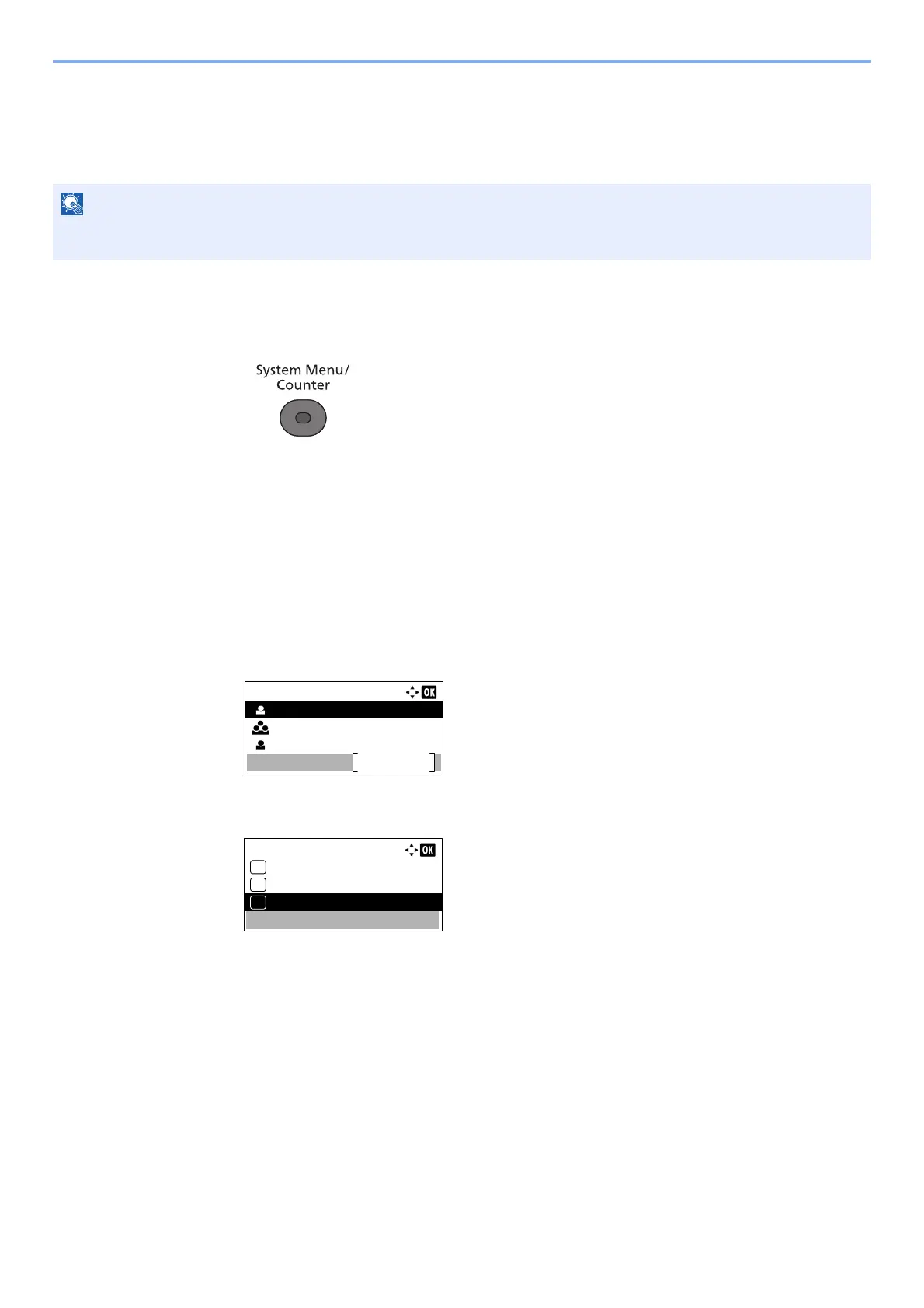
Display the screen.
1 Press the [System Menu/Counter] key.
2 Press the [▲] or [▼] key to select [Edit Destination].
3 Press the [OK] key.
4 Press the [▲] or [▼] key to select [Address Book].
5 Press the [OK] key.
2
Adds a new destination.
1 Press [Menu].
2 Press the [▲] or [▼] key to select [Add Address].
3 Press the [OK] key.
3
Select the registration method.
1 Press the [▲] or [▼] key to select [Group].
2 Press the [OK] key.
If user login administration is enabled, you can only edit destinations in the Address Book by logging in with
administrator privileges.
Address Book:
Sales Department 1
Menu
Sales Group
Support Department
Menu:
Add Address
03
Detail/Edit
02
Delete
01



 To Next Page