6-8
Sending Faxes from PC > Basic Transmission
3
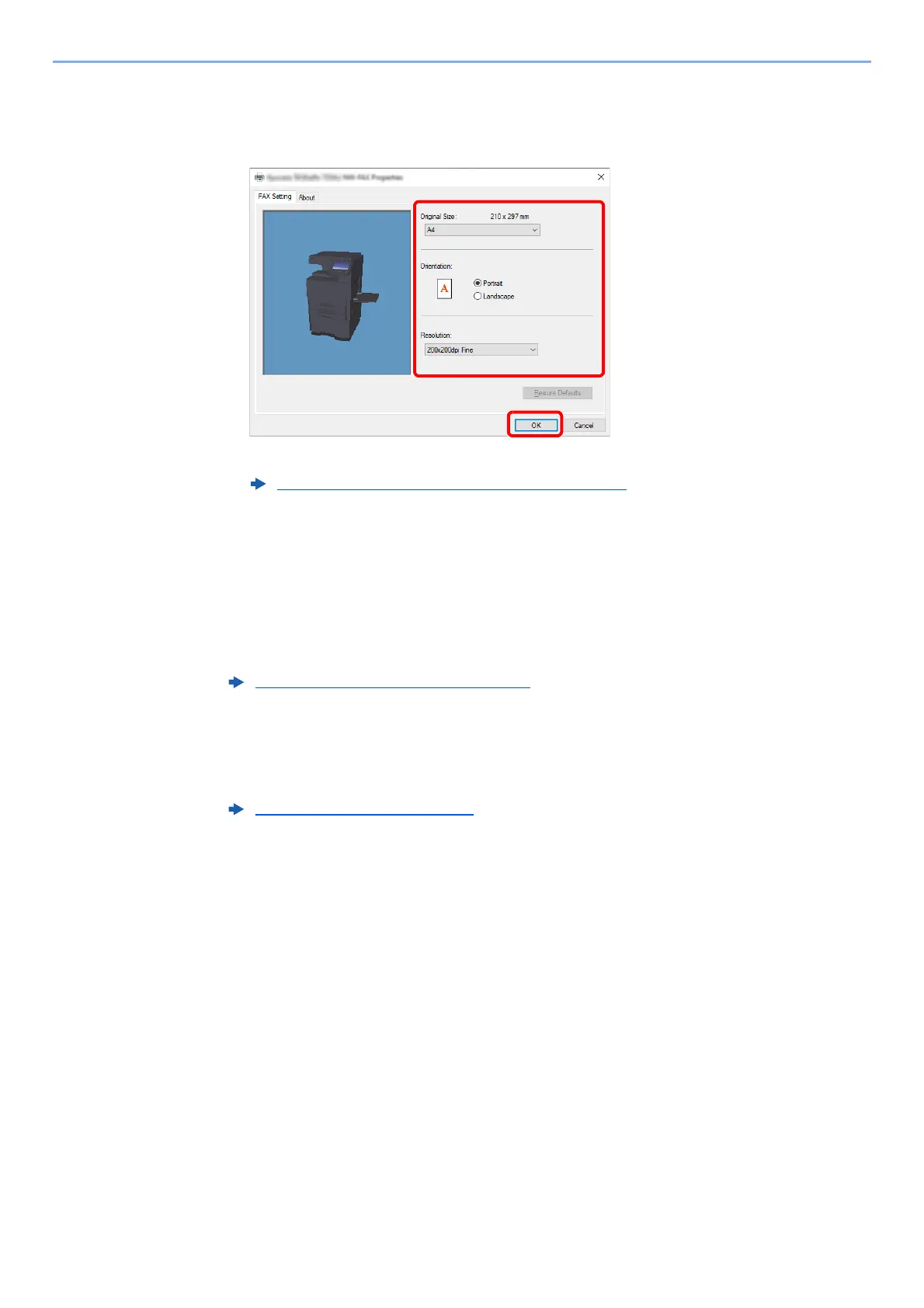
Select settings on the FAX Setting tab.
1 Specify fax settings such as the original size on the FAX Setting tab, and click [OK].
For detailed information on the settings on the tab, refer to the following:
2 You will return to the Print dialog box for the application. Click [Print]. The Transmit
Settings dialog box will appear.
4
Select settings in the Transmit Settings dialog box.
You can specify settings such as a transmission time or a sub-address in the Transmit
Settings dialog box.
For details on the settings, refer to the following:
5
Specify a cover page.
To include a cover page, select settings on the [Cover Page] tab.
For details on the settings, refer to the following:
Configuring the Driver Default Settings (page 6-13)
Changing Transmit Settings (page 6-18)
Using Cover Pages (page 6-23)



 To Next Page