6-9
Sending Faxes from PC > Basic Transmission
6
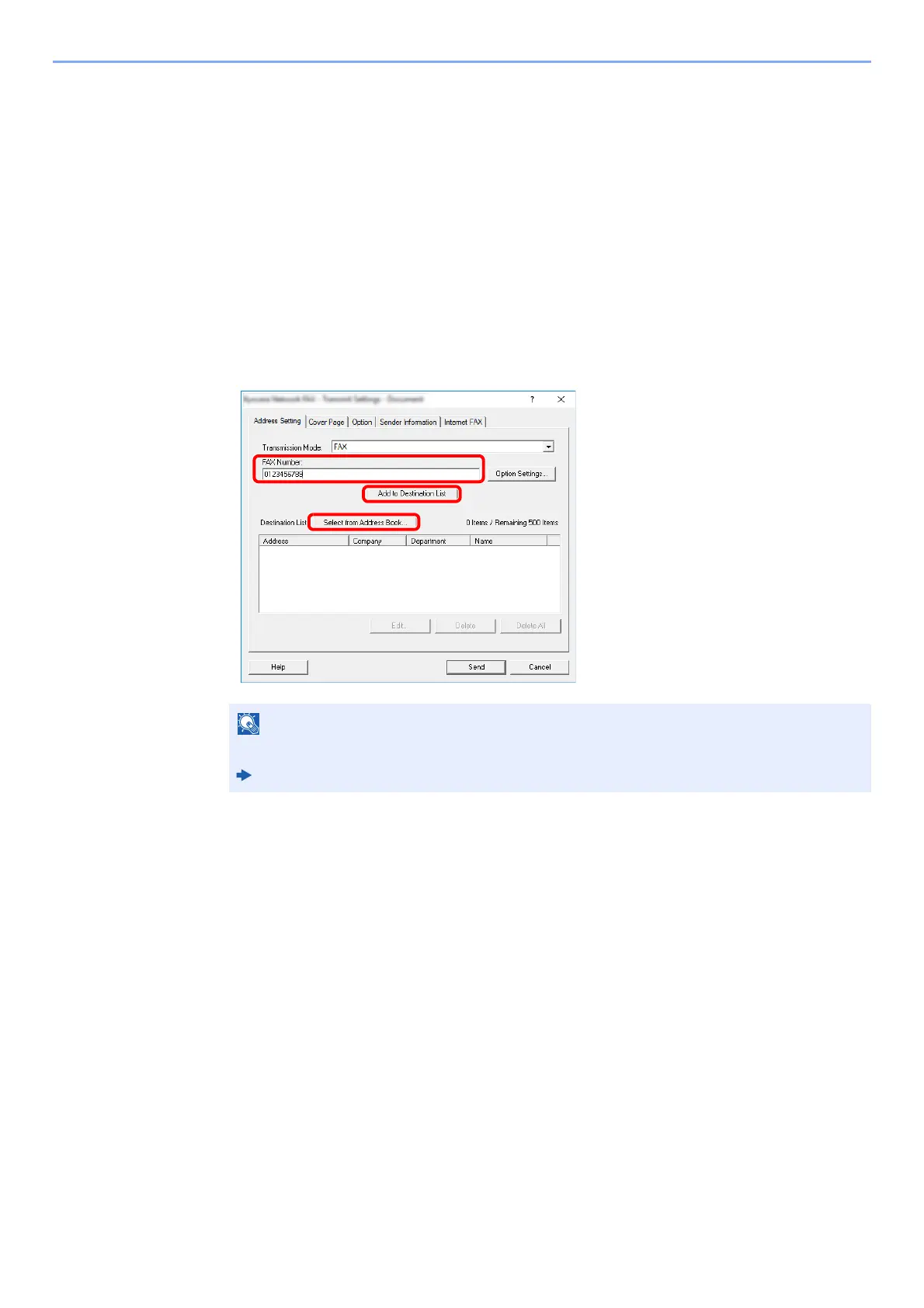
Set the destination.
1 Use the keyboard to enter the destination fax number in the [Address Setting] tab.
If you are using the optional Internet fax function, select the mode that you want to use
([Fax], [iFax (Via server - On)], or [iFax (Via server - Off)]) from "Transmission Mode",
and enter the fax number or address of the other machine.
• Maximum number of characters that can be entered: 64 characters
• Characters that can be entered: 0 to 9, #, *, -, space (a space or “-“ CANNOT be
entered as the first character)
2 Click [Add to Destination List]. The destination information will appear in the address list.
To send to multiple destinations, repeat this operation.
3 To use the Address Book, click [Select from Address Book] and select the destination.
7
Click [Send]. Transmission will begin.
If [Broadcast] is set to [Prohibit], it is not possible to enter multiple destinations.
Machine’s Operation Guide



 To Next Page