8-14
Fax Settings > Default FAX settings
Sound
[Home] key > [...] > [System Menu] > [Function Settings] > [Fax/iFax] > [Sound]
Display Fax Log
[Home] key > [...] > [System Menu] > [Function Settings] > [Fax/iFax] > [Display Fax Log]
Prevent Mis-sending Settings
[Home] key > [...] > [System Menu] > [Function Settings] > [Fax/iFax] > [Prevent Mis-sending Settings]
Default Screen (Send/Fax)
[Home] key > [...] > [System Menu] > [Function Settings] > [Fax/iFax] > [Default Screen (Send/Fax)]
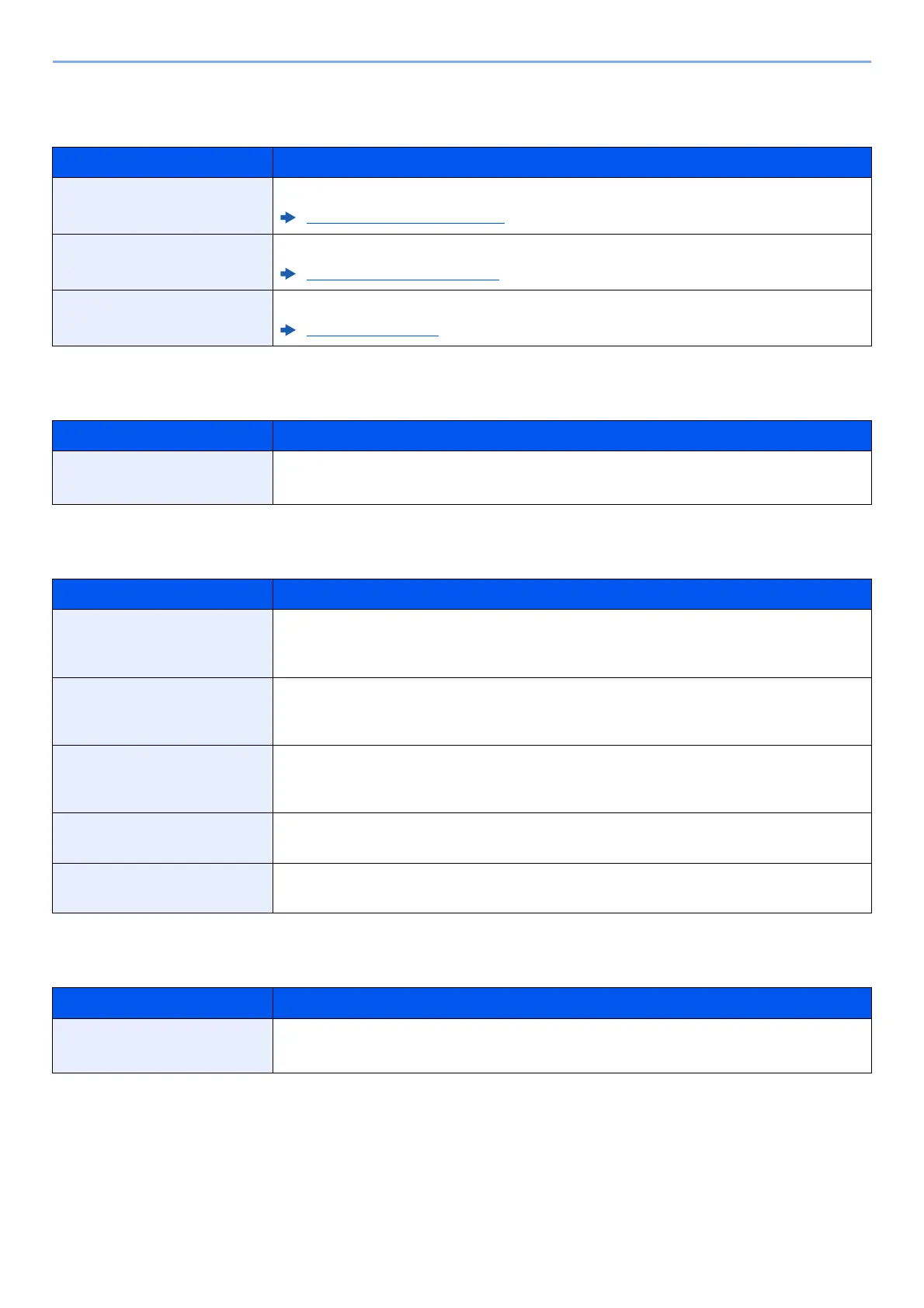
Item Description
Fax Speaker Volume Adjust the volume of the speaker.
Fax Speaker Volume (page 8-5)
Fax Monitor Volume Adjust the volume of the monitor.
Fax Monitor Volume (page 8-5)
Job Finish Emit a sound when a job is normally completed.
Job Finish (page 8-5)
Item Description
Display Fax Log Set the display method of the Status/Log.
Value: Show All, Hide All
Item Description
Destination Check before
Send
Select whether to display the confirmation screen of destinations after pressing the [Start] key
when performing sending jobs.
Value: Off, On
Entry Check for New Dest.
When adding new destination, select whether to display the entry check screen to check the
entered destination.
Value: Off, On
New Destination Entry
(Fax)
Select whether to permit direct entry of destination. When this option is set to
[Prohibit], you cannot enter the destination directly.
Value: Prohibit, Permit
Recall Destination
Select whether to permit usage of [Recall] on the Send screen.
Value: Prohibit, Permit
Broadcast
Set whether to enable broadcast.
Value: Prohibit, Permit
Item Description
Default Screen (Send/Fax) Set the default screen displayed when you select the [Send] key.
Value: Destination, Address Book



 To Next Page