8-15
Fax Settings > Default FAX settings
Quick Setup Registration (Fax)
[Home] key > [...] > [System Menu] > [Function Settings] > [Fax/iFax] > [Quick Setup Registration (Fax)]
Using iFax
[Home] key > [...] > [System Menu] > [Function Settings] > [Fax/iFax] > [Using iFax]
Polling Box
[Home] key > [...] > [System Menu] > [Function Settings] > [Fax/iFax] > [Polling Box]
Fax Memory RX Box
[Home] key > [...] > [System Menu] > [Function Settings] > [Fax/iFax] > [Fax Memory RX Box]
Result Report Setting
[Home] key > [...] > [System Menu] > [Function Settings] > [Fax/iFax] > [Result Report Setting]
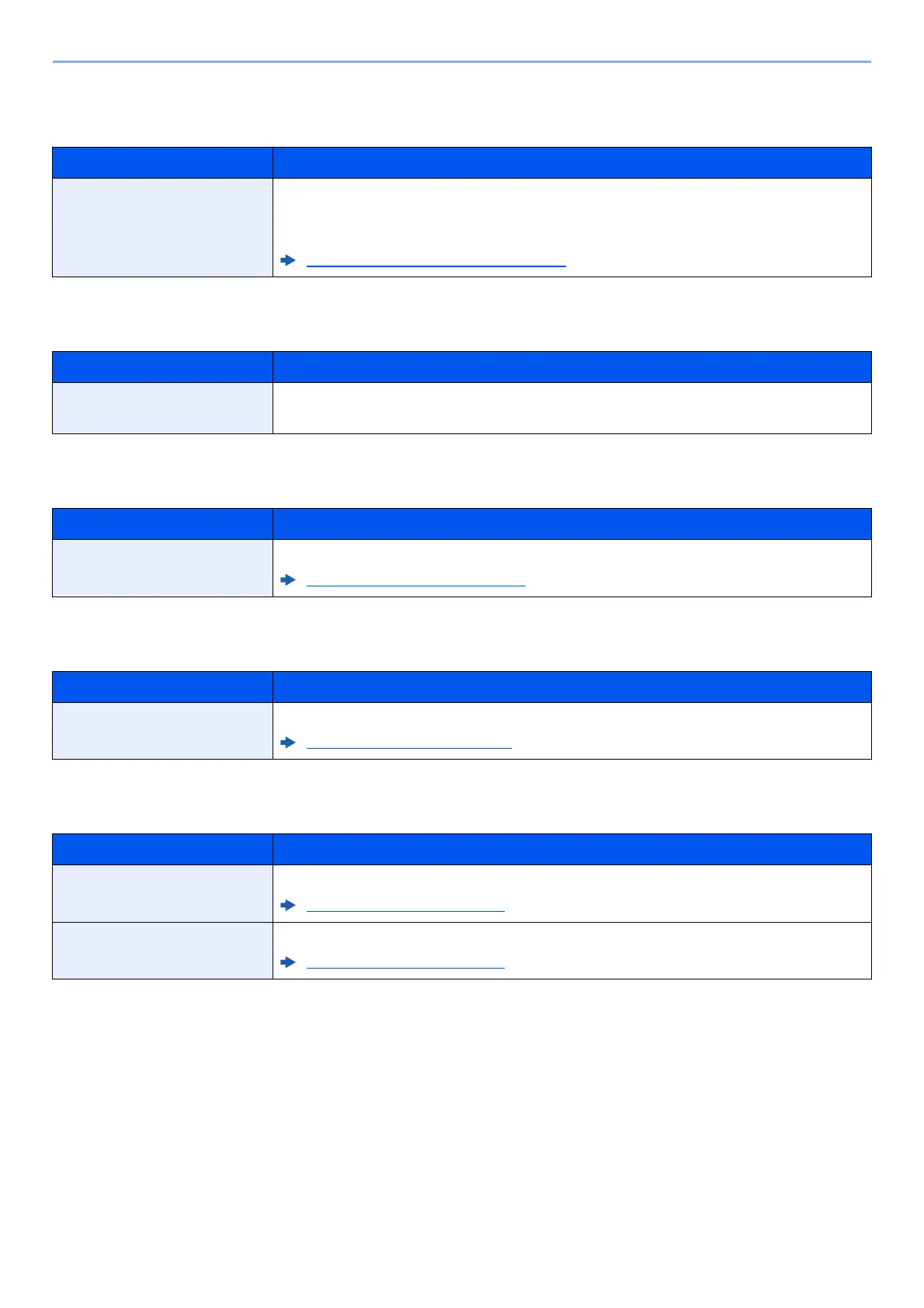
Item Description
Quick Setup Registration
(Fax)
Select the functions to be registered for Quick Setup.
Six keys of the Quick Setup screen are allocated to typical functions but can be
changed as necessary.
Quick Setup Registration (Fax) (page 8-4)
Item Description
Using iFAX
Select whether to use i-FAX.
Value: Off, On
Item Description
Polling Box For details on Polling Box, refer to the following:
Polling Communication (page 5-29)
Item Description
Fax Memory RX Box Configure whether to save the received faxes one into the FAX Memory RX Box.
Fax Memory RX Box (page 8-16)
Item Description
Outgoing Fax Report An activity report is printed out automatically after every 50 faxes sent.
Outgoing Fax Report (page 8-8)
Incoming Fax Report An activity report is printed out automatically after every 50 faxes received.
Incoming Fax Report (page 8-8)


 To Next Page