3-19
Preparation before Use > Preparation for Sending a Document to a Shared Folder in a PC
Making a note of the user name and domain name
Check the domain name and user name for logging onto Windows.
1
Display the screen.
Click [Search] in charms, and enter "Command Prompt" in the search box. Select [Command
Prompt] in the search list.
In Windows 7, from [Start] button on the Windows, select [All Programs] (or [Programs]),
[Accessories] and then [Command Prompt].
In Windows 10, right-click [Start] button on the Windows and select [Command Prompt].
The Command Prompt window appears.
2
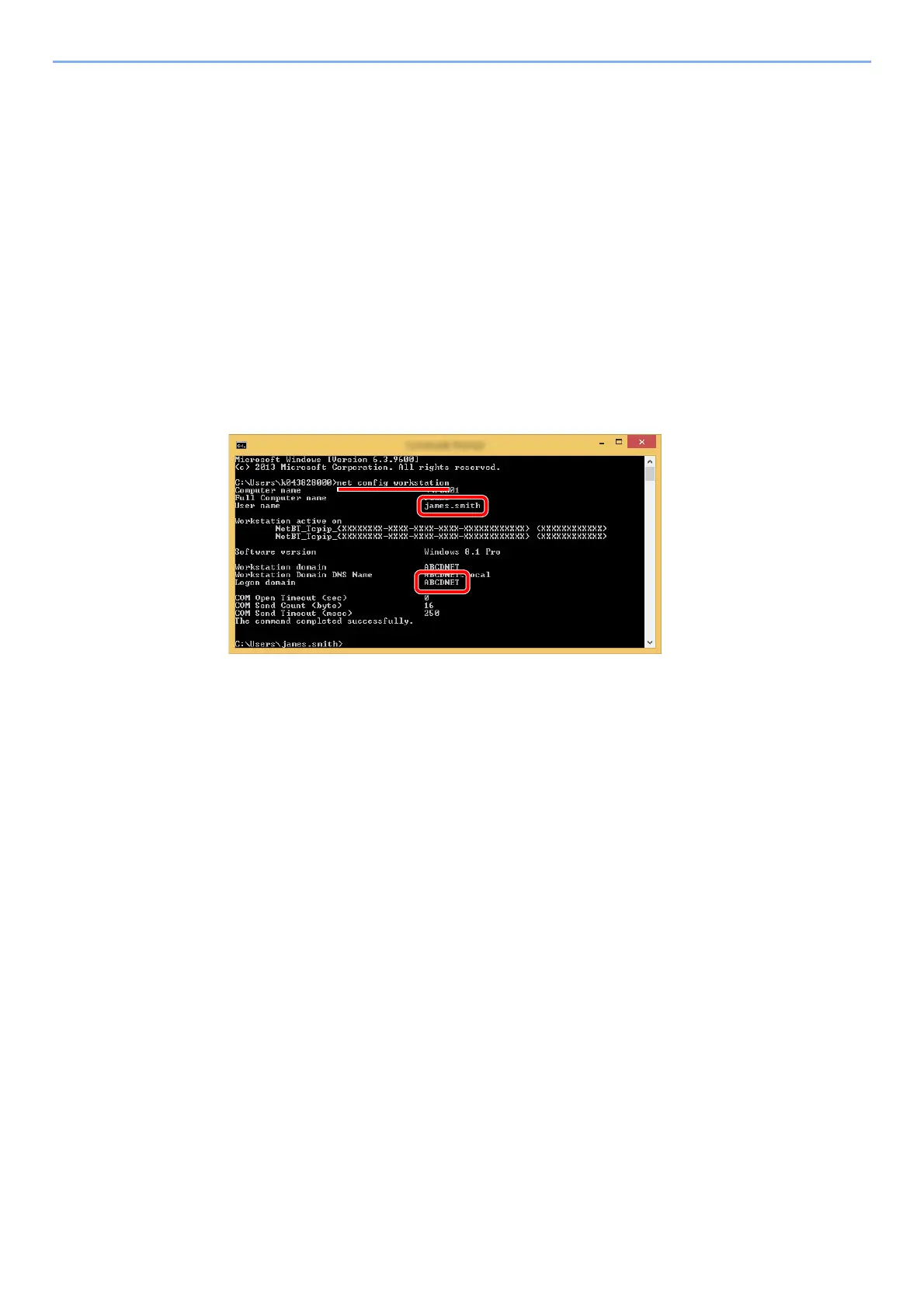
Check the domain name and user name.
At the Command Prompt, enter "net config workstation" and then press [Enter].
Check the user name and domain name.
Screen example:
User Name: james.smith
Domain Name: ABCDNET









 To Next Page