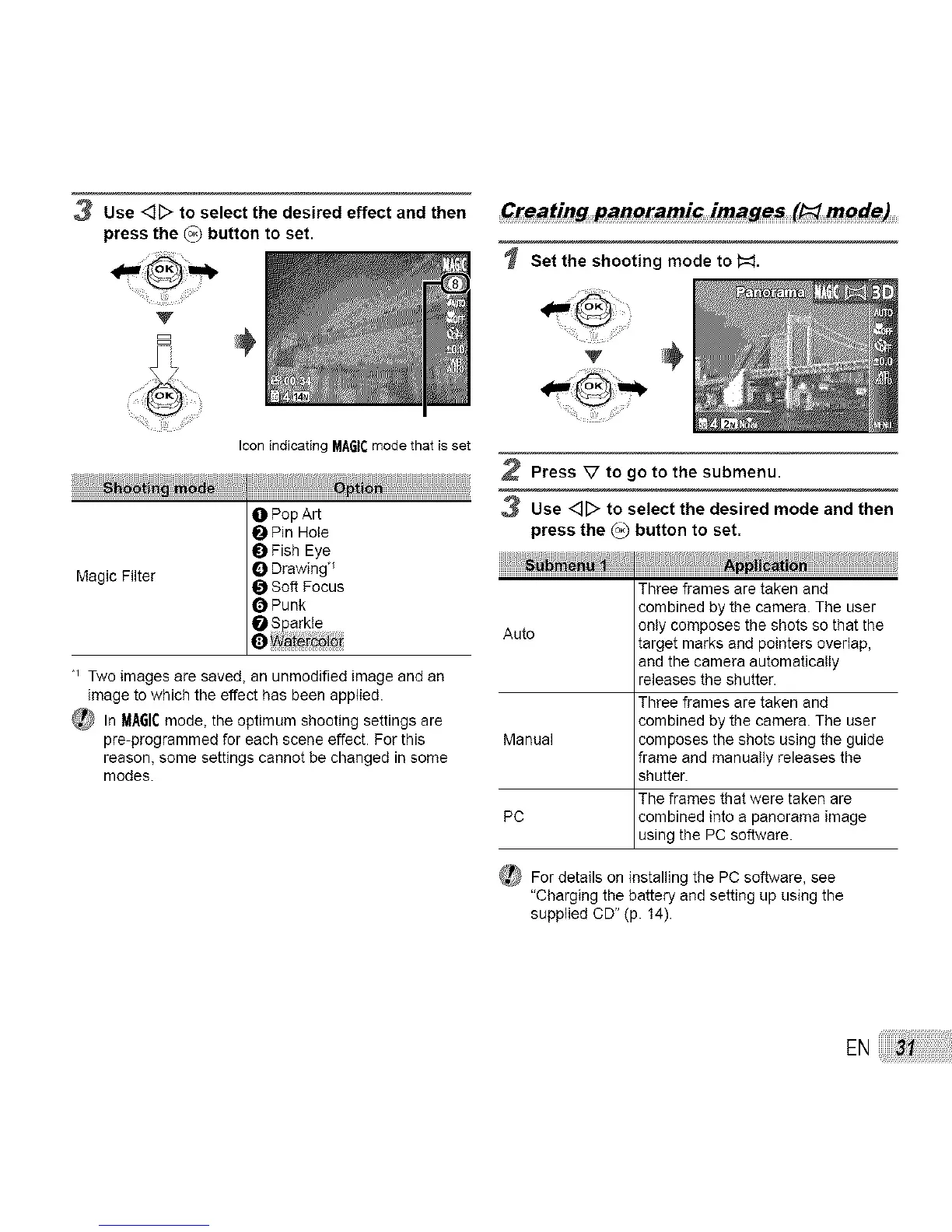
3 Use <_D to select the desired effect and then
press the (°3 button to set.
Creating panoramic images (l_I mode)
Set the shooting mode to #=:L
Icon indicating MA6t¢ mode that is set
ho
O Pop Art
Pin Hole
_) Fish Eye
Drawing _
Magic Filter _ Soft Focus
OPunk
leWat°rc_j_
*_ Two images are saved, an unmodified image and an
image to which the effect has been applied.
_ In MAGICmode, the optimum shooting settings are
pre-programmed for each scene effect. For this
reason, some settings cannot be changed in some
modes.
'V
2 Press V to go to the submenu.
3 Use <]D to select the desired mode and then
press the _ button to set.
Three frames are taken and
combined by the camera. The user
Auto only composes the shots so that the
target marks and pointers overlap,
and the camera automatically
releases the shutter.
Three frames are taken and
combined by the camera. The user
Manual composes the shots using the guide
frame and manually releases the
shutter.
The frames that were taken are
PC combined into a panorama image
using the PC software.
(_ For details on installing the PC software, see
"Charging the battery and setting up using the
supplied CD" (p. 14).
EN



 To Next Page