DMTA041-01EN [U8778479], Rev. C, May 2014
Instrument Overview
15
1. Instrument Overview
This chapter describes the front and back panels of the TomoScan FOCUS LT.
1.1 Front Panel Description
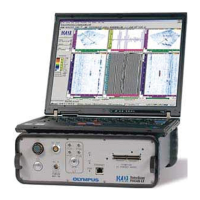
Figure 1-1 on page 16 shows the front panel of the TomoScan FOCUS LT. This panel
enables the user to perform the following:
• Connect a phased array probe to the TomoScan FOCUS LT
• Connect up to 4 conventional ultrasound probes
• Enable or disable UT conventional ultrasound mode
• Connect the TomoScan FOCUS LT to an Ethernet network
• Output DC voltage to power external devices
• Connect the TomoScan FOCUS LT to an AC or DC power source
• Monitor the unit power supply status
• Connect input/output signals (encoders, alarms, etc.)
• Turn on and off the TomoScan FOCUS LT


 To Next Page