DMTA041-01EN [U8778479], Rev. C, May 2014
Chapter 1
20
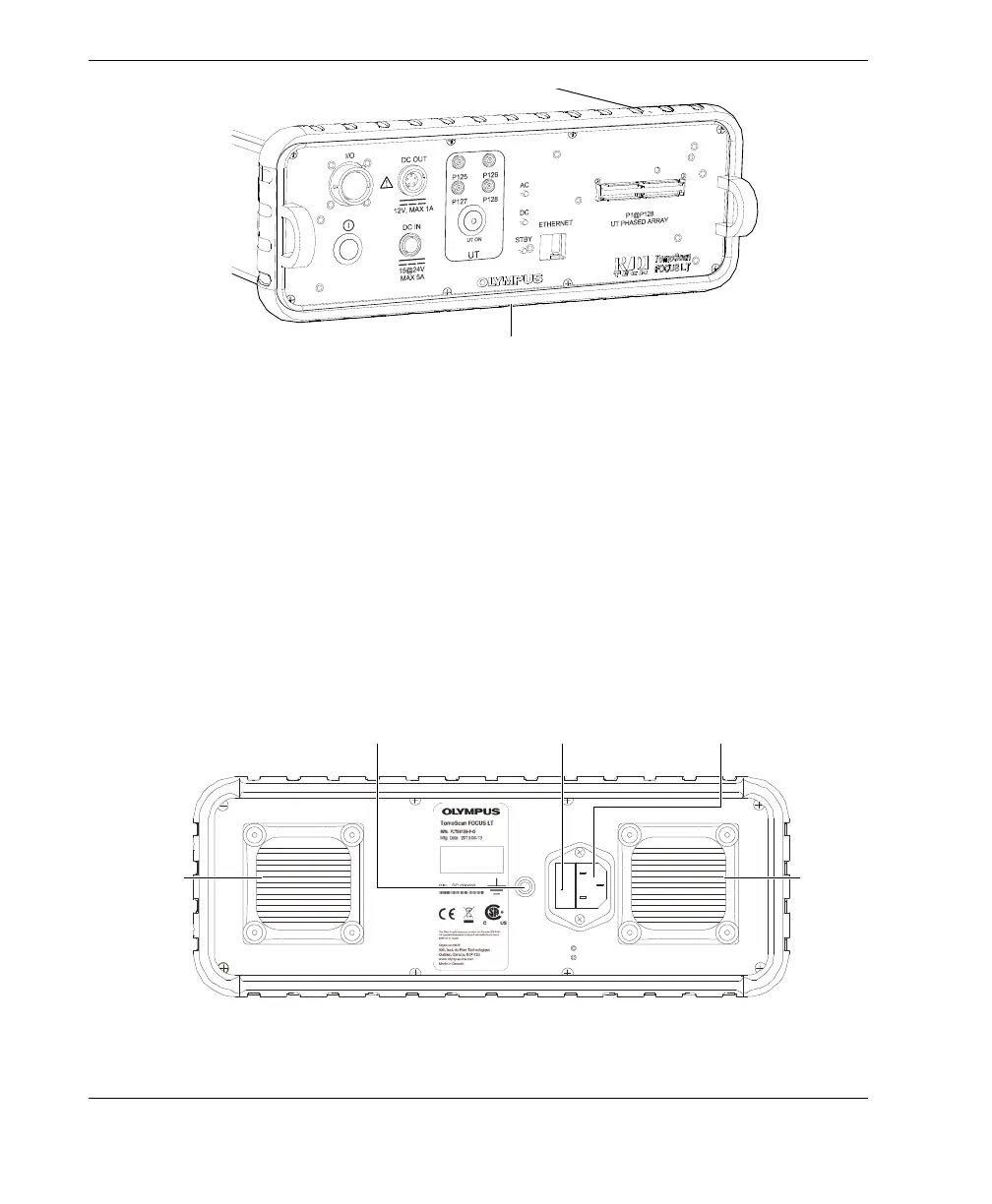
Figure 1-2 Protective bumper of the front panel
1.2 Back Panel Description
Figure 1-3 on page 20 shows the back panel of the TomoScan FOCUS LT. This panel
enables the user to perform the following:
• Connect the TomoScan FOCUS LT to an AC power source
• Replace the fuse
•Ground the unit
Figure 1-3 The TomoScan FOCUS LT back panel
Fan
External ground
Fuse and fuse holder Power entry module
Fan


 To Next Page