DMTA041-01EN [U8778479], Rev. C, May 2014
Chapter 4
36
To clean the instrument
1. Ensure that the instrument is turned off and the power cord is disconnected.
To prevent the risk of an electric shock, first disconnect the power cord from the
power outlet, and then disconnect the power cord from the instrument.
2. To bring the instrument back to its original finish, clean the housing and the front
panel with a soft cloth.
Do not clean the instrument with a water jet, spray can, or spray bottle. Liquid could
seep in and damage the instrument, or the connector contacts could stay wet and
produce a short circuit when connecting cables.
3. To remove persistent stains, use a damp cloth with a soft soapy solution. Do not
use abrasive products or powerful solvents that might damage the finish.
4. Wait until the instrument dries completely before connecting the power cord and
cables.
4.3 Maintenance of the Fan Filters
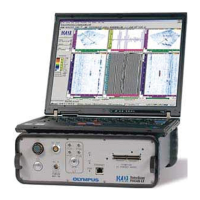
The TomoScan FOCUS LT is equipped with two cooling fans that are located on the
back panel. Filters, located on the vent inlets, remove dust particles from the air
drawn in by each fan. To allow sufficient airflow, the filters must be periodically
cleaned and changed; the frequency of which depends on how often you use your
TomoScan FOCUS LT and the quality of ambient air.


 To Next Page