DMTA041-01EN [U8778479], Rev. C, May 2014
Maintenance and Troubleshooting
37
4.3.1 Cleaning the Fan Filters
To clean the fan filters
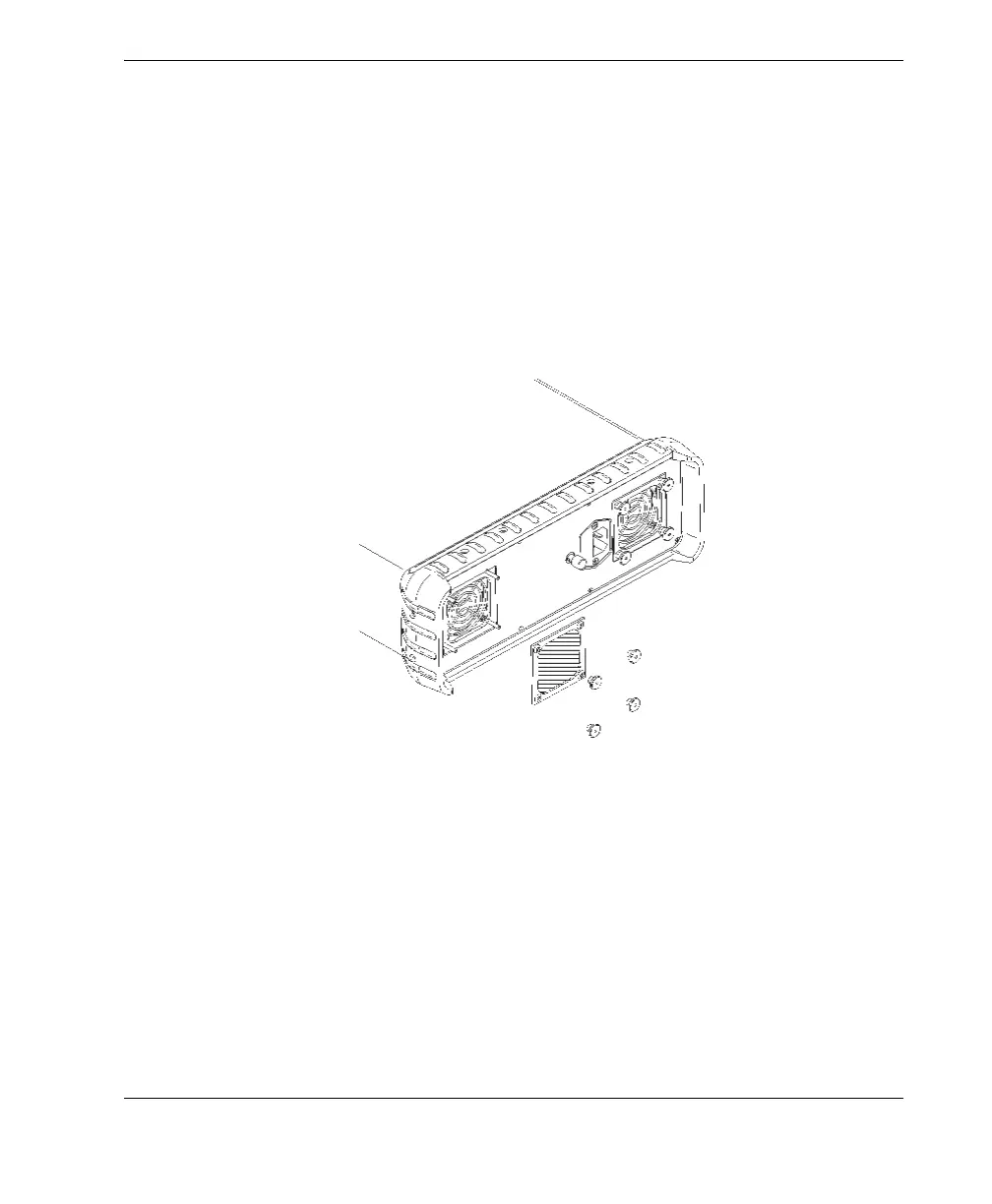
1. Unscrew and remove the four knurled screws that secure each fan filter (see
Figure 4-1 on page 37).
2. Remove the fan filter.
3. Using a compressed-air jet, clean the filter on both sides.
4. Place the filter back in the appropriate position.
5. Screw the four knurled screws back into place.
Figure 4-1 Fan filter removed from the TomoScan FOCUS LT
4.3.2 Changing the Fan Filters
To change the fan filters
1. Unscrew and remove the four knurled screws that secure each fan filter (see
Figure 4-1 on page 37).
2. Remove the fan filters.
3. Change the fan filters (Olympus part no. 26AB0008 [U8780134]).
4. Place the filters back in the appropriate positions.


 To Next Page